
When an auditor asks, the records are already linked.
Records are linked as the work happens, so you follow a lot instead of building a binder.
7-day free trial, no card required. Every plan has lot records and the audit log. Signatures, documents, training, deviations and regulated reports are Professional and Enterprise.

Linked as you work.
Batch records, signatures, training, deviations and document revisions connect to the lot they concern.
Follow the links.
Open a lot and move to the records behind it, rather than searching folders.
Honest history.
The audit log shows who did what and when; your procedures decide what is ready to show.
Follow one auditor's question
During an inspection the auditor picks lot FG-5502 and asks to see how it was made, who did it and what went wrong. Four stages.
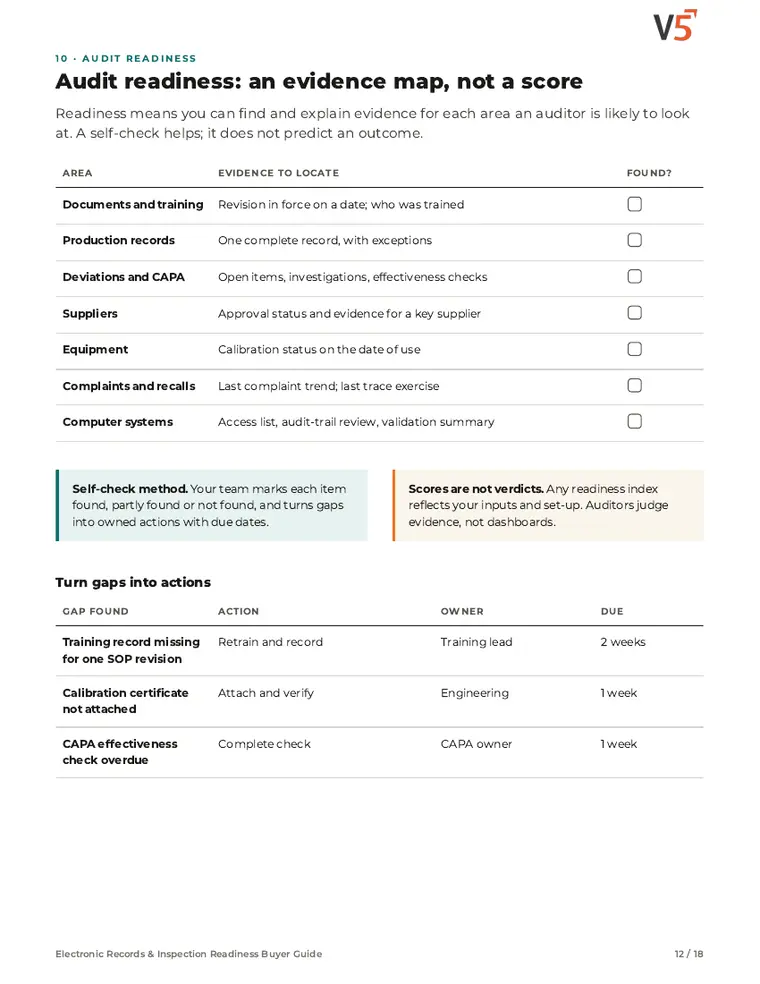
Where is the evidence?
Try it: pick an area and mark what your team found.
4 of 6 areas found · 2 to follow up
A team self-check of where records sit. It is not a prediction of any audit outcome.
Explore the details: every stage, with limits and set-up notes
Tap a step below to see what happens.Choose a step below to see what happens.
Step 1 of 4
- Work orderWO-7714 · Line 2
- StatusReleased 22 Sep
- Batch record14 steps recorded
- Linked events1 deviation · closed
Everything about the lot starts from one record.
Start from the lot the auditor names
- Search for the lot, work order or product and open one record.
- The work order, status, batch record and linked events are on the same screen.
Lot records and traceability are in every plan.
More on find: full record and set-up
Also on this record
- Shipped to
- 3 customers
Where the lot went is there too, from the same traceability records.
- Before the visit
- Run the evidence self-check to find gaps early; see Compliance self-assessment.
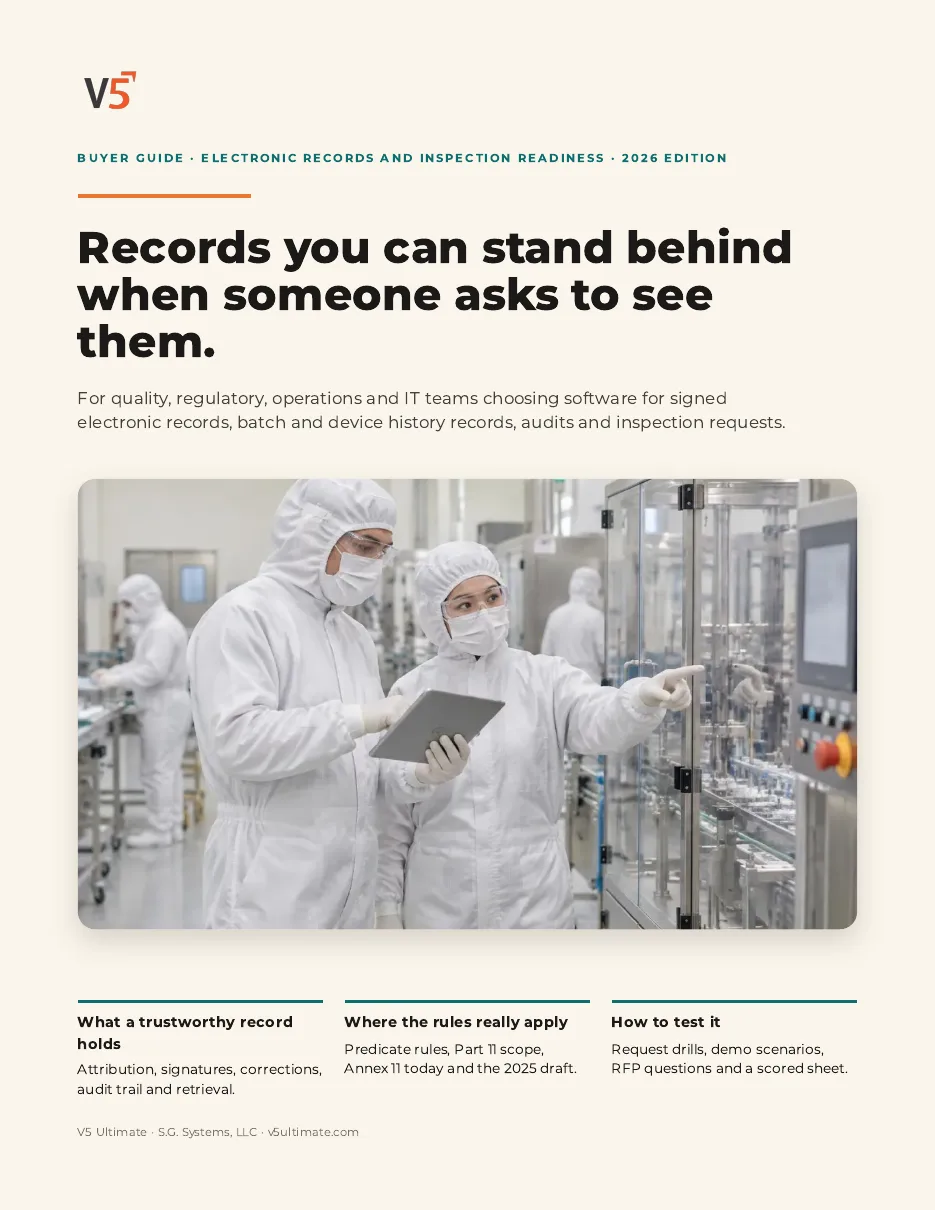
Electronic Records & Inspection Readiness Buyer Guide
For quality, regulatory, validation and IT teams evaluating electronic records, signatures and inspection readiness. Use it with or without V5.
- 1Map evidence, not a score.
- 2Retrieve one lot end to end.
- 3Use the RACI and evidence matrix.
See what's inside
- Which rules apply to which records
- Record lifecycle, attribution and authority checks
- Signatures, corrections and audit trail
- Batch and device history records
- Review by exception and controlled release
- Risk-based validation and Enterprise IQ/OQ
- Audit readiness, inspection requests and floor audits
- Sharing records outside the company
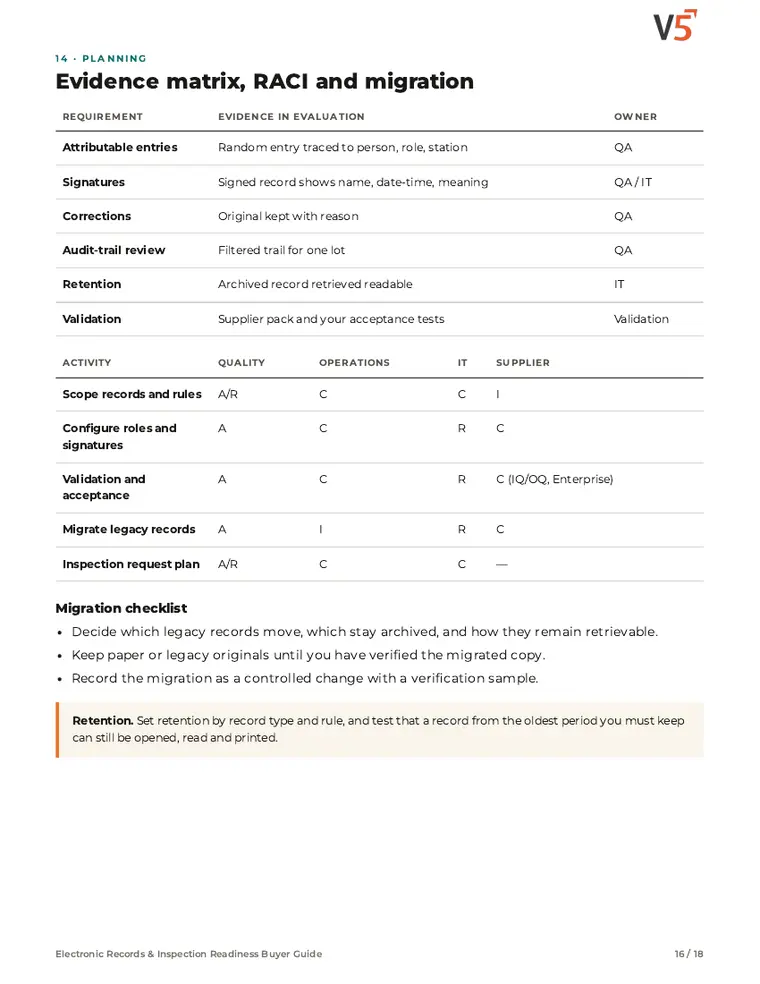
- Evidence matrix, RACI, migration, demo scenarios and RFP
Chapters: why record questions go badly · which rules apply · record lifecycle · attribution and authority · electronic signatures · corrections and audit trail · batch and device history records · review and controlled release · validation and Enterprise IQ/OQ · audit readiness evidence map · inspection requests · floor audits · external sharing · evidence matrix, RACI and migration · demo scenarios and RFP · where V5 fits and sources.
We ask for your name and email so we can handle this request. The PDF downloads in your browser. Privacy policy
Readiness is a by-product of linked records
The same records that run production, quality and training answer the auditor's questions, so there is less to assemble at the last minute.
What's included
What helps you answer an auditor, and which plan each item needs. Compare plans
Records an auditor asks for
Linked as the work happens.
Lots and traceability · Audit log (view) · Mock audit
Explore records
Records an auditor asks for
Linked as the work happens.
Lots and traceability · Audit log (view) · Mock audit
- Lots and traceabilityLot status, genealogy and where each lot went.
- Audit log (view)Who changed what and when.
- Mock auditAvailability to confirmClause by clause: what the auditor asks, how V5 records it, and live evidence from your workspace.
- Electronic signaturesProfessional and EnterpriseName, date and time, and meaning.
- Document control and trainingProfessional and EnterpriseRevision in force and who was trained on it.
- Deviations and CAPAProfessional and EnterpriseEvents and their investigations linked to the lot.
- Regulated reportsProfessional and EnterpriseBMR, eDHR, MMR and certificate of analysis.
Staying ready
See gaps before an audit.
Supplier scorecards · Audit-trail explainer · Calibration
Explore readiness
Staying ready
See gaps before an audit.
Supplier scorecards · Audit-trail explainer · Calibration
- Supplier scorecardsProfessional and EnterpriseSupplier performance, recalculated nightly.
- Audit-trail explainerProfessional and EnterprisePlain-English answers from recorded history.
- CalibrationInstrument schedules and certificates.
- Readiness scoringEnterpriseLive readiness index across Part 11, GxP and ISO areas.
Availability to confirm: the capability exists in V5, but which plans include it, and whether it is enabled for you, is not yet confirmed — ask us. V5 keeps audit history, controlled documents, signatures and validation evidence. It is not by itself certification or a validated state.
Try following one of your own lots end to end.
Start your free trialOr (you can edit the question before sending) or .