
Signed records that show who, when and what it meant.
Your team signs and corrects records with who, when and what it meant kept.
7-day free trial, no card required. Electronic signatures are in Professional and Enterprise. Every plan can view the audit log.

Clear signatures.
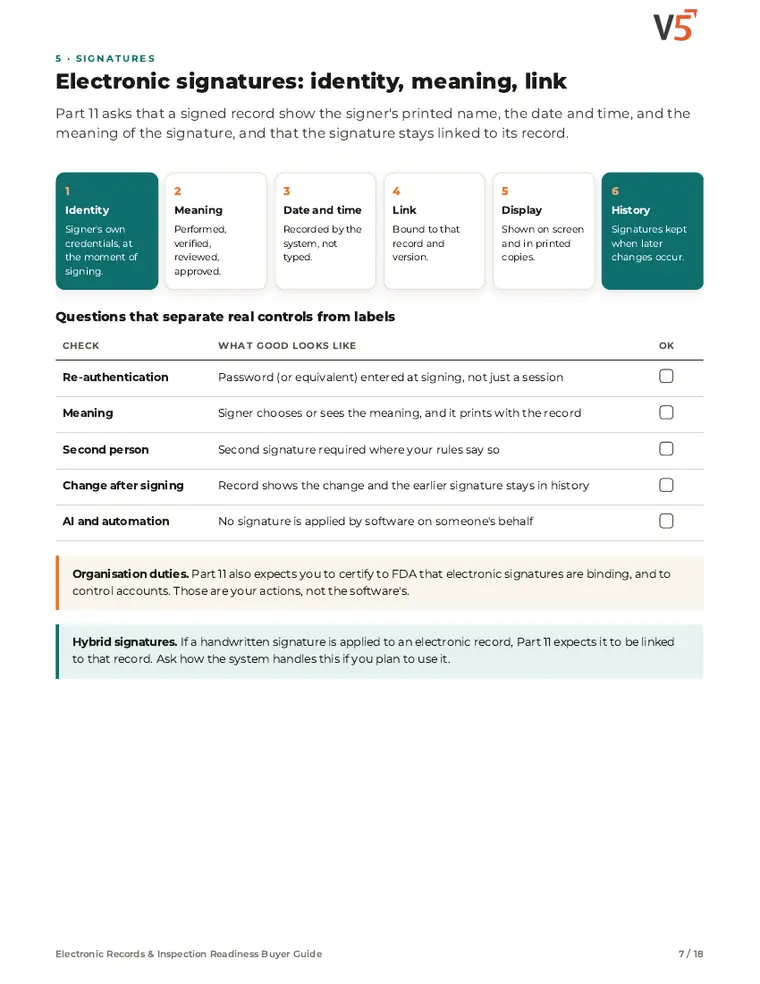
Each signature shows the signer, date and time, and its meaning, such as reviewed or approved.
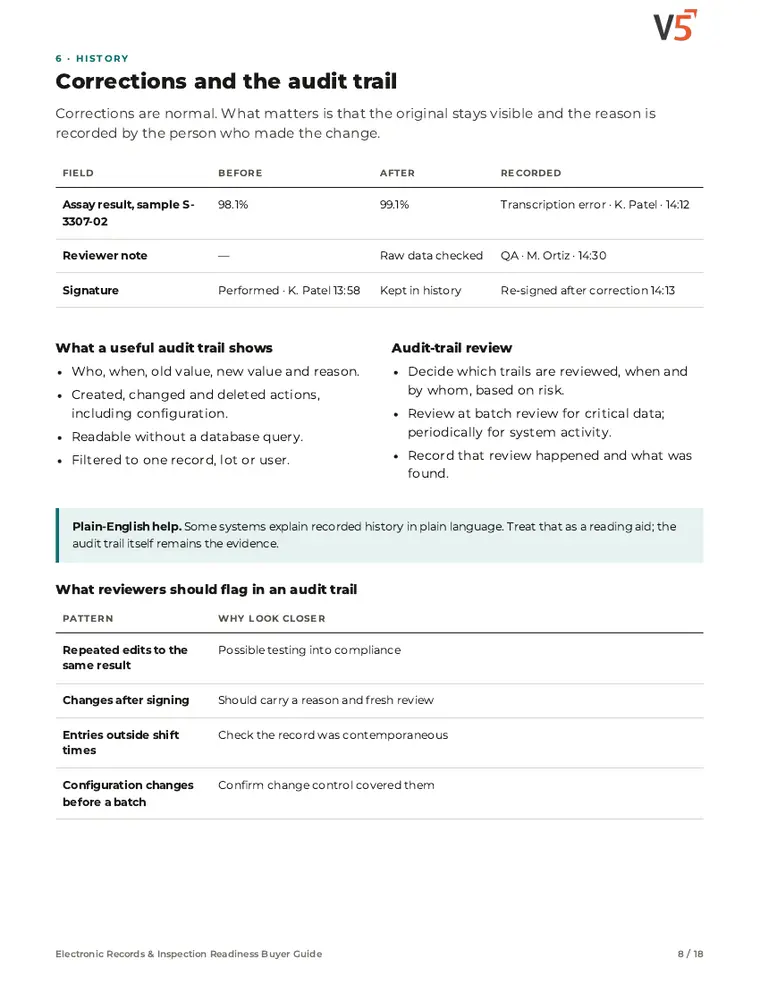
Corrections kept.
Audit history keeps the original value, who changed it, when and, where required, why.
Validation support.
V5 validation evidence supports your team's own validation for its intended use.
Follow one signed record
An analyst corrects a transcription error on a lab result, and a reviewer signs it. Four stages, from scope to validation.
One signed record, with its history in view
Try it: correct the entry with a reason, then sign it.
Not yet signed.
- 09:12 · J. Ortiz entered 4.8 %
- 09:40 · J. Ortiz changed 4.8 → 4.3 % · reason: transcription
- 10:04 · A. Patel signed · Reviewed
Signature rules are set up by your team; your validation decides how they meet your Part 11 obligations.
Explore the details: every stage, with limits and set-up notes
Tap a step below to see what happens.Choose a step below to see what happens.
Step 1 of 4
- Records in scopeLab results, batch records, documents
- MeaningsReviewed · Approved · Released
- Who may signBy role and permission
- Re-enter credentialsAt each signing
Scope and meanings follow your procedures and intended use.
You decide what is in scope
- Your quality team decides which records and signatures are in scope for your intended use.
- Signature meanings and who may sign are set to match your procedures and roles.
Electronic signatures are Professional and Enterprise.
More on scope: full record and set-up
Also on this record
- Decided by
- Your quality team
Each signing asks the signer to confirm their identity.
- Roles
- Roles and permissions control who can sign which records.
Electronic Records & Inspection Readiness Buyer Guide
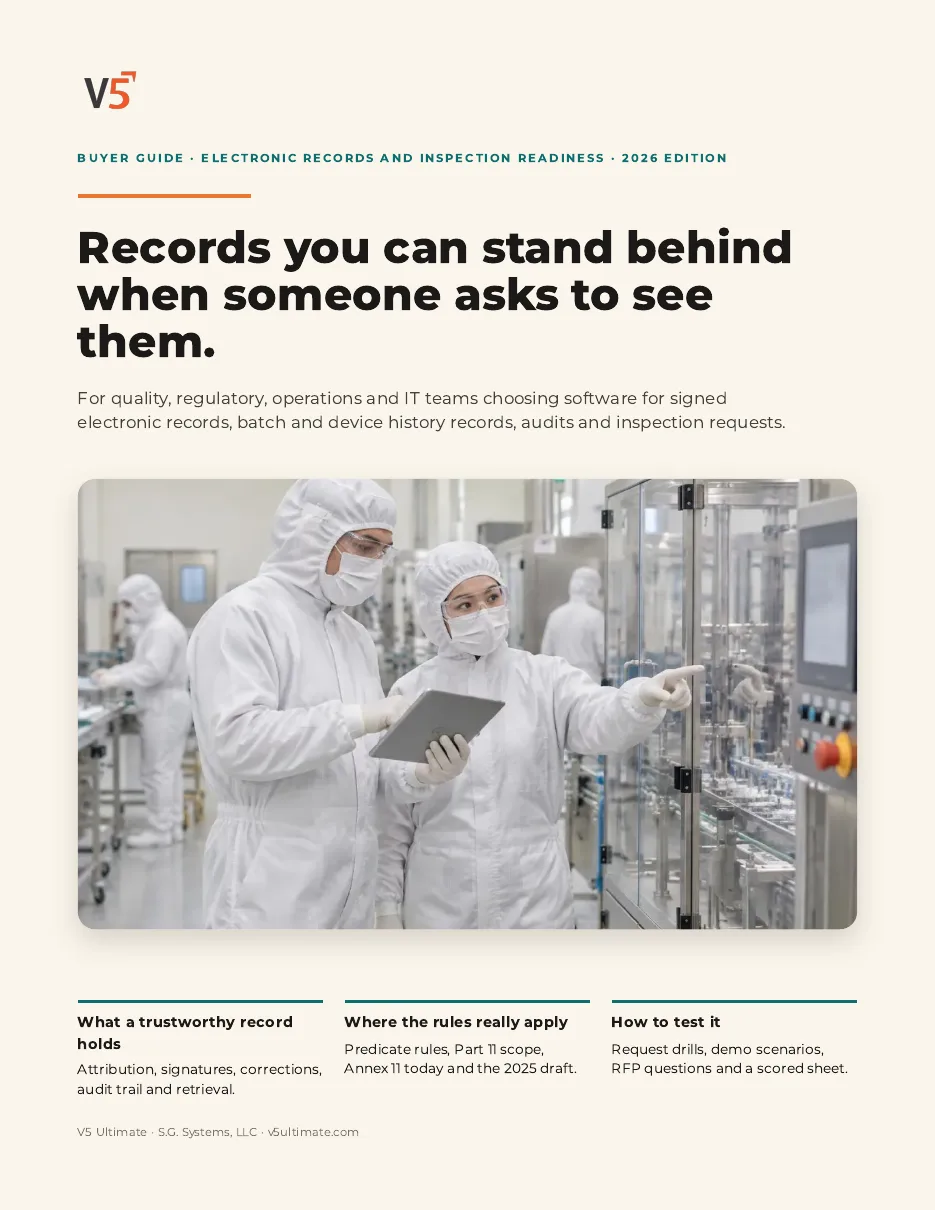
For quality, regulatory, validation and IT teams evaluating electronic records, signatures and inspection readiness.
- 1See what a signature must show.
- 2Check corrections keep the original.
- 3Know where Part 11 applies.
We ask for your name and email so we can handle this request. The PDF downloads in your browser. Privacy policy
Signatures wherever records need them
The same signing and history apply to documents, lab results, deviations and release decisions.
Everything in this feature
What electronic records and signatures include, and which plan each item needs. Compare plans
Signatures and history
Records you can stand behind.
Electronic signatures · Tamper-evident audit trail · Audit log (view)
Explore records
Signatures and history
Records you can stand behind.
Electronic signatures · Tamper-evident audit trail · Audit log (view)
- Electronic signaturesProfessional and EnterpriseName, date and time, and meaning, designed for 21 CFR Part 11.
- Tamper-evident audit trailProfessional and EnterpriseDesigned for ALCOA+ data integrity.
- Audit log (view)Who changed what and when.
- Audit-trail explainerProfessional and EnterprisePlain-English answers from recorded history.
- Audit-readiness scoringEnterpriseLive readiness index across Part 11, GxP and ISO areas.
V5 supports electronic signing, audit history and validation evidence. It does not by itself make you compliant or validated.
AI that sees it coming
It predicts and flags. Fixed rules decide. People sign.
Know who needs training next.
Upcoming revisions show who will be due, before the effective date.
Straight answers.
What buyers ask us first about Documents & Training.
Can V5 stop an untrained person starting a step?
It can when you configure training checks at the step (Professional and Enterprise). People still decide who is qualified.
Is there a full skills matrix?
The full skills matrix with competencies and refresher reminders is an Enterprise feature.
How do new procedure revisions reach the floor?
A revision is approved with an effective date. Training can be assigned before that date, and the kiosk shows the approved revision once it takes effect.
More of the product
Start with one area. Add the rest when you are ready.
 Warehouse & TraceabilityExplore
  Production & PlanningExplore
  Quality & LaboratoryExplore
  This feature's areaDocuments & TrainingExplore
  Equipment & PerformanceExplore
  Orders & IntegrationsExplore
Try signing and correcting a record yourself.
Start a free trial or talk it through with us. No card needed.