
Steps in the approved order, each signed before the next.
Operators follow the steps in your approved order, signing where your rules need it before the next one opens.
7-day free trial, no card required. Work orders and shop-floor screens are in every plan. Electronic signatures, including second signatures, are in Professional and Enterprise.

Follow one work order
Mixing work order WO-6152 has a heat step and a witnessed addition. Four stages.
Only the current step can be signed
Try it: sign each step. Later steps stay locked until it's their turn.
- 1Charge water
- 2Heat to 75 °CLocked
- 3Add activeWitness requiredLocked
- 4Mix 20 minLocked
Skipping ahead is not offered.
Worked example. Available workflows depend on your production set-up and permissions.
Explore the details: every stage, with limits and set-up notes
Tap a step below to see what happens.Choose a step below to see what happens.
Step 1 of 4
- 1 · Charge waterDone · signed
- 2 · Heat to 75 °CCurrent
- 3 · Add active (witness)Waiting
- 4 · Mix 20 minWaiting
From the work order, not a photocopy.
The instructions in force
- Operators work from the production instructions for this work order.
- The current step is clear, with completed and upcoming steps listed.
Available workflows depend on your production set-up and permissions.
More on instructions: full record and set-up
Also on this record
- Printed copy
- Not needed
Out-of-date printed copies aren't the reference.
- Revisions
- Instructions come from controlled documents (Professional and Enterprise).
Step order inside execution
Instructions come from document control, steps are executed on the floor, and the order and signatures land in the batch record.
What's included
What step order uses, and which plan each item needs. Compare plans
Order and sign-off
Steps, signatures and history.
Operator kiosk · Work orders · Audit log (view)
Explore step order
Order and sign-off
Steps, signatures and history.
Operator kiosk · Work orders · Audit log (view)
- Operator kioskSteps at the station.
- Work ordersInstructions per job.
- Audit log (view)Who did what and when.
- Electronic signaturesProfessional and EnterpriseSign-off and witness signatures.
- Document controlProfessional and EnterpriseControlled instruction revisions.
Sequence control follows the sign-off rules you configure. AI never opens steps or signs.
Manufacturing Execution Buyer Guide
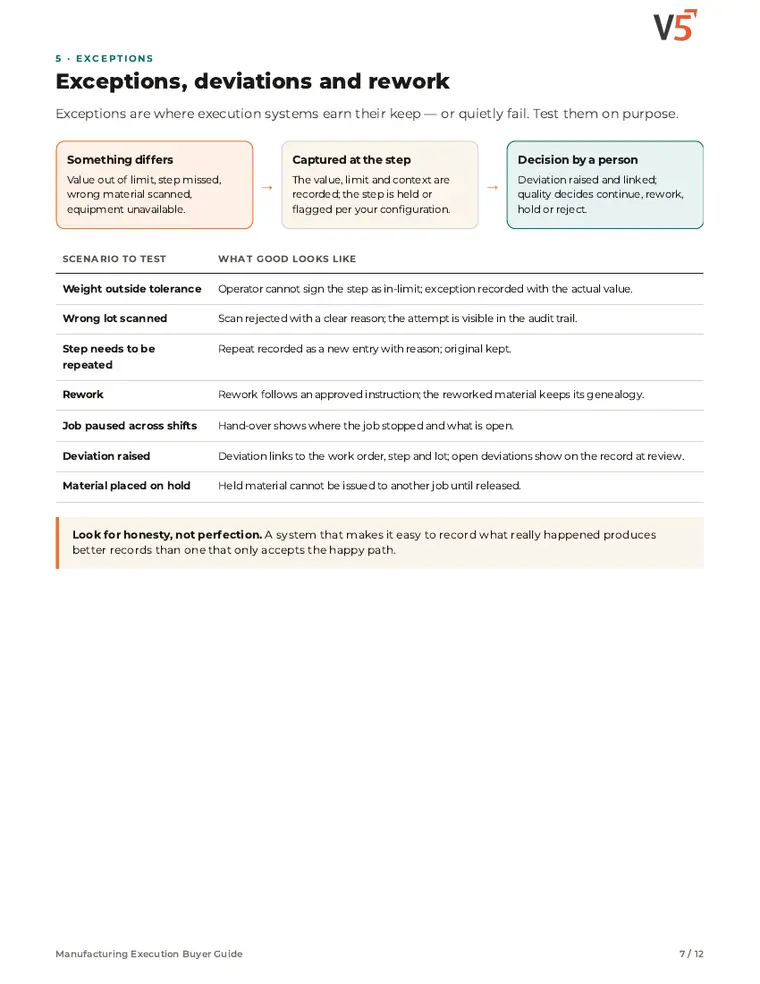
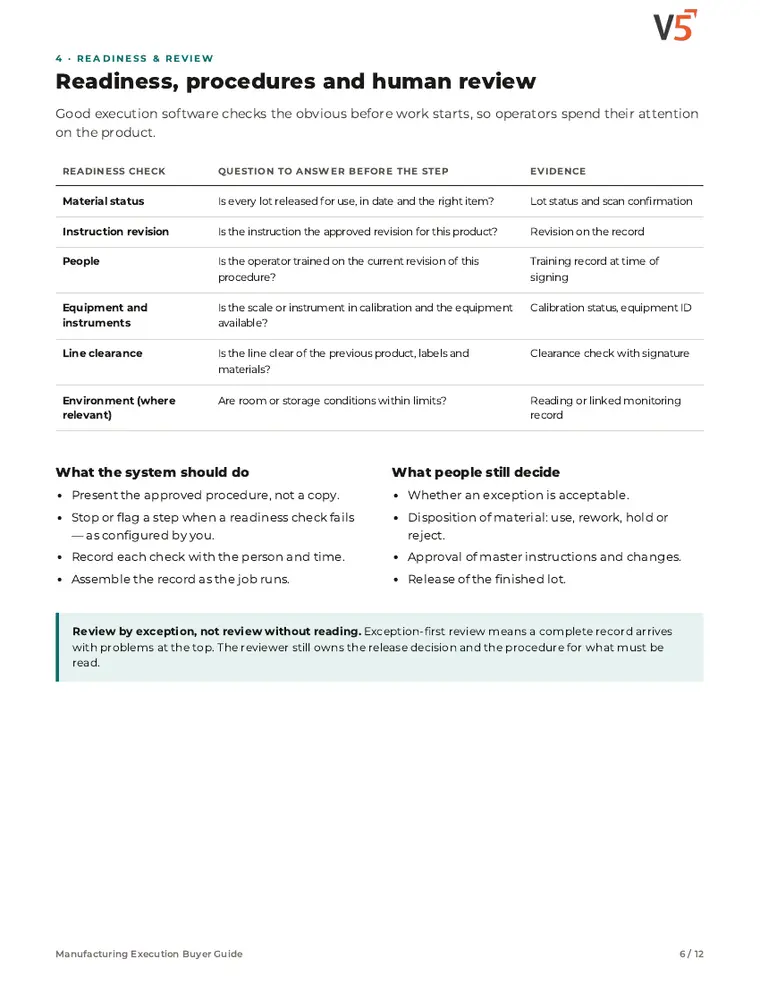
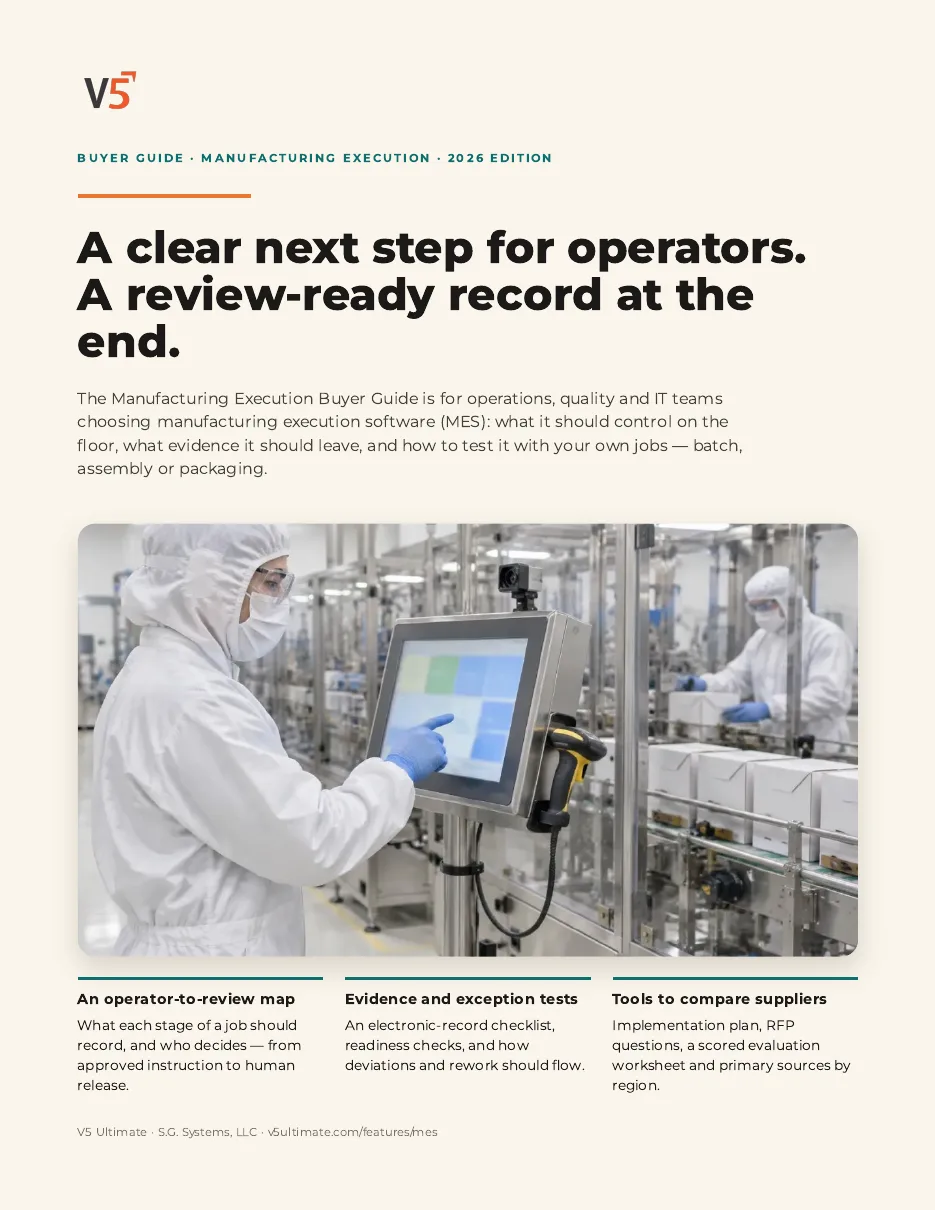
For operations, quality and IT teams choosing manufacturing execution software. Use it with or without V5.
- 1Check readiness before each step.
- 2Know what people still decide.
- 3Test missed and repeated steps.
See what's inside
- Operator-to-reviewer record map
- Electronic record evidence checklist
- Readiness, procedures and human review
- Exceptions, deviations and rework
- Batch, assembly or packaging vocabulary
- Implementation, RFP and scored evaluation
Chapters: why execution control matters · operator-to-reviewer record map · evidence checklist · readiness, procedures and human review · exceptions, deviations and rework · batch, assembly or packaging · change control · implementation and pitfalls · RFP and scoring · where V5 fits and sources.
We ask for your name and email so we can handle this request. The PDF downloads in your browser. Privacy policy
Try it with one of your own procedures.
Start your free trialOr (you can edit the question before sending) or .