
Record it once. Find it when it matters.
Capture each entry at the step, and find the whole record in one place when a customer or auditor asks.
7-day free trial, no card required. Shop-floor screens, work orders and paper batch capture are in every plan. Electronic signatures and regulated reports are in Professional and Enterprise.

Entered once.
Values, scans and sign-offs are recorded at the step, not copied up from paper later.
Linked together.
Lot, job, instruction revision and who did what sit in one record, with corrections kept in the audit trail.
Review starts from exceptions.
Reviewers see what's missing or out of limit first, instead of chasing paper.
From a pile of paper to one record
From a pile of paper to one linked record
Try it: choose a lot, job or document, then switch between paper and the linked record.
Fictional example. Each entry is captured once at the step, with who, when and the revision used.
How to move a paper traveler: list, map, record and review
Tap a step below to see what happens.Choose a step below to see what happens.
Step 1 of 4
- Entries14 per batch
- Signatures5 · 2 second-person
- Typed up laterInto spreadsheet
- Missing at reviewOften 1–2 initials
Start from the forms you actually use.
List what the paper records
- List each paper form, what it records and who signs.
- Note where entries get copied or typed up again.
Your procedures decide which sign-offs stay.
More on list: full record and set-up
Also on this record
- Owner
- Packing supervisor
Note what usually goes missing at review.
- Guide
- The Manufacturing Execution Buyer Guide covers record mapping and implementation.
Manufacturing Execution Buyer Guide
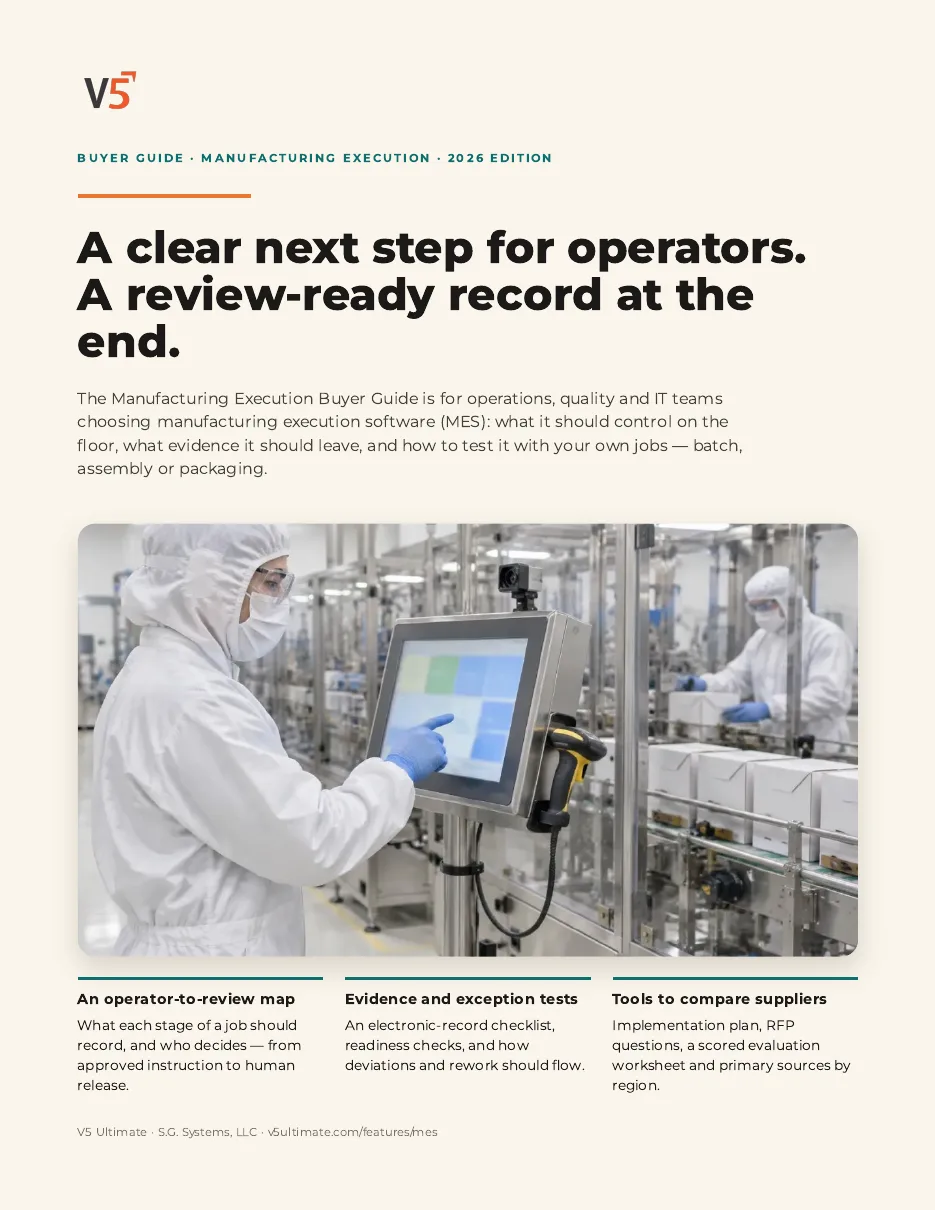
A 12-page guide to replacing paper travelers with records you can trust: what to capture, how to keep it connected, and how to test it.
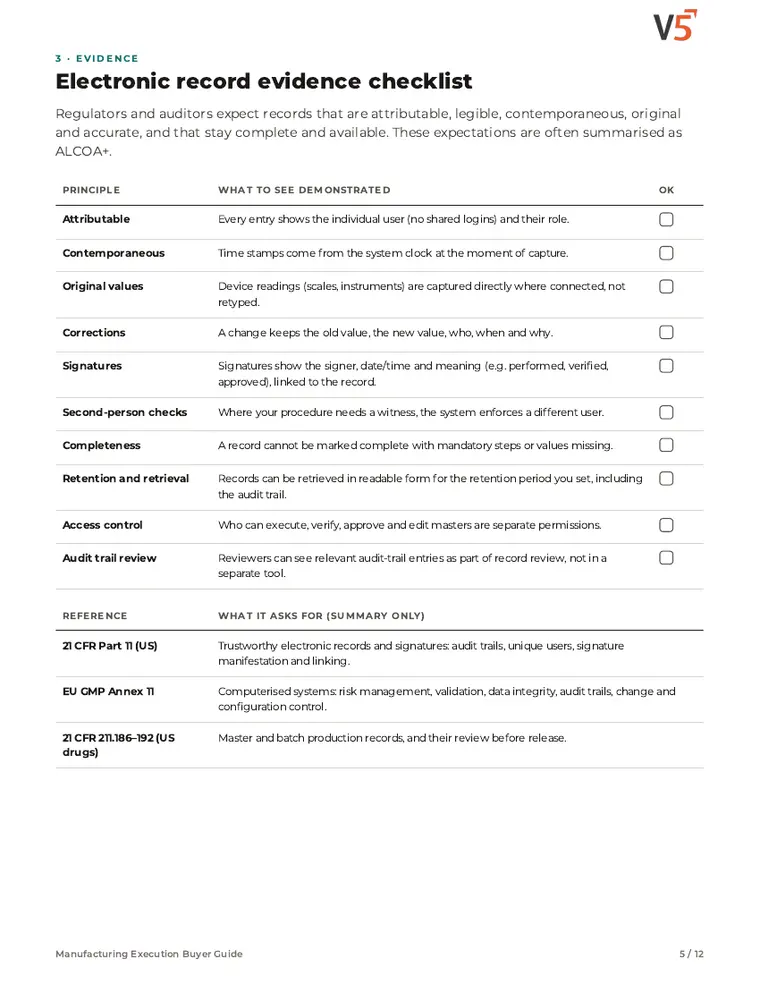
- 1Check that every entry is attributable and retrievable.
- 2Connect instructions, stock, quality and training records.
- 3Plan the move off paper and avoid common pitfalls.
See what's inside
- An electronic-record checklist to test whether entries are attributable, corrections are kept and records can be retrieved complete.
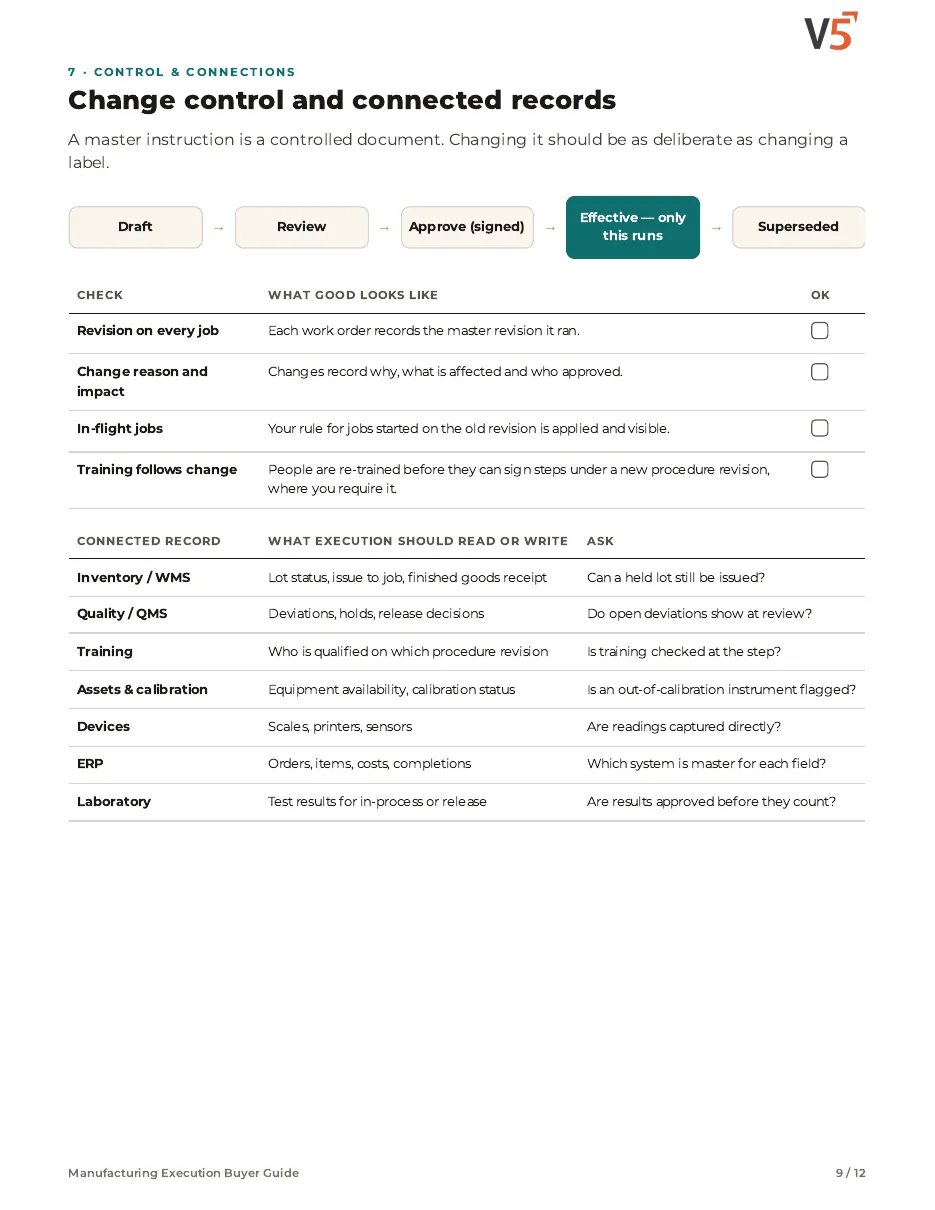
- How instructions should move through change control, and which connected records (stock, quality, training, devices, ERP) execution should read or write.
- An implementation plan with common pitfalls, plus RFP questions to compare suppliers on your own paper traveler.
Chapters: why execution control matters · from operator to reviewer · electronic record evidence checklist · readiness, procedures and human review · exceptions, deviations and rework · batch, assembly or packaging · change control and connected records · implementation plan and pitfalls · RFP questions and scored evaluation · where V5 fits and sources.
We ask for your name and email so we can handle this request. The PDF downloads in your browser. Privacy policy
Paperless steps feed the electronic record
Entries at the step build the batch record, which review and release work from.
What's included
What moving off paper uses, and which plan each item needs. Compare plans
Record once
At the step, with sign-offs.
Operator kiosk · Work orders · Paper batch capture
Explore going paperless
Record once
At the step, with sign-offs.
Operator kiosk · Work orders · Paper batch capture
- Operator kioskEntries at the step.
- Work ordersWhere entries belong.
- Paper batch capturePhotograph completed travelers; a person checks what was read.
- QA release queueReview from exceptions.
- Electronic signaturesProfessional and EnterpriseSign-offs including second person.
- Regulated reportsProfessional and EnterpriseBMR and eDHR.
Your procedures decide which sign-offs stay. People review and decide release.
Try it with one of your own paper forms.
Start your free trialOr (you can edit the question before sending) or .