Know the container.Follow each draw.Keep its identity.
Give each received drum, bag or pallet its own licence plate, draw from it into batches with the balance kept, and track reusable totes and bins through use and washing.
One identity through every move.
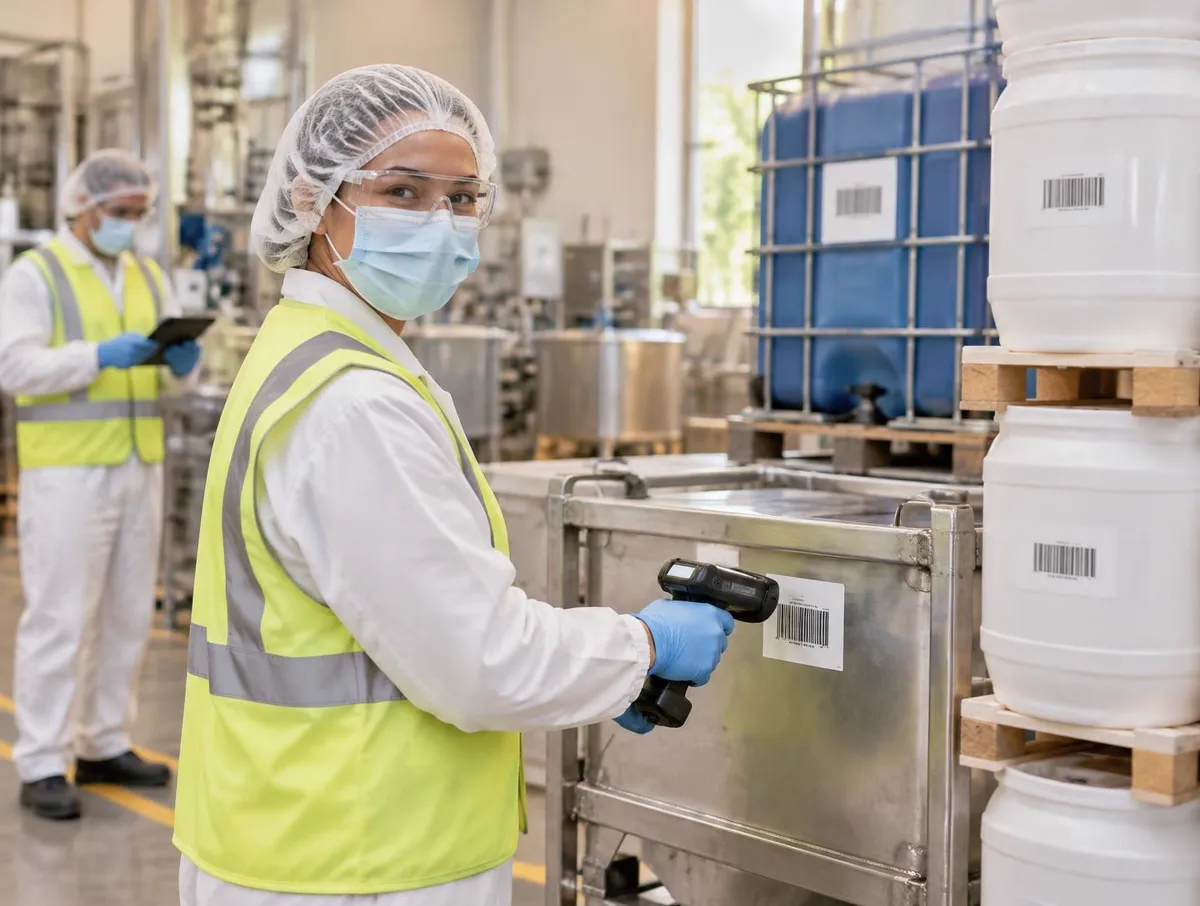
Follow one drum
A licence plate for every container
With per-container labelling, each drum, bag or tote gets its own plate.
How container tracking works: licence plates, nesting, draws, returns and reusable containers
1. A licence plate for every container
With per-container labelling, each drum, bag or tote gets its own plate.
Plates are numbered within the delivery, such as 3 of 10.
The plate links to the lot, the receipt line and its quality status.
- Receiving
- Plates are created when the delivery is received.
Per-container or per-lot labelling is chosen in your receiving setup.
Receipt GRN-0142
Per-container labels
- LP-000731
- 3 of 10 · 200 kg
- Lot
- R-4410-1
- Status
- Awaiting QC
- Label
- SSCC · printed
- Linked to
- Receipt line 1
Each container keeps the lot and the delivery it came from.
2. Pallets, cases and the containers inside
A pallet plate can hold case or drum plates.
Splits and merges are recorded on both sides.
Containers can be moved, quarantined or scrapped with a signature.
- Put-away
- Plates are scanned into bins like any other stock.
Which container kinds you use is set at implementation.
LP-000700
Pallet
- Contains
- 10 drums
- Location
- C-12-1
- Split
- 2 drums to A-02-3
- History
- Split kept on both
- Kinds
- Pallet · case · drum · tote · bag
A pallet plate holds the plates inside it.
3. Draw into the batch, keep the balance
Scanning a container checks it has enough left and is usable.
Each draw is recorded against the work order.
Which container fed which batch stays in the genealogy.
- Weigh and dispense
- Weighed draws use tare and gross weights at the scale.
The release checks that apply follow your quality setup.
Work order WO-0219
Dispense
- Scanned
- LP-000731 · lot R-4410-1
- Drawn
- 48.0 kg
- Left in drum
- 152.0 kg
- Blocked if
- Empty, or not released by QC
- Genealogy
- Drum → batch recorded
The balance is calculated from every draw.
4. Returns, samples, scrap and adjustments
Every change to a container is a new ledger entry.
Manual adjustments need a reason and an e-signature.
Consumed, returned and scrapped totals are always available.
- Cycle counting
- Count differences are reviewed before stock changes.
Who may adjust a container follows your roles.
LP-000731
Container ledger
- Opened
- 200.0 kg
- Consumed
- −48.0 kg · WO-0219
- Sample
- −0.5 kg
- Adjust
- Reason + e-signature
- Available
- 151.5 kg
Entries are added, never edited.
5. Reusable Totes and Bins
Register each reusable tote, drum or bin with its tare and capacity.
A container in use shows the work order it belongs to.
After use it is marked dirty until it is washed and made available.
- Sanitation
- Cleaning schedules are kept in sanitation.
Cleaning records themselves follow your sanitation procedures.
Tote T-0042
Reusable container
- Tare
- 18.4 kg
- Capacity
- 300 kg
- Status
- In use · WO-0219
- After use
- Dirty until washed
- Then
- Available · or quarantine / retired
Available → in use → dirty → available.
Where container tracking fits
Containers carry a lot from the dock to the batch, and reusable ones come back for the next job.
- ReceivingCheck deliveries against the purchase order and record each lot.See Receiving
- This pageContainer trackingA licence plate per container, draws into batches, and reusable totes and bins.
- Weigh and dispenseWeigh every material, including micro quantities, against formula tolerances on connected scales, batch by batch.See Weigh and dispense
- TraceabilityTrace forward and backward from any lot.See Traceability
AI and Container tracking
One container identity through its movements
One container identity through its movements
Use AI help to explore licence plates, container contents and reusable-container records. Scanned transactions, not AI guesses, establish movement history.
Everything in this feature
What container tracking uses. Plan inclusion is confirmed with you. Compare plans
Which plans include container tracking?
Container licence plates and reusable containers are in the current V5 app. Which plan includes them, and how they are configured for your site, is confirmed with you before you buy.
Received containers · Plates, nesting, ledger.
Licence plate per container
Availability to confirmCreated at receiving, linked to lot and receipt.
Pallet, case and drum nesting
Availability to confirmWith splits and merges recorded.
SSCC container labels
Availability to confirmPrinted from the register.
Container ledger
Availability to confirmConsume, return, sample, scrap, adjust.
Move, quarantine, scrap
Availability to confirmWith e-signature.
Reusable containers · Totes, drums, bins.
Reusable container register
Availability to confirmCode, type, tare and capacity.
Clean / dirty status
Availability to confirmAvailable, in use, dirty, quarantine, retired.
Assigned to a work order
Availability to confirmShown while in use.
Availability to confirm: the capability exists in V5, but which plans include it, and whether it is enabled for you, is not yet confirmed — ask us. V5 records every container movement. Quality still decides what is released.
Explore the sample records.
Open a sample report to review its contents, supporting references and how the record is built.
 Ultimate
Sample report
Lot Traceability & Distribution Record

Ship & trace
- Ultimate
Sample register
Put-away & transfer log (CSV)
Buy & receive
Inventory & Traceability: the Practical Operations Guide
From goods-in to dispatch: practical controls for locations, usable stock, movements, counting, picking and traceability. Use it with or without V5.
- The stock record and goods-in
- Locations people can find
- Eligible versus on-hand stock
- Movements, counting and adjustments
Plus Picking, dispatch and traceability; Quality handover, planning and connections; Five working tools: dataset, exception tests, timed trace challenge, trial scoring, pilot plan.
Get the inventory & traceability guideWe ask for your name and email so we can handle this request. The full guide then opens on this site, ready to translate, print or save. Privacy policy.
UltimateFree practical guide
Inventory & Traceability: the Practical Operations Guide

Straight answers.
What buyers ask us first about Warehouse & Traceability.
Do we need scanners and label printers?
Scanning and printing work best with handheld scanners and label printers. Each device is confirmed during setup, so check your models with us before you buy.
Can we keep stock on hold until quality approves it?
Yes. A lot can be held, and held stock shows as unavailable for picking until a person in quality releases it.
How fast can we trace a lot?
From any lot you can follow it back to its supplier or forward to batches and shipments. How complete that is depends on every move being scanned.
More of the product
Start with one area. Add the rest when you are ready.
 This feature's areaWarehouse & TraceabilityExplore
  Production & PlanningExplore
  Quality & LaboratoryExplore
  Documents & TrainingExplore
  Equipment & PerformanceExplore
  Orders & IntegrationsExplore
Try it with one of your own deliveries.
Start a free trial or talk it through with us. No card needed.