
One order, enquiry to delivery. AI on the admin.
Orders sit beside stock and production. AI reads the paperwork and suggests purchases. People approve.
- AI reads POs and invoices
- Suggested buys, human approved
- Portals and ERP connected

Move one order through, step by step
Sell side and buy side on one record. Nothing ordered automatically.
Everything in Orders & Integrations
Each part does one job well. Together they share one record.
Purchasing & sales orders
Quotes, sales orders and purchase orders in one place.
ERP & accounting
Exchange items, orders and postings with your ERP.
Customer portal
Customers see their orders and documents.
Supplier portal
Suppliers upload documents and respond to requests.
EDI & ASN
Trading-partner messages and advance ship notices.
AI assist
Help drafting and finding information, with people checking.
AI that sees it coming
It predicts and flags. Fixed rules decide. People sign.
Buy ahead of demand.
AI forecasts demand and suggests purchases. A buyer approves each one.
ERP, Inventory & Trading-Partner Connections Buyer Guide
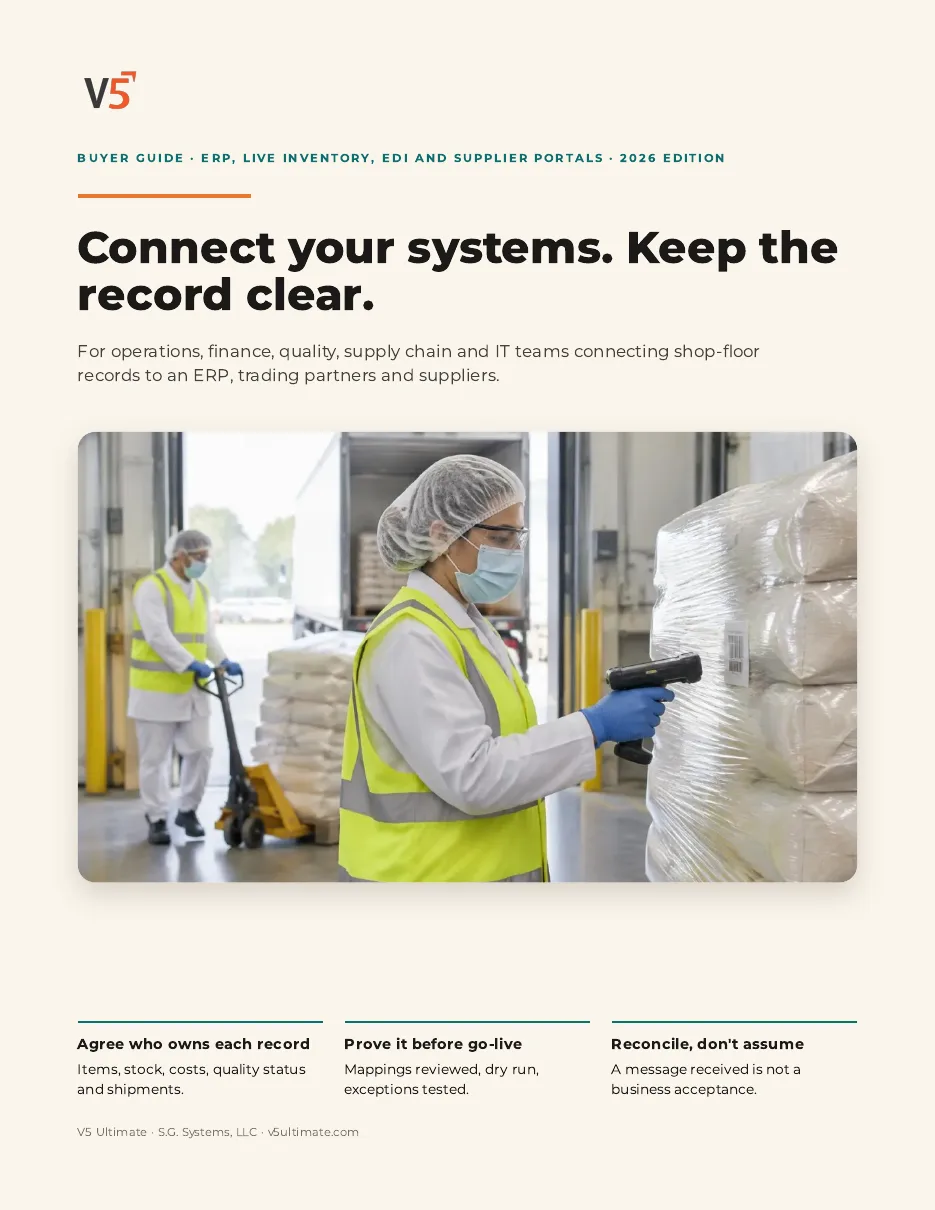
For operations, finance, quality, supply chain and IT teams connecting floor records to an ERP, trading partners and suppliers.
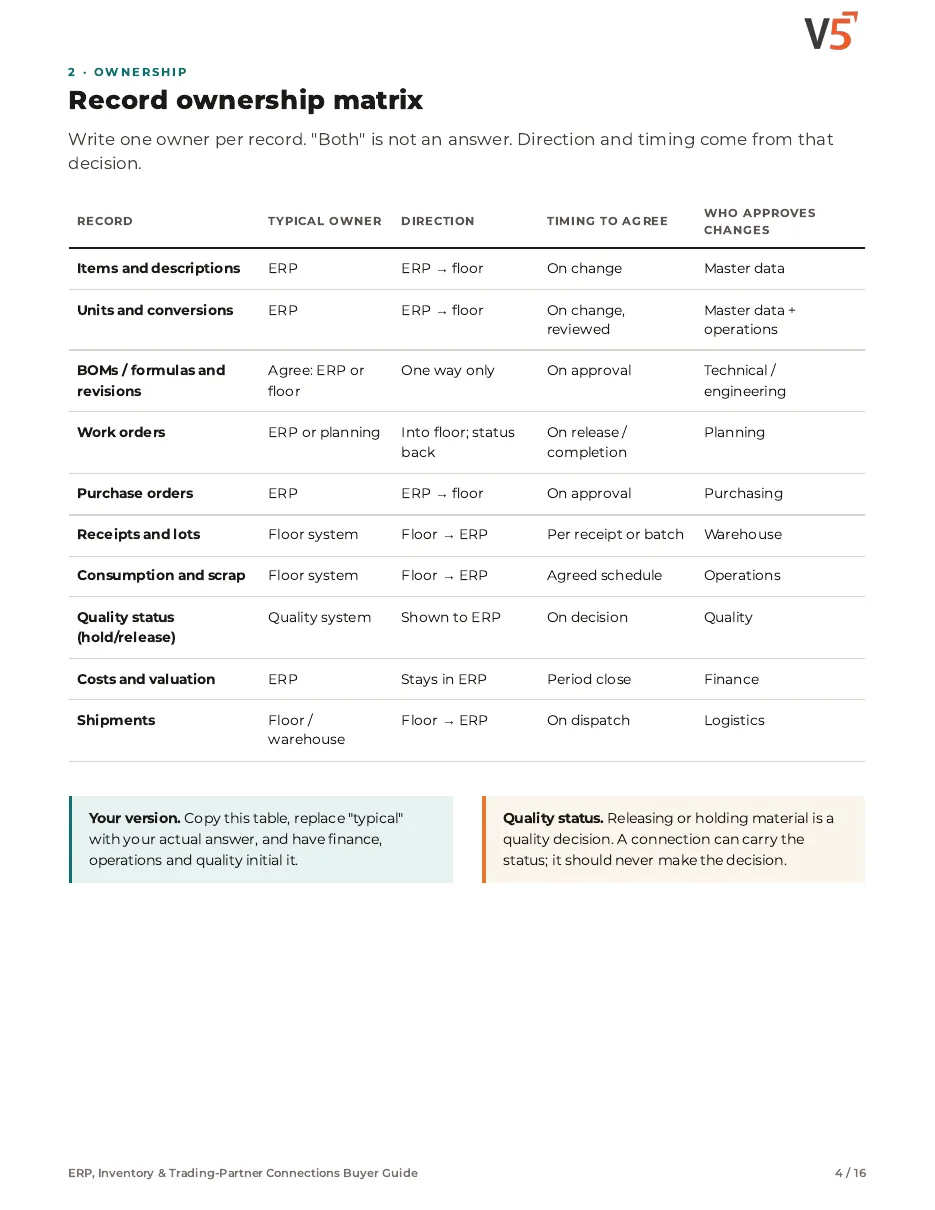
- 1Give every record one owner.
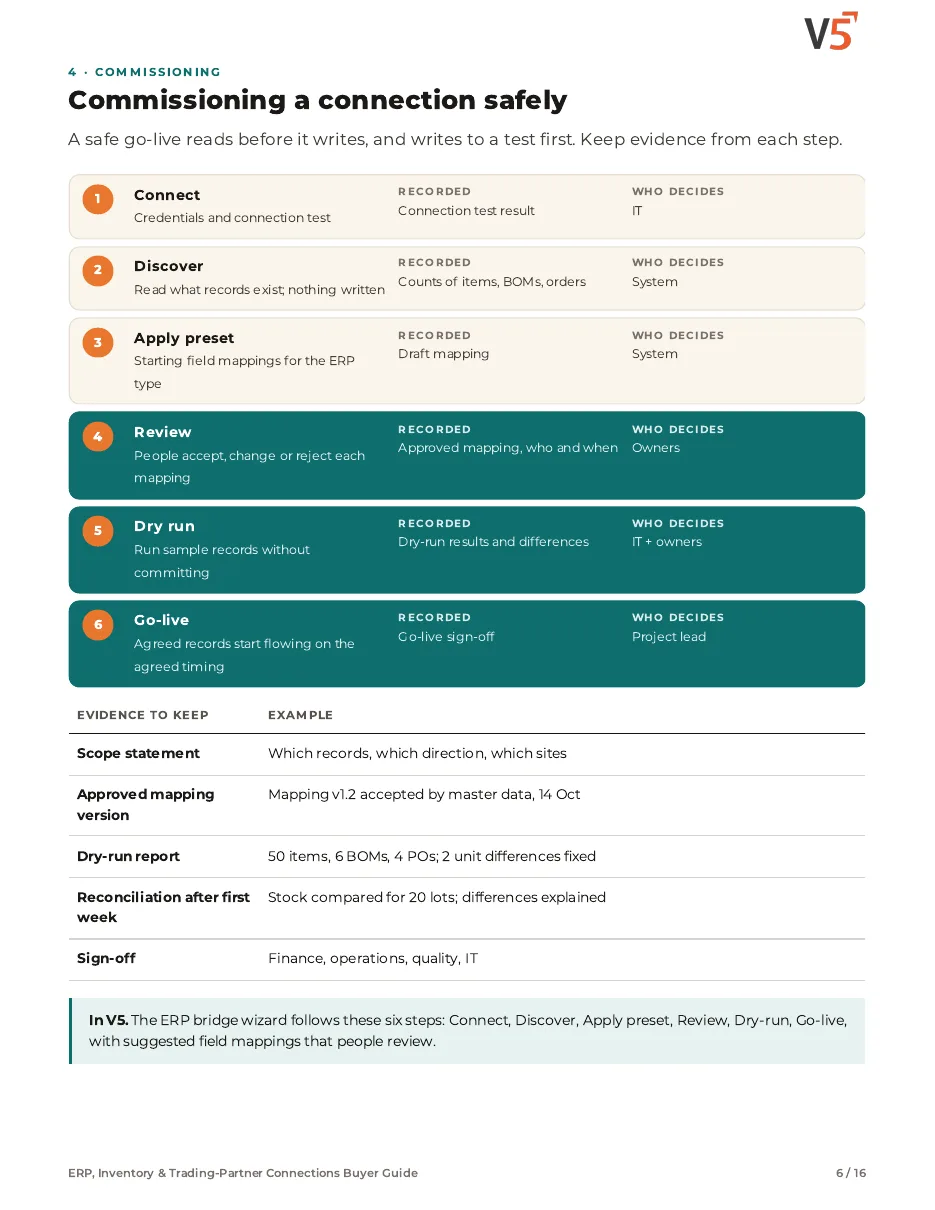
- 2Review each mapping before go-live.
- 3Dry-run before anything is written.
We ask for your name and email so we can handle this request. The PDF downloads in your browser. Privacy policy
Straight answers.
What buyers ask us first, answered plainly.
Does V5 connect to our ERP?
There is an ERP bridge with suggested mappings, review and a dry run, and you approve go-live. Each connection needs setup, so tell us which system you use.
Can customers and suppliers see their own records?
Customer and supplier portals are available from Professional, so each sees only what you share with them.
Do we have to replace our accounting system?
No. V5 runs operations and connects to your existing accounting or ERP where setup allows.
More of the product
Start with one area. Add the rest when you are ready.
 Warehouse & TraceabilityShipments carry the lots that went out.Explore
  Production & PlanningOrders feed the schedule and material plan.Explore
  Quality & LaboratoryPortals can share released quality documents.Explore
  Documents & TrainingExplore
  Equipment & PerformanceExplore
See it on your own floor.
Start a free trial or talk it through with us. No card needed.