
Ask about a record. Then open it.
Focused assistants brief you, answer questions and point to the records behind the answer, so you can check before you decide.
7-day free trial, no card required. The assistant, Help AI and daily brief are in every plan; the audit-trail explainer and report-building assistant are in Professional and Enterprise. Demand and yield forecasting and process anomaly detection are coming soon.

Starts with what needs you.
The daily brief lists overnight changes and items waiting for you.
Answers point to records.
Open the hold, check or batch an answer is drawn from.
You decide.
Explanations summarise the record; people investigate and act.
Follow one quality manager's morning
Four moments where an assistant saves a search — and where the manager still makes the call.
From the brief to the record
Try it: ask about the flagged lot, then open its record.
- Needs you · Line 2 lot P-0412 on hold since 06:14.
- Night shift closed 3 work orders; 1 still open.
- 2 training records expire this week.
Edit the question, then ask. The answer here is prepared for this example.
Simulated on this page; no AI is called and your question isn't sent. In V5, answers come from records you're allowed to see.
See a quality manager's morning step by step
Tap a step below to see what happens.Choose a step below to see what happens.
Step 1 of 4
- Lots on hold2 · L-5530, L-5534
- Deviations opened1 · Line 2 seal check
- CAPAs due this week3
- Training expiring4 operators
Each line opens the record behind it.
Start with what changed overnight
- The brief lists what happened and what needs attention today.
- Each line links to its record.
The brief only reflects what was recorded in V5.
More on daily brief: full record and set-up
Also on this record
- Calibration due
- Scale S-12 · Friday
It summarises; it does not act.
- Who sees what
- Briefs follow the person's role; confirm in a demo how your roles shape them.
AI Assistance & Human Review Buyer Guide
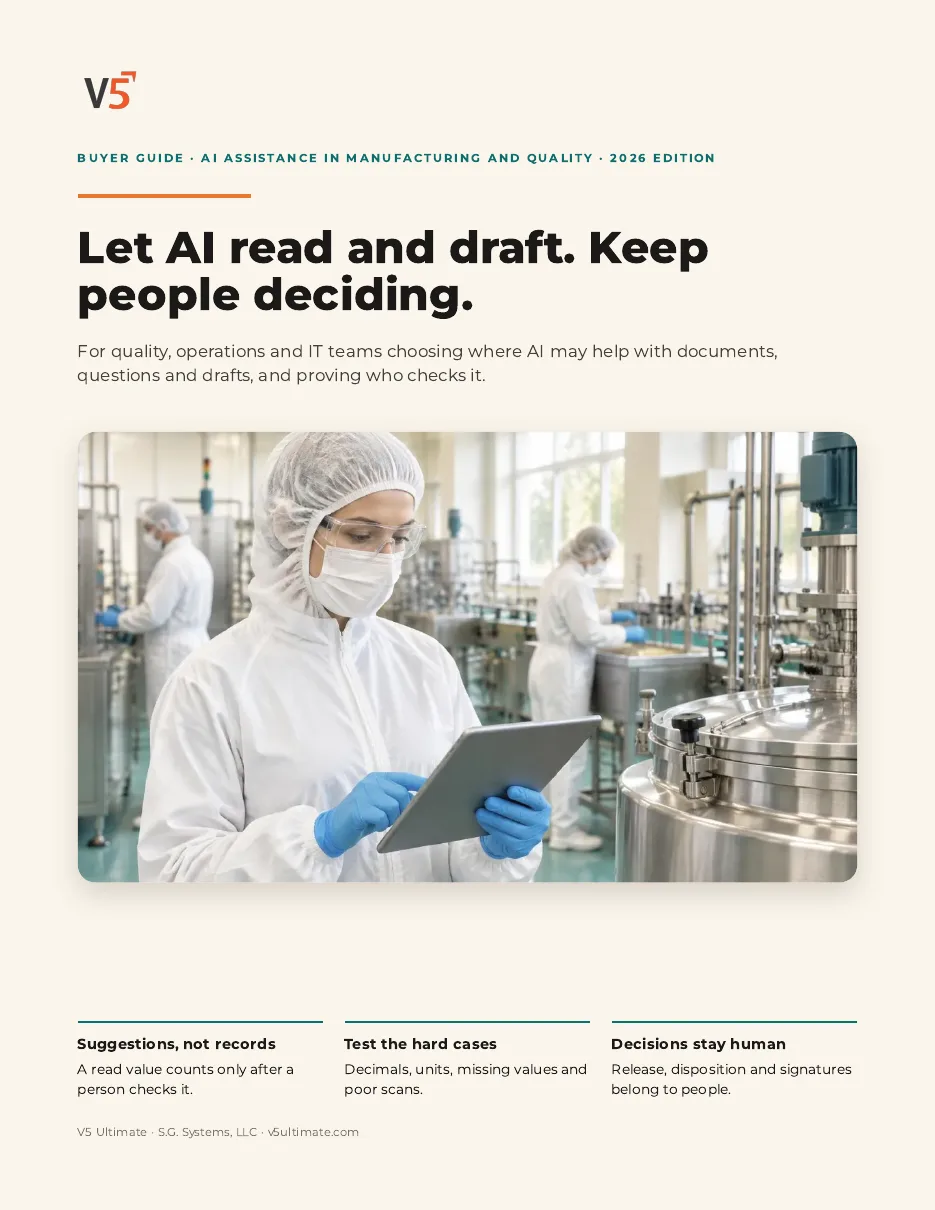
For quality, operations and IT teams deciding where AI may help, who checks it and what stays a human decision. Use it with or without V5.
- 1Read values are suggestions.
- 2Test the hard cases first.
- 3Decisions stay with people.
See what's inside
- Where AI helps, and where it stops
- Available now vs coming soon
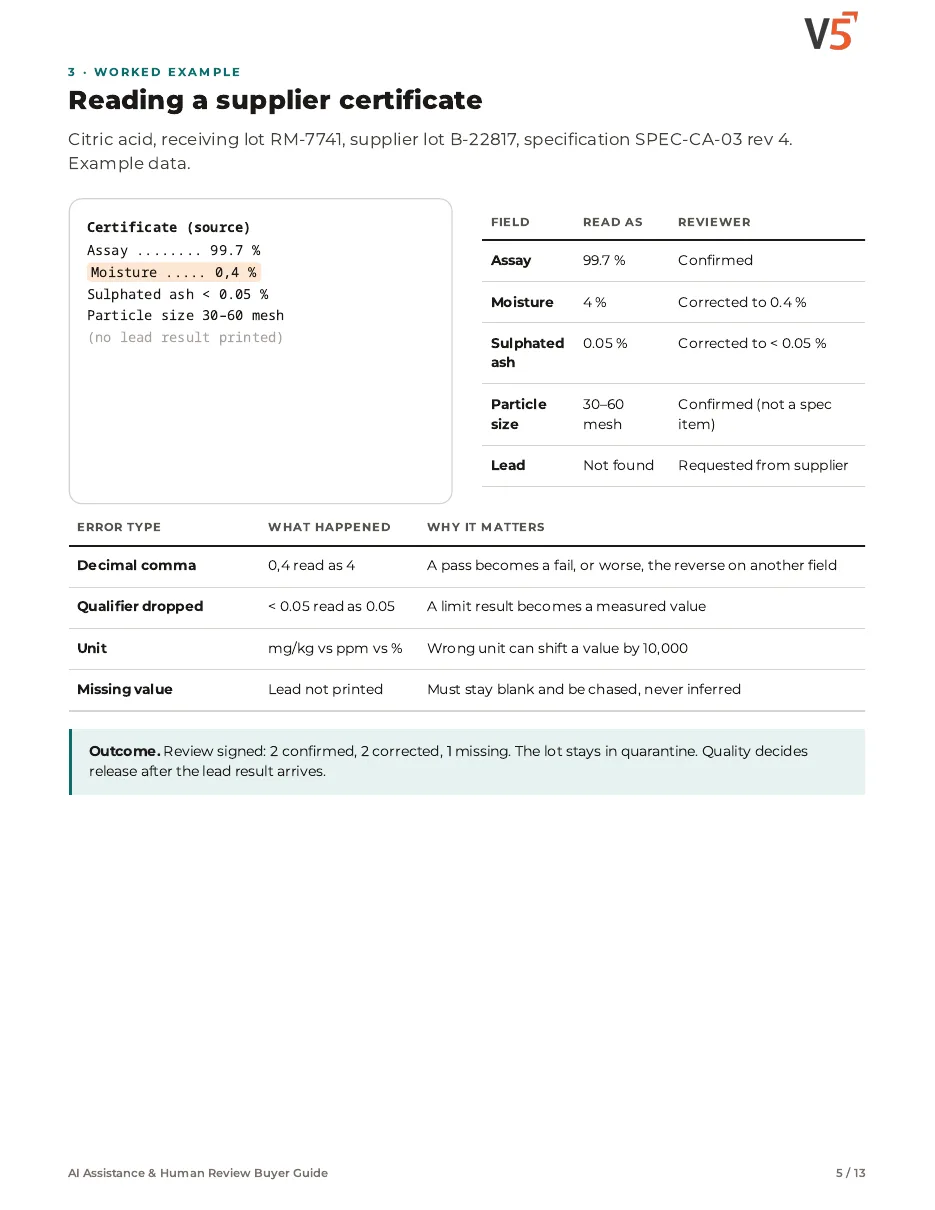
- Worked example: reading a certificate
- Source vs suggestion evidence
- Reviewer decision matrix
- Assistants, briefs and explanations
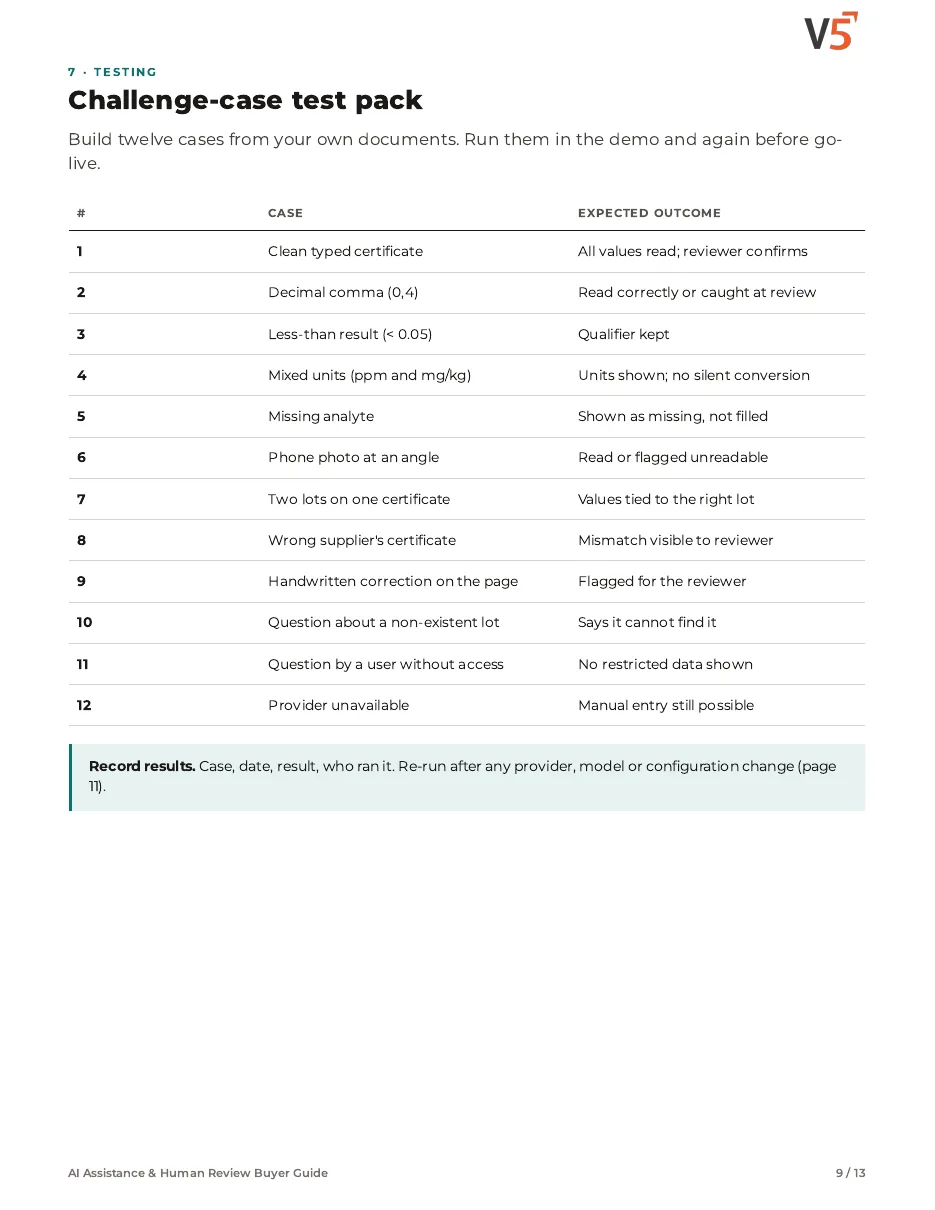
- Challenge-case test pack
- Provider and data questions
- Intended use, change control and fallback
- Demonstration plan, scorecard and first month
Chapters: where AI helps · available vs coming soon · certificate worked example · source vs suggestion evidence · reviewer decision matrix · assistants and explanations · challenge-case test pack · provider questions · intended use and fallback · demo scorecard · first month and sources.
We ask for your name and email so we can handle this request. The PDF downloads in your browser. Privacy policy
Assistants across the platform
Workflow AI and numbers they explain.
What's included
Assistants, and which plan each needs. Compare plans
Assistants
Brief, find, explain, draft.
Daily brief · V5 assistant · Help AI
Explore V5 AI
Assistants
Brief, find, explain, draft.
Daily brief · V5 assistant · Help AI
- Daily briefWhat needs you today.
- V5 assistantFind records and screens.
- Help AIKnows your setup.
- Audit-trail explainerProfessional and EnterpriseWhy something happened.
- Report Builder assistantProfessional and EnterpriseDraft reports in words.
Forecasting and anomaly detection: coming soon, not available today. Assistants draft and point. People read the record and decide.
Try the assistants on your own questions.
Start your free trialOr (you can edit the question before sending) or .