
Supplier documents and corrective actions, reviewed in one place.
Suppliers upload what you ask for against your specification and reply to corrective actions. Your quality team reviews and decides.
7-day free trial, no card required. The supplier portal is in Professional and Enterprise.

Documents to your spec.
Suppliers upload against your own specification, with expiry dates visible.
Your team decides.
Every upload waits for a quality review before it is accepted.
One thread per issue.
Corrective-action replies and your decision stay together, feeding the scorecard.
Follow one supplier for a month
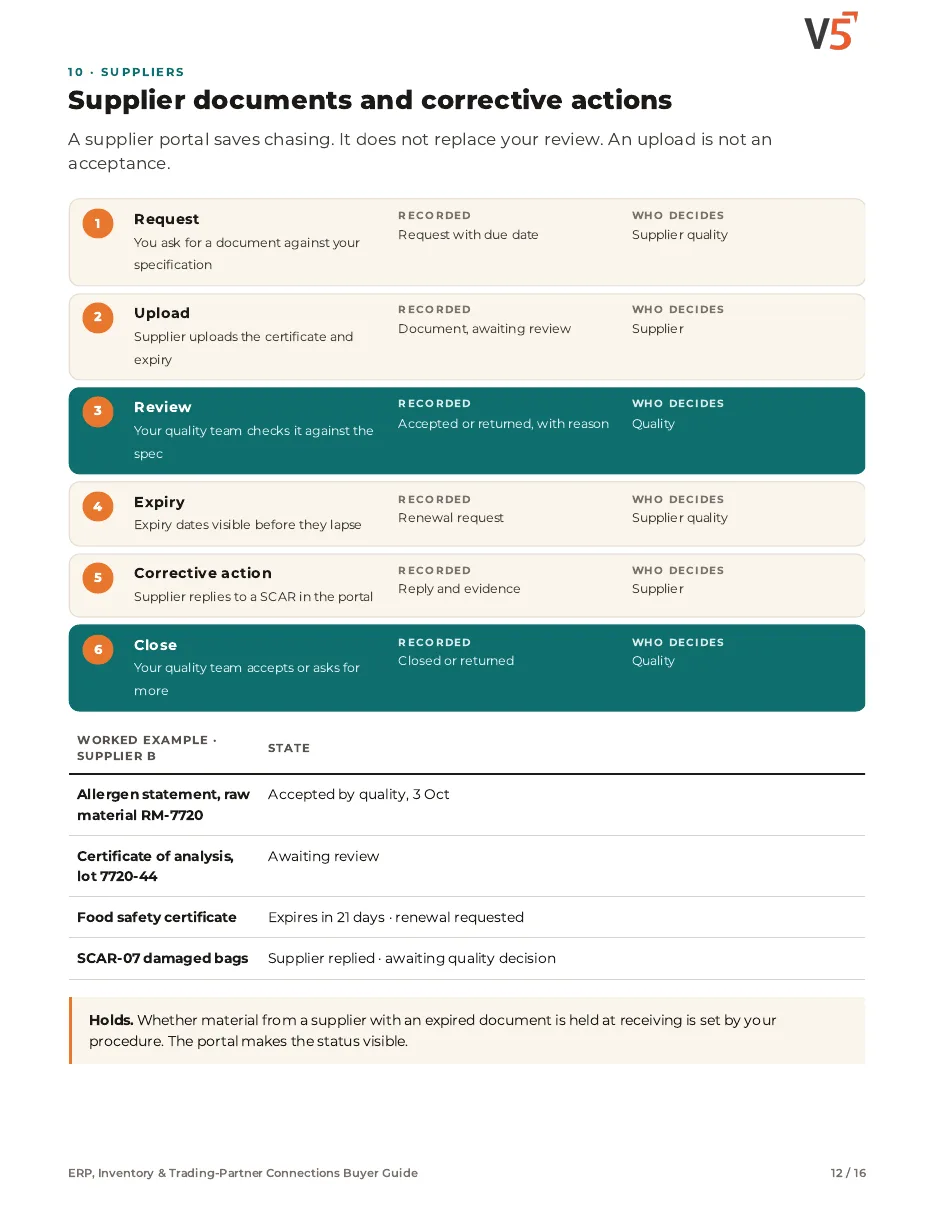
Supplier B delivers a raw material. A certificate, an expiring document and one corrective action. Four stages.
An upload waits for your review
Try it: check the certificate against your specification, then accept or return it.
- Allergen statement · RM-7720Accepted by quality, 3 Oct
- Certificate of analysis · lot 7720-44Awaiting your review
- Food safety certificateExpires in 21 days · renewal requested
- Moisture
- ≤ 12.0 %
- 11.2 %
- Particle size
- ≥ 90 % < 250 µm
- 94 %
- Lot on certificate
- Must match delivery
- 7720-44
The upload alone changes nothing. A person decides.
Worked example. Whether material is held at receiving is set by your procedure.
One thread, both sides, every step kept
Try it: let the supplier reply, then decide as the quality team.
Worked example. Closing a corrective action is your quality team's decision.
Explore the details: every stage, with limits and set-up notes
Tap a step below to see what happens.Choose a step below to see what happens.
Step 1 of 4
- CoA · lot RM-7720Uploaded · awaiting review
- SpecificationYour spec SP-031 rev C
- ReviewerYour quality team
- AcceptedAfter review
Uploads wait for a person to review.
Documents against your specification
- You set which documents each supplier must provide.
- Suppliers upload against your specification.
An uploaded document is not accepted until a person reviews it.
More on upload: full record and set-up
Also on this record
- Email chain
- Not needed
Your team reviews before anything is accepted.
- Types
- For example certificates of analysis, certifications and insurance.
ERP, Inventory & Trading-Partner Connections Buyer Guide
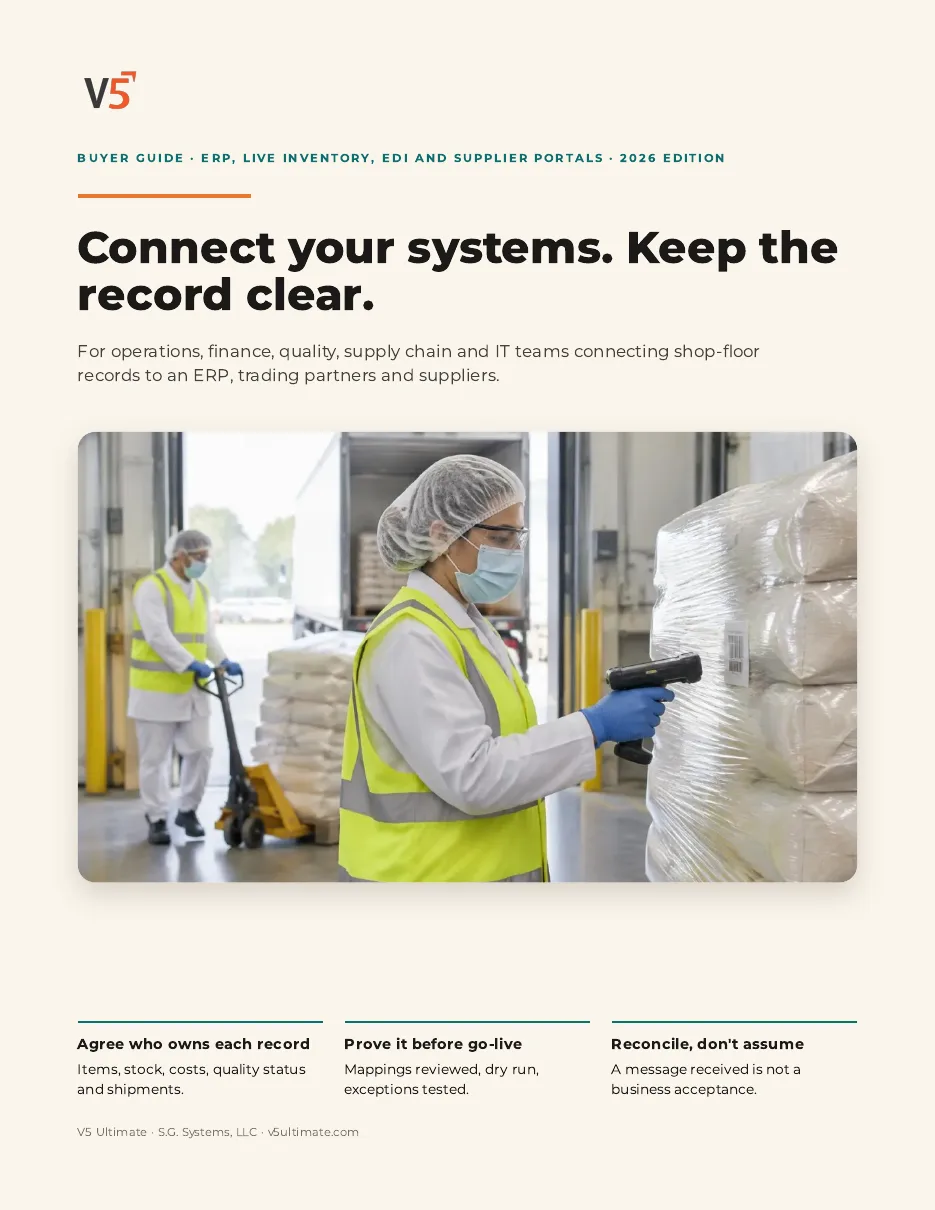
For operations, finance, quality, supply chain and IT teams connecting floor records to an ERP, trading partners and suppliers. Use it with or without V5.
- 1An upload is not an acceptance.
- 2Watch expiry before it lapses.
- 3Close corrective actions on your decision.
See what's inside
- Three choices before any connection
- Record ownership matrix
- Items, units and revisions
- Commissioning: discover, review, dry run, go-live
- Live inventory vs ERP posting state
- Exceptions to prove and a reconciliation sheet
- Trading-partner messages, pallets, labels and lots
- Supplier documents, review and corrective actions
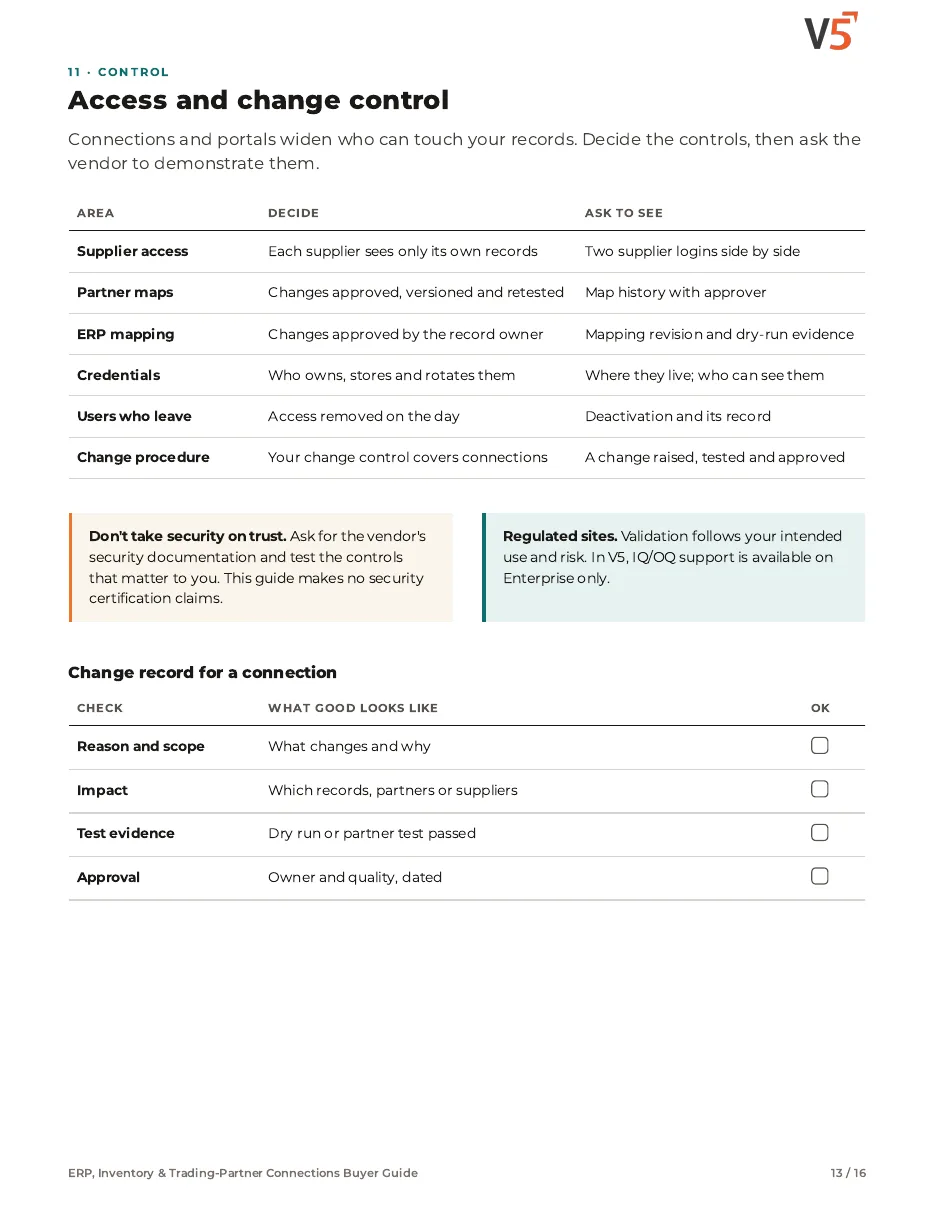
- Access and change control, demo script, acceptance evidence and RFP
Chapters: three choices · record ownership matrix · items, units and revisions · commissioning safely · live inventory and ERP posting · exceptions to prove · reconciliation sheet · trading partners order to dispatch · pallets, labels and lots · supplier documents and corrective actions · access and change control · demonstration script · acceptance evidence and RFP · where V5 fits and sources.
We ask for your name and email so we can handle this request. The PDF downloads in your browser. Privacy policy
The portal connects supplier control
Approval, receiving and corrective actions feed the same supplier record.
What's included
What the supplier portal uses, and which plan each item needs. Compare plans
Suppliers
Request, track, correct, score.
Supplier portal · Portal foundation · CAPA
Explore the portal
Suppliers
Request, track, correct, score.
Supplier portal · Portal foundation · CAPA
- Supplier portalProfessional and EnterpriseDocuments, SCARs, scorecards.
- Portal foundationProfessional and EnterpriseBranded access.
- CAPAProfessional and EnterpriseCorrective actions.
- ReceivingDelivery and inspection records.
Suppliers submit. Your quality team reviews and decides.
Try the portal with one of your suppliers.
Start your free trialOr (you can edit the question before sending) or .