Pick the order.Pack the right lots.Keep the lot link.
Scanned picks in FEFO or FIFO order, and a pack and ship step that records which lots went to which customer.
The lot travels with the shipment.
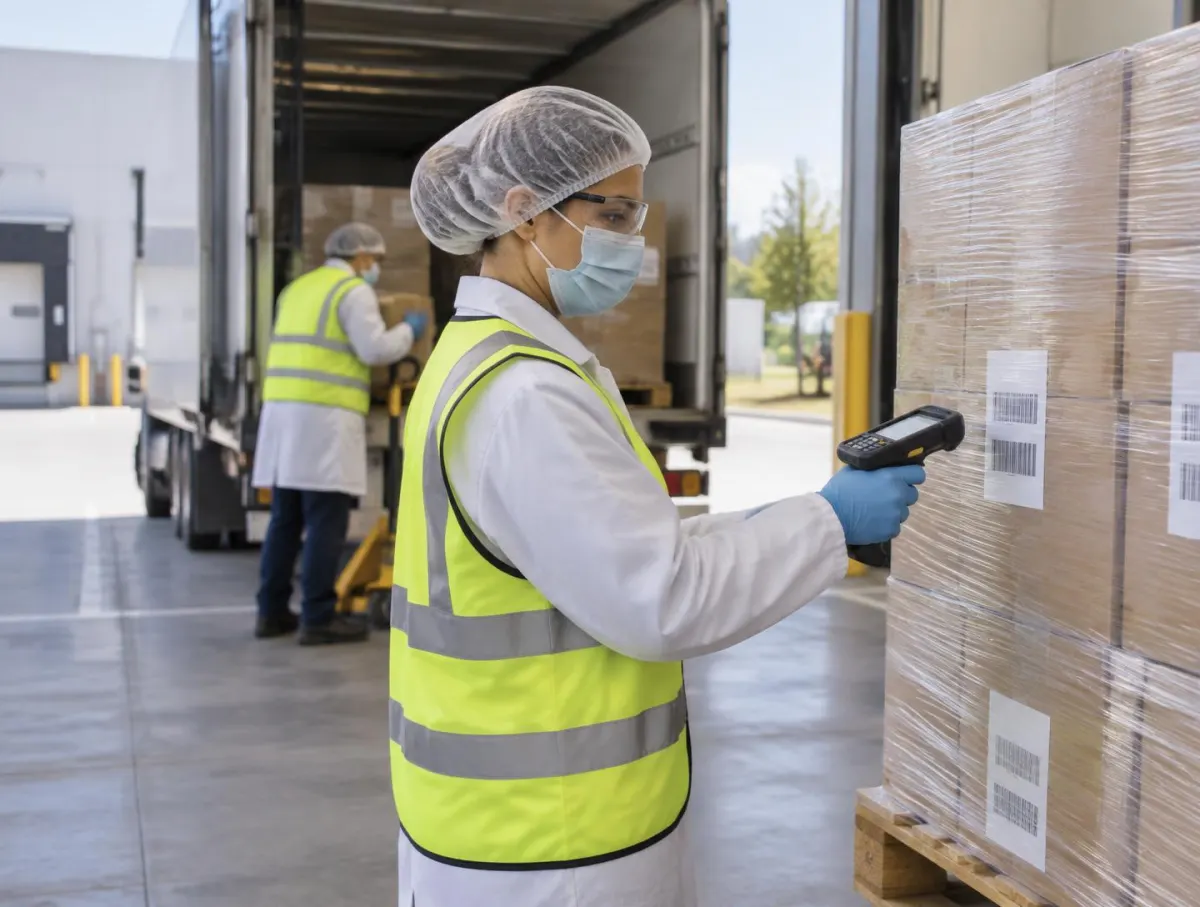
Follow one order out of the door
Pick List from the Order
Pick lists come from the sales order.
How picking and shipping work: rotation, packing and load records
1. Pick List from the Order
Pick lists come from the sales order.
Rotation is in the rules, not operator memory.
Only released stock is offered.
- Orders
- Quotes to sales orders to shipping are in every plan.
Released-only picking follows your status rules.
SO-1180
Ship Thursday
- Lines
- 5
- Rotation
- FEFO
- Released stock only
- Yes
- Pick list
- Printable
- Customer
- From the order
Expiring stock leaves first.
2. Every Pick Scanned
Each pick is scanned against the expected lot.
A wrong lot is stopped for a rescan.
Scans are recorded.
- Checklist
- The pick, pack and load checklist covers each check.
What a mismatch does follows your configuration.
Picking · SO-1180
Line 3
- Expected
- Lot FG-7004
- Scanned
- FG-7010
- Result
- Wrong lot · rescan
- Rescanned
- FG-7004
- Recorded
- Both scans
Scan-checked picks.
3. Packed with Labels and Documents
GS1-128 case and pallet labels are printed.
A customer-specific CoA template can be produced.
Packing documents come from the same record.
- Labels
- See label design for approval and reprints.
CoA content comes from approved results; people check before sending.
Pack · pallet 1 of 2
Labels
- Case labels
- GS1-128
- Pallet label
- Printed
- Customer CoA
- From template
- Pack docs
- Packing list
- Reprints
- Recorded
Customer-specific templates.
4. Lot linked to the customer
Loading records which lots went to which customer.
The forward link closes for traceability.
Customers can see documents in the portal (Professional and Enterprise).
- Trace
- See traceability and recall.
Carrier connections need configuring.
Shipment SH-0931
Loaded
- Pallets
- 2 · scanned on
- Lots
- FG-7004, FG-7006
- Customer
- Linked
- Trace
- Forward complete
- Portal
- Pro / Enterprise
Forward traceability closed at loading.
The Last Link in the Trace
Shipping closes the forward link that traceability and recall rely on.
- TraceabilityTrace forward and backward from any lot.See Traceability
- This pageShippingPick, pack and ship orders with the lots that went out.
- WMSPut away, pick and count with each move recorded.See WMS
- LabelsDesign with AI help, compare versions, approve and print at the step.See Labels
AI and Shipping
The shipment must match the released stock
The shipment must match the released stock
Ask V5 about pick, pack and dispatch evidence. Invoice or document assistance does not establish that the correct physical lots were shipped.
Everything in this feature
What shipping uses, and which plan each item needs. Compare plans
Warehouse operations
All plansPicking with FEFO/FIFO.
Sales & purchasing
All plansSales orders to shipping.
Label design & print
All plansGS1-128 case and pallet labels.
Customer portal
Professional and EnterpriseOrders, lot trace, CoAs, pack docs.
People check documents before they go to customers.
Explore the sample records.
Open a sample report to review its contents, supporting references and how the record is built.
 Ultimate
Sample report
Packing Slip

Ship & trace
- Ultimate
Sample report
Bill of Lading
Ship & trace
Inventory & Traceability: the Practical Operations Guide
From goods-in to dispatch: practical controls for locations, usable stock, movements, counting, picking and traceability. Use it with or without V5.
- The stock record and goods-in
- Locations people can find
- Eligible versus on-hand stock
- Movements, counting and adjustments
Plus Picking, dispatch and traceability; Quality handover, planning and connections; Five working tools: dataset, exception tests, timed trace challenge, trial scoring, pilot plan.
Get the inventory & traceability guideWe ask for your name and email so we can handle this request. The full guide then opens on this site, ready to translate, print or save. Privacy policy.
UltimateFree practical guide
Inventory & Traceability: the Practical Operations Guide

Straight answers.
What buyers ask us first about Warehouse & Traceability.
Do we need scanners and label printers?
Scanning and printing work best with handheld scanners and label printers. Each device is confirmed during setup, so check your models with us before you buy.
Can we keep stock on hold until quality approves it?
Yes. A lot can be held, and held stock shows as unavailable for picking until a person in quality releases it.
How fast can we trace a lot?
From any lot you can follow it back to its supplier or forward to batches and shipments. How complete that is depends on every move being scanned.
More of the product
Start with one area. Add the rest when you are ready.
 This feature's areaWarehouse & TraceabilityExplore
  Production & PlanningExplore
  Quality & LaboratoryExplore
  Documents & TrainingExplore
  Equipment & PerformanceExplore
  Orders & IntegrationsExplore
Try it with one of your own orders.
Start a free trial or talk it through with us. No card needed.