Pair the device.Test the connection.Ready for work.
Scales, scanners and label printers pair to a named station; a person runs a live check before the station goes into production.
Connected, then checked before use.
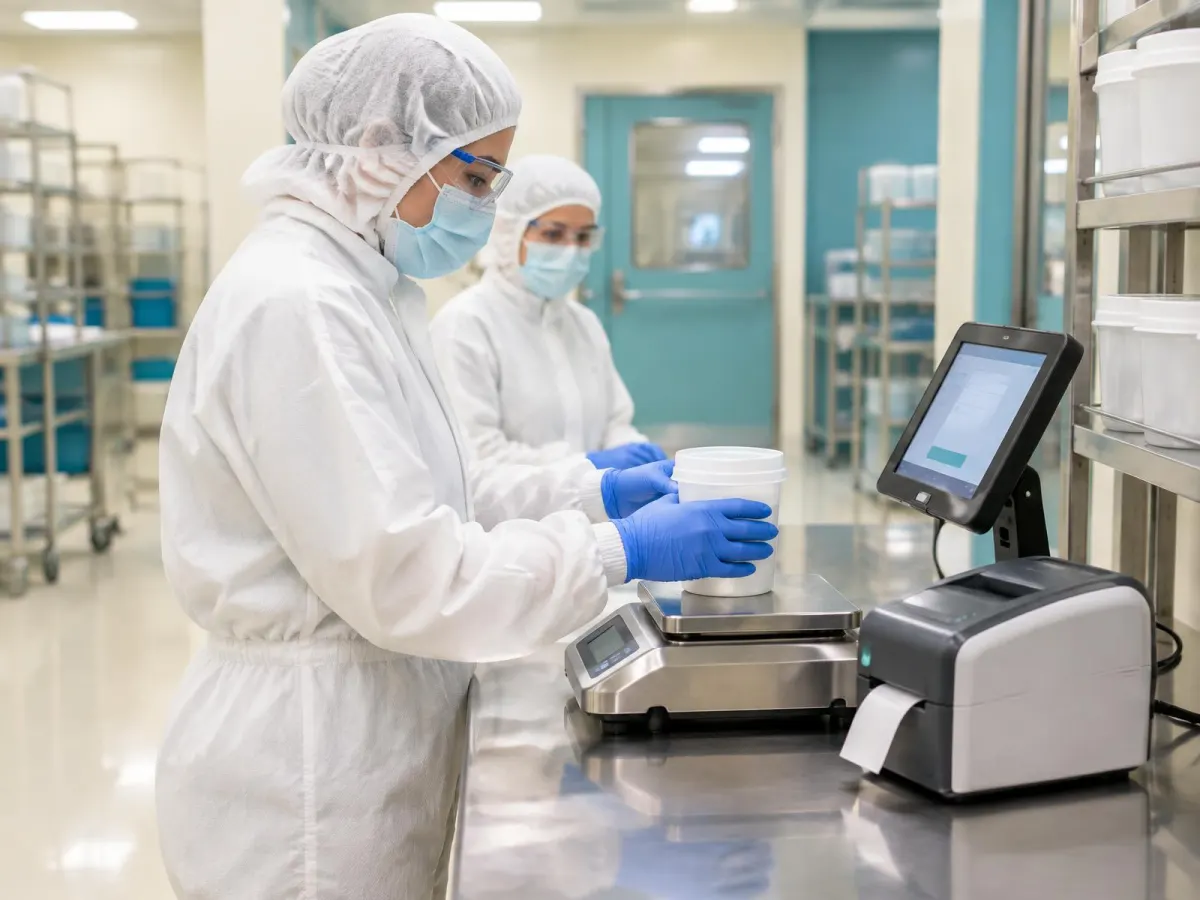
Follow one station being set up
Dispensing station DS-2 gets a scale, a label printer and a scanner. Four stages.
Name the Station
Each station is named and set to the workflow it serves.
See a station set up step by step
1. Name the Station
Each station is named and set to the workflow it serves.
Its kiosk tablet is bound to it.
Devices are paired to the station, not to a person.
- Wizard
- Guided setup includes a devices step.
Confirm your device models with us before setup.
Station DS-2
Dispensing room
- Workflow
- Dispensing
- Tablet
- Kiosk · bound
- Scale
- To pair
- Printer
- To pair
- Scanner
- To pair
Each station knows its devices.
2. Pair and test each device
Guided pairing covers scales, printers, sensors and PLCs.
Each connection gets a live test.
Camera scanning works on kiosks and phones too.
- Protocols
- Named in the reference: Mettler SICS, Modbus TCP, OPC-UA, MQTT and Zebra ZPL. Others: ask.
Each device connection needs its own configuration.
Pairing · DS-2
Live ingest test
- Scale
- Mettler SICS · reading 0.000 kg
- Label printer
- Zebra ZPL · test label
- Scanner
- Test scan read
- Sensors, PLCs
- Modbus TCP, OPC-UA, MQTT
- Status
- Ready
A live test before first use.
3. Readings Go into the Step
Live tare, zero and weight flow into the weighing step.
Tolerance bands come from the formula.
Out-of-calibration equipment can block work order release.
- Instruments
- Lab instrument readings can be stored with the sample, instrument ID and calibration status.
Automatic readings need a supported, configured connection.
WO-9104 · dispense
DS-2
- Target
- 4.000 kg ± 0.020
- Scale reading
- 4.006 kg
- Typed
- No · from the scale
- Scale calibration
- In date
- Out of date
- Station blocks use
Readings are recorded, not retyped.
4. Labels Print at the Station
Lot, serial and finished-goods labels print at the station.
Reprints are logged with a reason.
Labels come from the label designer.
- Labels
- See Label design for templates and approval.
Printer settings are set per station profile.
Label · DS-2
Dispensed container
- Template
- Dispense label rev B
- Printed
- Zebra at DS-2
- Content
- Lot, weight, who, when
- Reprint
- Logged with reason
- Barcode
- GS1-128
Reprints leave a trail.
Devices Serve the Floor Steps
Weighing, labels, sensors and calibration all depend on paired devices.
- Weigh & dispenseWeigh every material, including micro quantities, against formula tolerances on connected scales, batch by batch.See Weigh & dispense
- This pageHardware & devicesScales, printers and scanners connected at set-up.
- Label DesignDesign with AI help, compare versions, approve and print at the step.See Label Design
- CalibrationTrack due dates and review out-of-tolerance impact.See Calibration
AI and Hardware & devices
A connected device must be verified
A connected device must be verified
Ask V5 about scales, scanners and printers in the workflow. Device integration, calibration and connectivity are distinct from AI assistance.
Everything in this feature
What devices use, and which plan each item needs. Compare plans
Guided device pairing
All plansLive ingest test per device.
Operator kiosk
All plansStation tablets.
Label design
All plansStation printing.
Calibration
All plansBlocks out-of-date devices.
Sensors & IoT
Professional and EnterpriseContinuous readings.
Send us your device list and we'll confirm what connects.
Connected Stations & Workspace Readiness Guide
For operations, engineering, quality and IT teams commissioning floor stations and setting up who may do what. Use it with or without V5.
- What's native vs your procedure
- Station and record architecture
- Scale units and resolution
- Scanner and GS1 field tests
Plus Labels, reprints and versions; Stale or disconnected devices; Roles, separation and revocation; Commissioning acceptance matrix; Owner handoff and first month.
Get the guideWe ask for your name and email so we can handle this request. The full guide then opens on this site, ready to translate, print or save. Privacy policy.
 Ultimate
Free buyer guide
Connected Stations & Workspace Readiness Guide
Straight answers.
What buyers ask us first about Equipment & Performance.
Can V5 block an out-of-calibration scale?
The kiosk can block devices that are out of calibration, depending on how you configure it.
Does it cover planned maintenance?
Yes. Maintenance includes planned work, downtime reasons and requisitions, with OEE built from what is recorded. Maintenance and OEE are on Professional and Enterprise.
Do our machines need to connect?
No. You can record downtime and checks by hand. Device connections are optional and each one is confirmed in setup.
More of the product
Start with one area. Add the rest when you are ready.
 Warehouse & TraceabilityExplore
  Production & PlanningExplore
  Quality & LaboratoryExplore
  Documents & TrainingExplore
  This feature's areaEquipment & PerformanceExplore
  Orders & IntegrationsExplore
Check your devices against V5.
Start a free trial or talk it through with us. No card needed.