
See who is ready for each task before the shift starts.
A people-by-task grid from your training records, so supervisors can see who is ready before they assign work.
7-day free trial, no card required. The skills matrix is in the Enterprise plan. Training records per revision are in Professional and Enterprise.

Readiness at a glance.
See who is qualified, in training or due for each task, from the training records you keep.
Procedure changes reach people.
When a revision needs retraining, the people affected show as due.
Supervisors stay in charge.
The matrix informs the decision; the supervisor still decides who does the work.
Follow one shift plan
Who is ready for which task, and why
Try it: tap any square to see the training evidence behind it.
| Person | Filler set-up | Changeover | In-process checks |
|---|---|---|---|
| A. Kowalski | |||
| B. Osei | |||
| C. Ruiz | |||
| D. Patel |
Q = qualified
Choose a square. Each status is backed by a training record, not a typed tick.
- Trained on current revision
- Observed run signed by line lead
- Refresher per your rule
- Trained on current revision
- Observed run signed by line lead
- Refresher per your rule
- Trained on current revision
- Observed run signed by line lead
- Refresher per your rule
- Trained on rev 3
- Rev 4 now in force · read and understood due
- Training booked 9 Oct
- Trained on current revision
- Observed run signed by line lead
- Refresher per your rule
- Trained on current revision
- Observed run signed by line lead
- Refresher per your rule
- Trained on current revision
- Observed run signed by line lead
- Refresher per your rule
- Read and understood signed
- Observed run not yet done
- Not yet qualified
- Trained on current revision
- Observed run signed by line lead
- Refresher per your rule
- Read and understood signed
- Observed run not yet done
- Not yet qualified
- Not assigned to this task
- No training record required
- Add it if the role changes
- Trained on current revision
- Observed run signed by line lead
- Refresher per your rule
Ready for filler set-up today: 2 people.
Worked example. Your procedure defines qualified, in training and due. Whether an unqualified person is stopped from starting depends on your set-up.
How the skills matrix works: statuses, revisions and plans
Tap a step below to see what happens.Choose a step below to see what happens.
Step 1 of 4
- Filler set-upSOP-FL-05
- ChangeoverSOP-CO-02
- In-process checksWI-QC-07
- Qualified meansTrained + observed run
Tasks link to the documents people are trained on.
Tasks and what qualified means
- List the tasks, stations and procedures people are trained on.
- Agree what qualified, in training and due mean in your procedure.
Skills matrix is Enterprise. Expiry and refresher rules follow your procedure; confirm the set-up with us.
More on define: full record and set-up
Also on this record
- Refresher
- Your rule · e.g. yearly
Link each task to its controlled documents so revisions are followed.
- Roles
- Roles control which screens and kiosk actions people can use. That is separate from training status.
Quality Management Buyer Guide
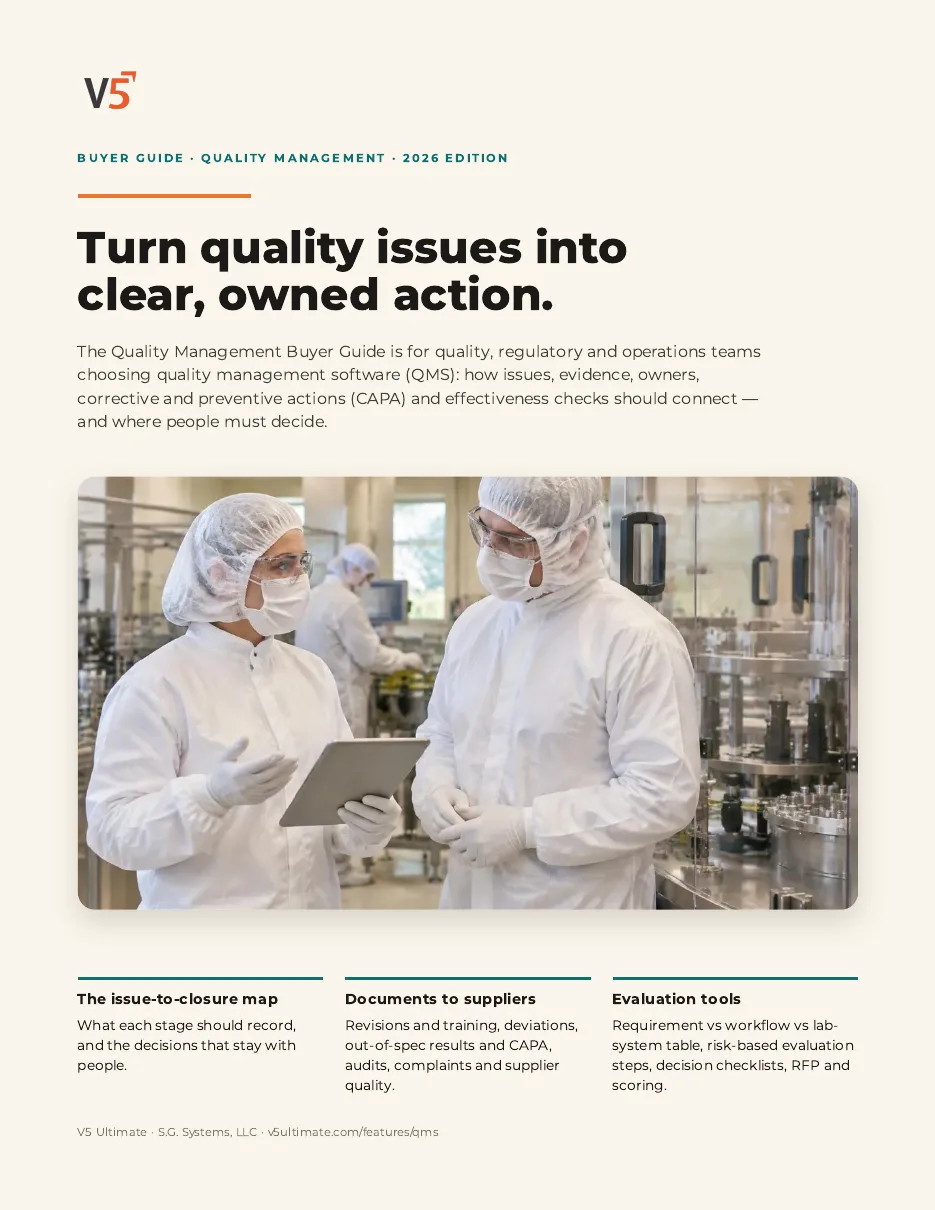
For quality, regulatory and operations teams choosing quality management software. Use it with or without V5.
- 1Link each revision to the training it needs.
- 2Know what competence evidence to check.
- 3Test it with one of your own teams.
See what's inside
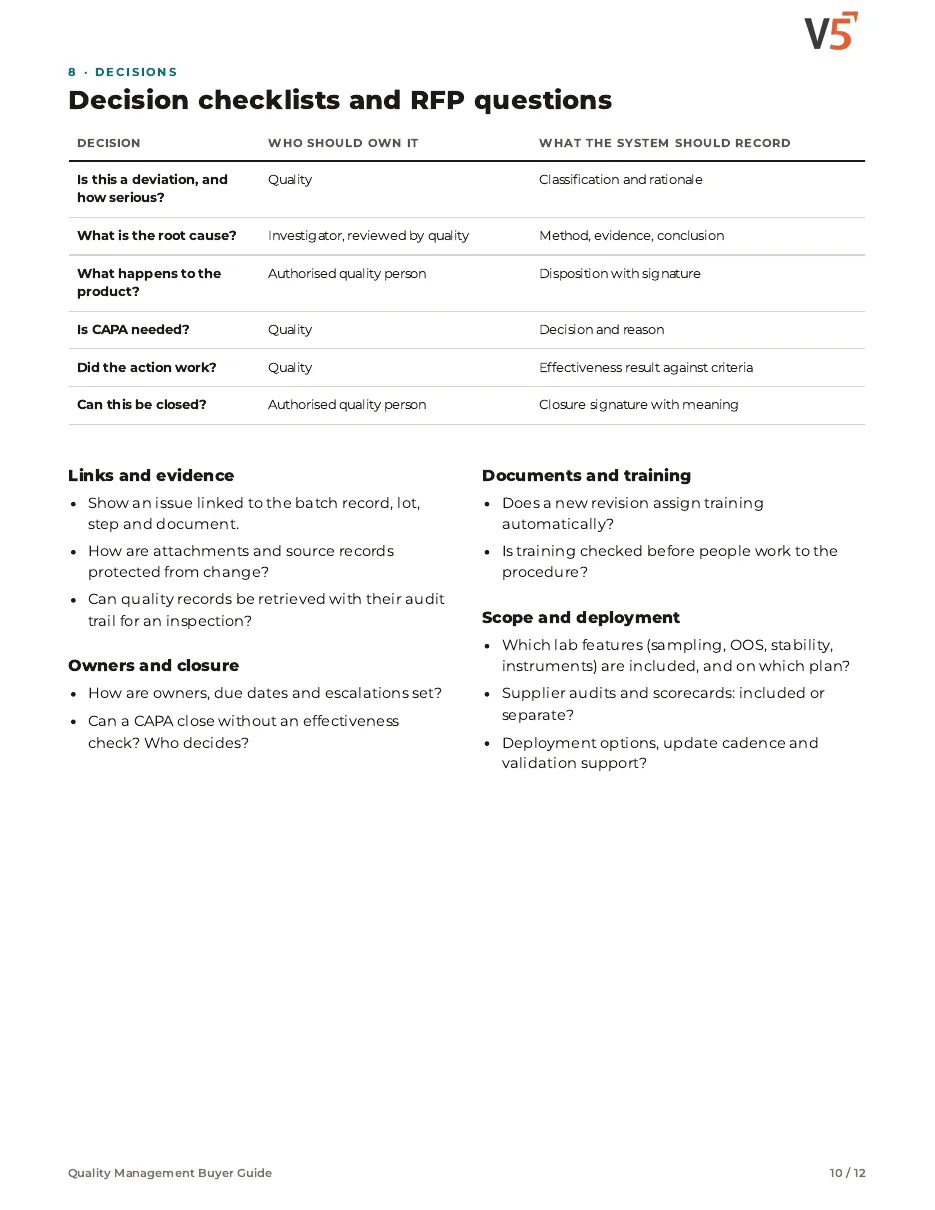
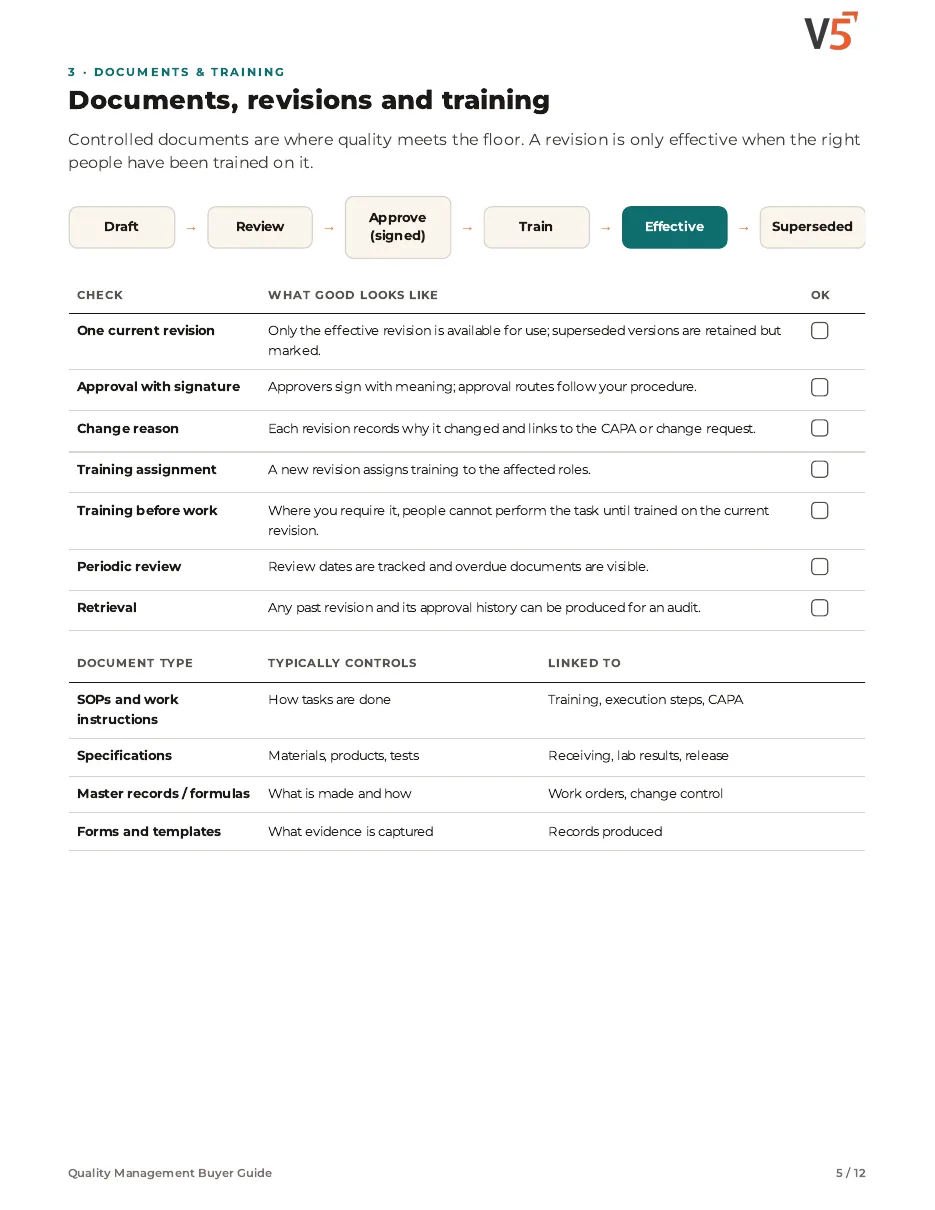
- How controlled documents connect to training, so a new revision reaches the right people before they use it.
- What to check for read-and-understood records and competence evidence during an evaluation.
- Decision checklists, RFP questions and a scored sheet to test training records with one of your own teams.
Chapters: why quality systems stall · from issue to closure · documents, revisions and training · deviations, out-of-spec results and CAPA effectiveness · audits, complaints, supplier quality and traceability · requirement, workflow or lab system · risk-based evaluation and validation · decision checklists and RFP questions · scored evaluation · where V5 fits and sources.
We ask for your name and email so we can handle this request. The PDF downloads in your browser. Privacy policy
Skills tied to the documents people use
Revisions in document control create training due, and the grid shows who is ready, so changes reach the floor in a controlled way.
What's included
What the skills matrix includes, and which plan each item needs. Compare plans
Skills and training
From training records to a ready shift.
Skills matrix · Training and competence · Document control
Explore skills
Skills and training
From training records to a ready shift.
Skills matrix · Training and competence · Document control
- Skills matrixEnterprisePeople-by-task view of qualified, in training and due.
- Training and competenceProfessional and EnterpriseTraining per document revision.
- Document controlProfessional and EnterpriseRevisions that create training due.
- Electronic signaturesProfessional and EnterpriseSigned acknowledgements with meaning.
- Audit log (view)Who recorded what and when.
Qualification and assignments are decided by people under your procedures.
Try it with one line's team.
Start your free trialOr (you can edit the question before sending) or .