
One version in force. Every change on record.
Draft the next revision while the current one stays in use, approve it under your route, and keep the history.
7-day free trial, no card required. Document control, electronic signatures and training records are in Professional and Enterprise.

One version in use.
The shop-floor screens show the revision in force; drafts stay out of the way until they become effective.
Approvals you can show.
Reviewers and approvers sign under your route, with the reason for change kept on the record.
Training follows the change.
A new revision can set who needs to read or be trained on it, so the change reaches people.
Follow one document change
Compare, then approve a new revision
Try it: show the changes between rev 6 and draft rev 7, then sign in order. Rev 7 takes effect only when the approver signs.
- 1Load cartons onto infeed
Load cartons onto infeed
Load cartons onto infeedChanged - 2Set sealer temperature per spec
Set sealer temperature per spec
Set sealer temperature per specChanged - 3Run first carton
Run first carton
Run first cartonChanged - 4—
Confirm seal check after changeoverAdded - 5Record line start
Record line start
Record line startChanged - 6Photo of first sealed carton
Inspect first sealed carton
Photo of first sealed cartonChanged
- Reviewed · Production managerWaiting
- Reviewed · QA specialist—
- Approved · Quality manager—
Worked example. Each signature records its meaning, signer, date and time.
How document control works: change, approval, effective date and history
Tap a step below to see what happens.Choose a step below to see what happens.
Step 1 of 5
- CurrentRev 6 · in force
- ReasonSeal check missed after changeover
- Raised fromCAPA-0390
- OwnerPackaging lead · M. Duarte
The change links back to the quality record that raised it.
A change starts with a reason
- Raise a change with its reason, often from a CAPA, a deviation or a periodic review.
- The change links back to the record that raised it, so reviewers see why.
Document control is Professional and Enterprise.
More on raise: full record and set-up
Also on this record
- Raised
- 2 Oct · 11:05
Rev 6 stays the version in use while the change is worked on.
- Document types
- SOPs, work instructions and other controlled documents your procedures define.
- Bringing documents in
- AI document intake can read existing PDFs into drafts for a person to check. Professional and Enterprise.
Quality Management Buyer Guide
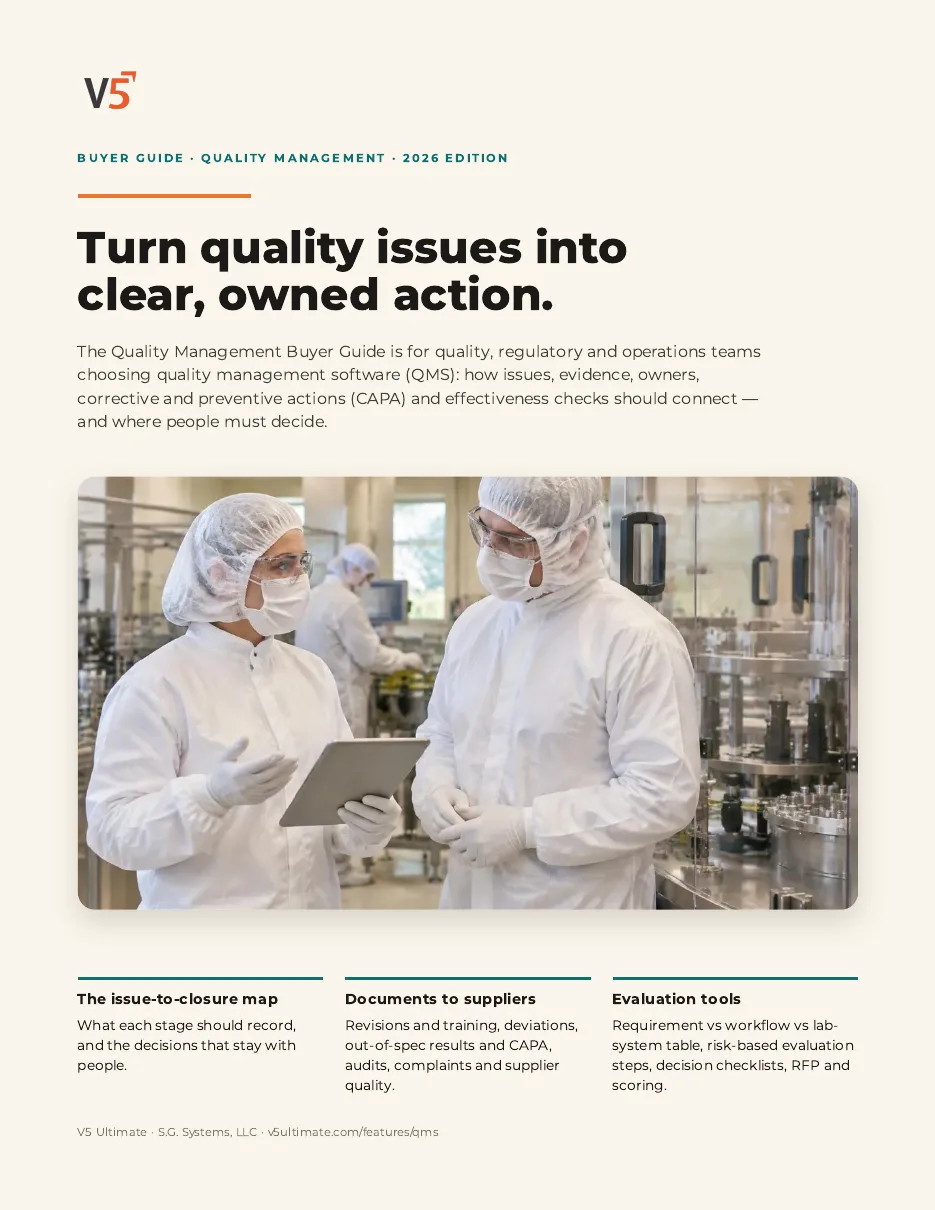
For quality, regulatory and operations teams choosing quality management software.
- 1Link each revision to the training it needs.
- 2Keep changes tied to the CAPA or review that raised them.
- 3Score suppliers using one of your own SOPs.
We ask for your name and email so we can handle this request. The PDF downloads in your browser. Privacy policy
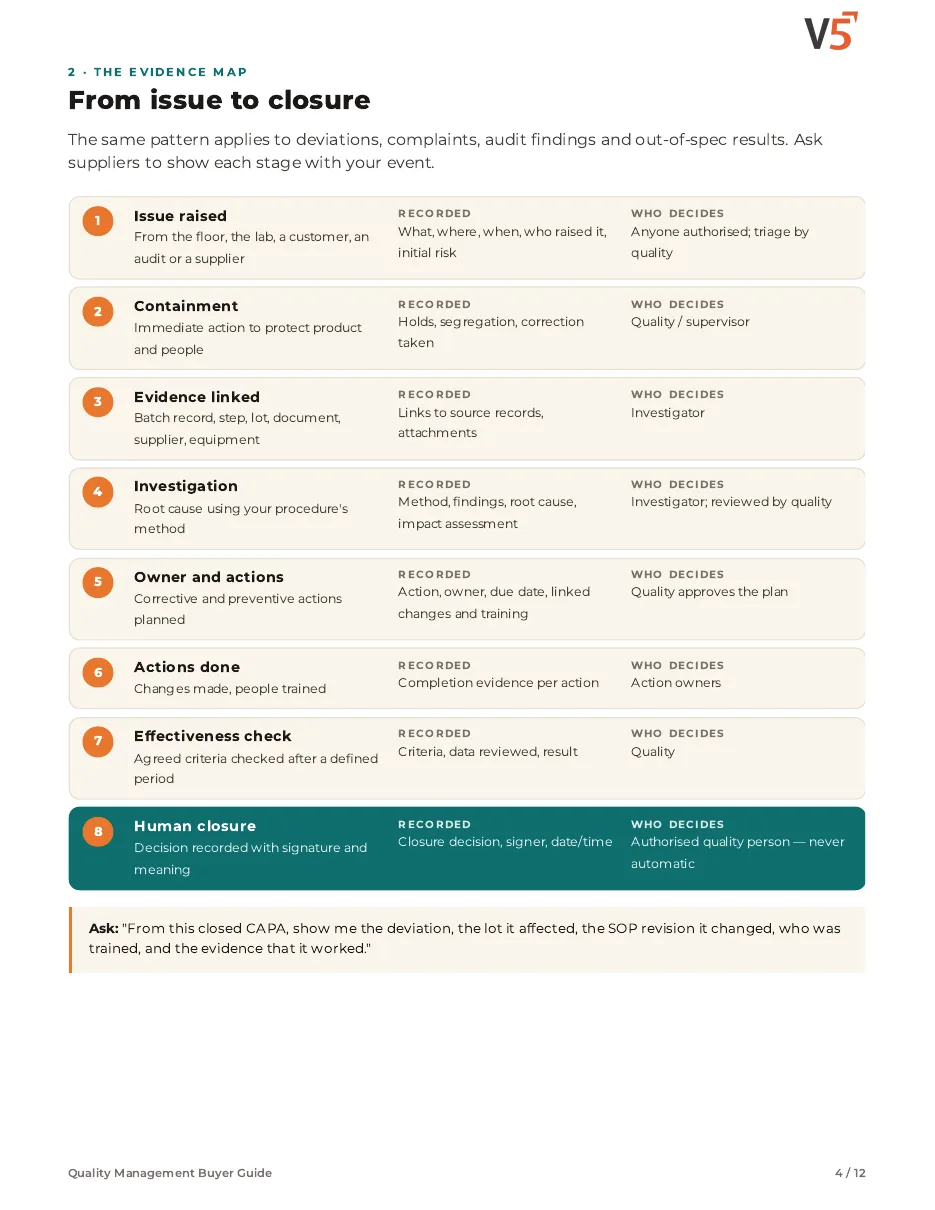
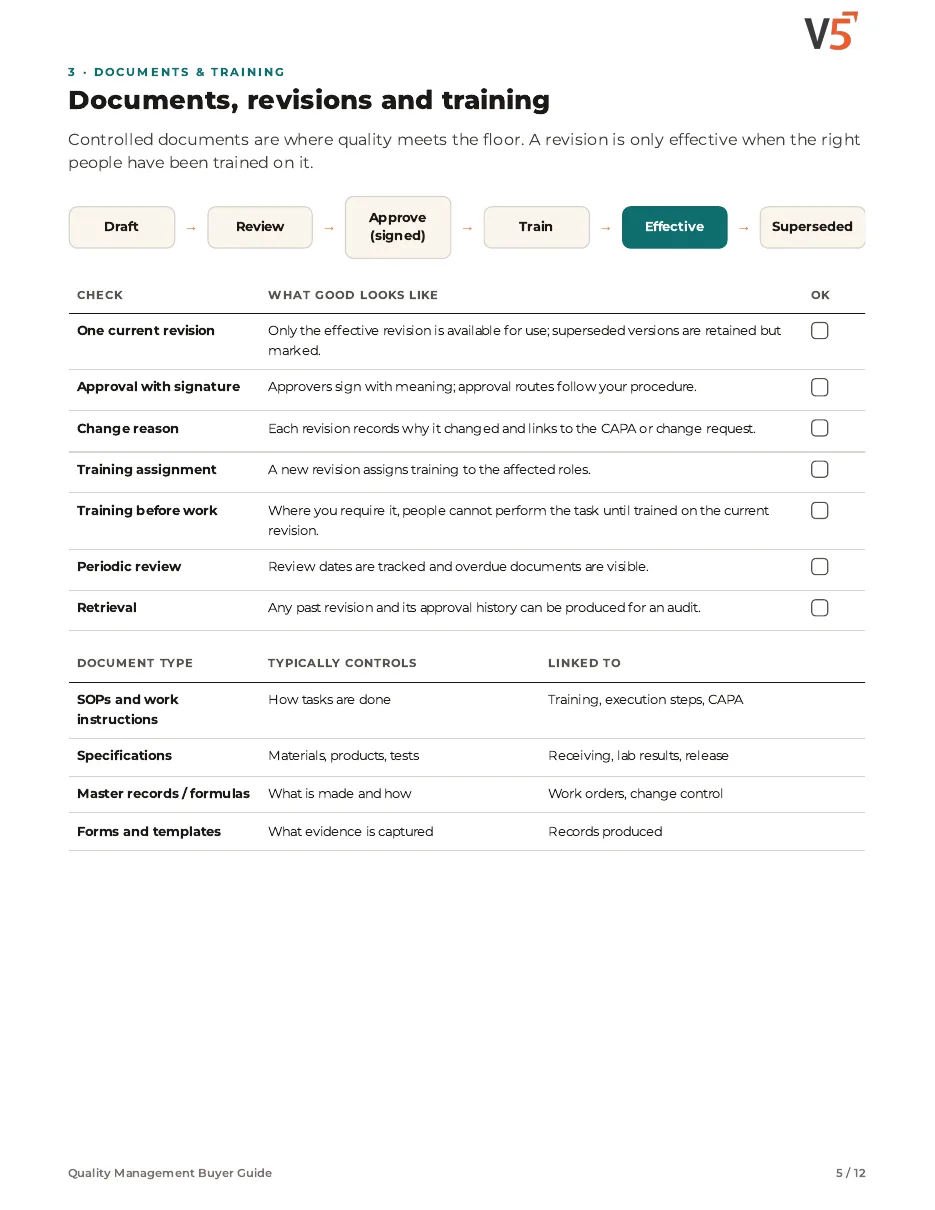
Documents connected to the work
Changes link to the CAPA or review that raised them, the shop-floor screens show the version in force, and training follows the revision.
Everything in this feature
What document control includes, and which plan each item needs. Compare plans
Revisions and approval
Draft, sign and make effective without two versions in use.
Document control · Electronic signatures · Audit log (view)
Explore revisions
Revisions and approval
Draft, sign and make effective without two versions in use.
Document control · Electronic signatures · Audit log (view)
- Document controlProfessional and EnterpriseSOPs, work instructions and controlled revisions with history.
- Electronic signaturesProfessional and EnterpriseSignatures with meaning, designed for 21 CFR Part 11.
- Audit log (view)Who changed what and when.
- AI document intakeProfessional and EnterpriseReads existing documents into drafts for a person to check.
People and follow-through
Changes reach the people who do the work.
Training and competence · Skills matrix · CAPA and deviations
Explore training
People and follow-through
Changes reach the people who do the work.
Training and competence · Skills matrix · CAPA and deviations
- Training and competenceProfessional and EnterpriseTraining per document revision.
- Skills matrixEnterprisePeople-by-task view of who is qualified and who is due.
- CAPA and deviationsProfessional and EnterpriseChanges linked to the quality record that raised them.
- Routed notificationsProfessional and EnterpriseEmail and SMS for pending approvals, with escalation.
People draft, review and approve under your procedures. V5 keeps the versions, signatures and history; it does not by itself make you compliant or validated.
AI that sees it coming
It predicts and flags. Fixed rules decide. People sign.
Know who needs training next.
Upcoming revisions show who will be due, before the effective date.
Straight answers.
What buyers ask us first about Documents & Training.
Can V5 stop an untrained person starting a step?
It can when you configure training checks at the step (Professional and Enterprise). People still decide who is qualified.
Is there a full skills matrix?
The full skills matrix with competencies and refresher reminders is an Enterprise feature.
How do new procedure revisions reach the floor?
A revision is approved with an effective date. Training can be assigned before that date, and the kiosk shows the approved revision once it takes effect.
More of the product
Start with one area. Add the rest when you are ready.
 Warehouse & TraceabilityExplore
  Production & PlanningExplore
  Quality & LaboratoryExplore
  This feature's areaDocuments & TrainingExplore
  Equipment & PerformanceExplore
  Orders & IntegrationsExplore
Try it with one of your own procedures.
Start a free trial or talk it through with us. No card needed.