V5 Ultimate
Ultimate
PricingResourcesCompany
English (original)DeutschΕλληνικάEspañolFrançaisItalianoעברית日本語한국어NederlandsPolskiPortuguêsSvenska
Talk to us Log in Start free trial
Food & Beverage
  • Bakery & Confectionery
  • Food Processing
  • Ingredients & Dry Mixes
  • Sausage & Meat Products
  • Produce Packing
  • Pet Food & Pet Supplements
  • Dairy & Chilled Foods
  • Beverages & Liquid Manufacturing
  • Infant Formula
Pharma & Life Sciences
  • Radiopharmaceuticals
  • Pharmaceutical
  • Medical Devices
  • Veterinary Pharmaceuticals
  • Blood & Tissue
  • Diagnostics & IVD Kits
  • Reference Materials & Standards
  • OTC Topical Creams & Gels
Supplements & Personal Care
  • Dietary Supplements
  • Cosmetics & Personal Care
  • Cannabis & Hemp Manufacturing
  • Fragrances & Perfumery
  • Soaps & Personal Hygiene
  • Botanical Extracts & Essential Oils
Chemicals & Materials
  • Plastics & Resins
  • Agricultural Chemicals
  • Specialty & Industrial Chemicals
  • Printing Inks, Pigments & Construction Chemicals
  • Lubricants & Metalworking Fluids
  • Coatings, Adhesives & Sealants
Other Manufacturing
  • Consumer Products
  • Electronics & Electrical Assembly
  • Textiles & Nonwoven
  • Contract Manufacturing & Co-Packing
  • Packaging & Food-Contact Materials
  • Regulated Warehousing & Distribution
Explore all industries
  • Warehouse & TraceabilityReceive, store, pick and trace
  • Production & PlanningPlan jobs and guide production
  • Quality & LaboratoryTest, investigate and review
  • Documents & TrainingControl procedures and qualifications
  • Equipment & PerformanceMaintain assets and measure losses
  • Orders & IntegrationsConnect customers, suppliers and systems
  • Outputs & InsightsReports, KPIs and label design
Why V5? Product & Features
Why V5?Product & Features
  • Warehouse & TraceabilityReceive, store, pick and trace
  • Production & PlanningPlan jobs and guide production
  • Quality & LaboratoryTest, investigate and review
  • Documents & TrainingControl procedures and qualifications
  • Equipment & PerformanceMaintain assets and measure losses
  • Orders & IntegrationsConnect customers, suppliers and systems
  • Outputs & InsightsReports, KPIs and label design
Explore all industries
    • Bakery & Confectionery
    • Food Processing
    • Ingredients & Dry Mixes
    • Sausage & Meat Products
    • Produce Packing
    • Pet Food & Pet Supplements
    • Dairy & Chilled Foods
    • Beverages & Liquid Manufacturing
    • Infant Formula
    • Radiopharmaceuticals
    • Pharmaceutical
    • Medical Devices
    • Veterinary Pharmaceuticals
    • Blood & Tissue
    • Diagnostics & IVD Kits
    • Reference Materials & Standards
    • OTC Topical Creams & Gels
    • Dietary Supplements
    • Cosmetics & Personal Care
    • Cannabis & Hemp Manufacturing
    • Fragrances & Perfumery
    • Soaps & Personal Hygiene
    • Botanical Extracts & Essential Oils
    • Plastics & Resins
    • Agricultural Chemicals
    • Specialty & Industrial Chemicals
    • Printing Inks, Pigments & Construction Chemicals
    • Lubricants & Metalworking Fluids
    • Coatings, Adhesives & Sealants
    • Consumer Products
    • Electronics & Electrical Assembly
    • Textiles & Nonwoven
    • Contract Manufacturing & Co-Packing
    • Packaging & Food-Contact Materials
    • Regulated Warehousing & Distribution
PricingResourcesCompany
Start free trial Log in Talk to us

MES software

Run each work order from the floor, with the record built as you go.

V5 takes planned work orders to a kiosk at the line. Operators follow the configured steps, record weights and checks, and sign. Reviewers see exceptions first, and a named person decides disposition.
Start a free trial
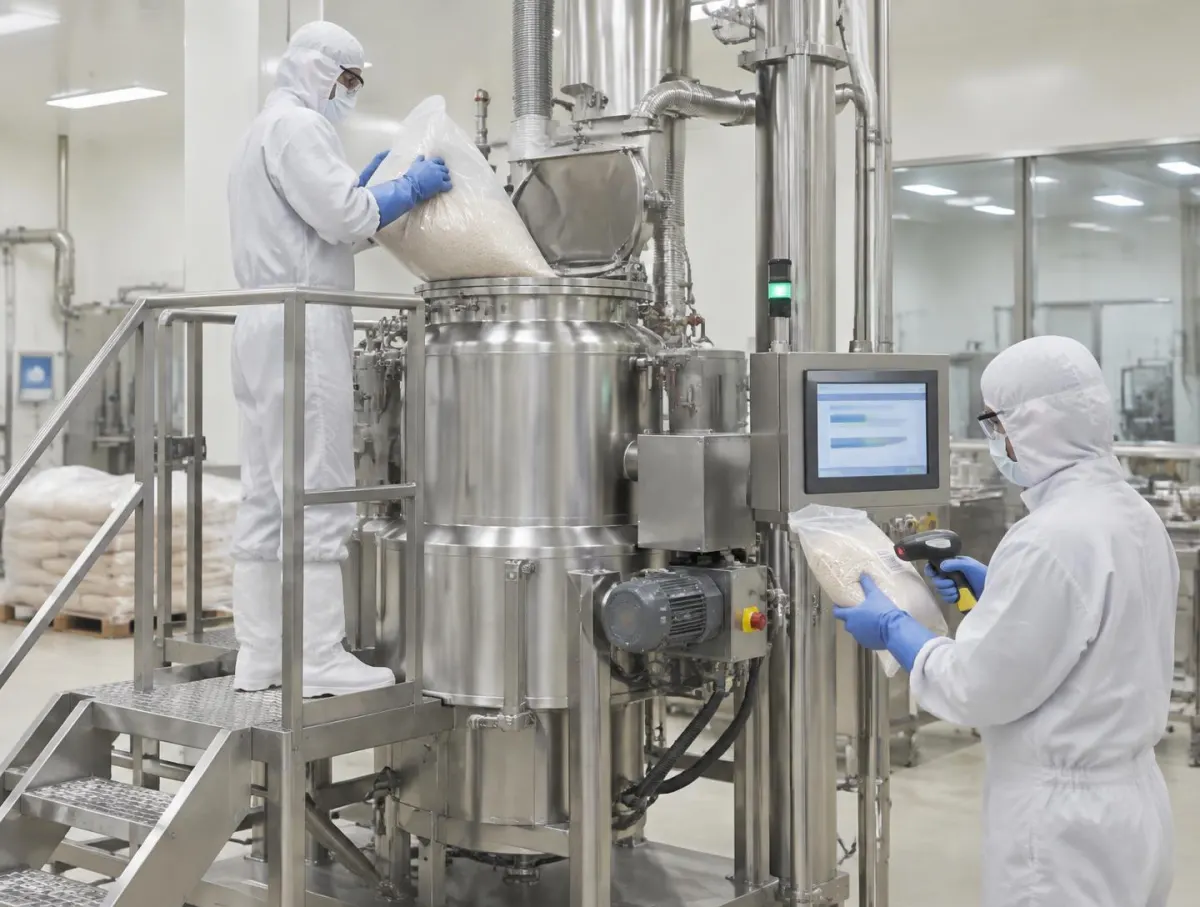
Operator in hood, mask, glasses, coverall and gloves tipping a sealed-liner bag into a stainless mixer while a colleague in protective clothing scans the next bag beside a touchscreen
  • Steps at the Line

    Operators follow configured steps at a kiosk and sign each stage.

  • One production record

    Dispensing, readings and signatures kept with the batch.

  • Exceptions First

    Reviewers see exceptions first; a named person decides disposition.

Follow one work order

Release

A planner releases the work order with its formula and instruction version.

Dispense

Materials are dispensed and quantities recorded against the order.

Execute

Operators record checks and readings and sign off each stage at the kiosk.

Deviation

A problem at a step is raised as a deviation with its context for quality to review.

Review

Quality reviews the batch record and a named person decides disposition.

Steps, review rules and connected devices are configured with you; device readings need supported connections.

Is V5's MES a fit?

  • Good fit: regulated batch or discrete production that still runs on paper travellers or spreadsheets.
  • Bring: one product's instructions, a recent batch record and your ERP's item and order data.
  • Check in scoping: scales and devices to connect, ERP records and direction, kiosk hardware.
  • Plan for: your own validation; IQ/OQ support is offered on Enterprise plans.
Who decides

V5 records and guides. People sign steps, review the record and decide release. AI drafts deviation text for review; forecasting and anomaly detection are coming soon.

AI drafts, suggests, extracts and explains; people decide, apply, sign, approve, validate and release. How AI is governed

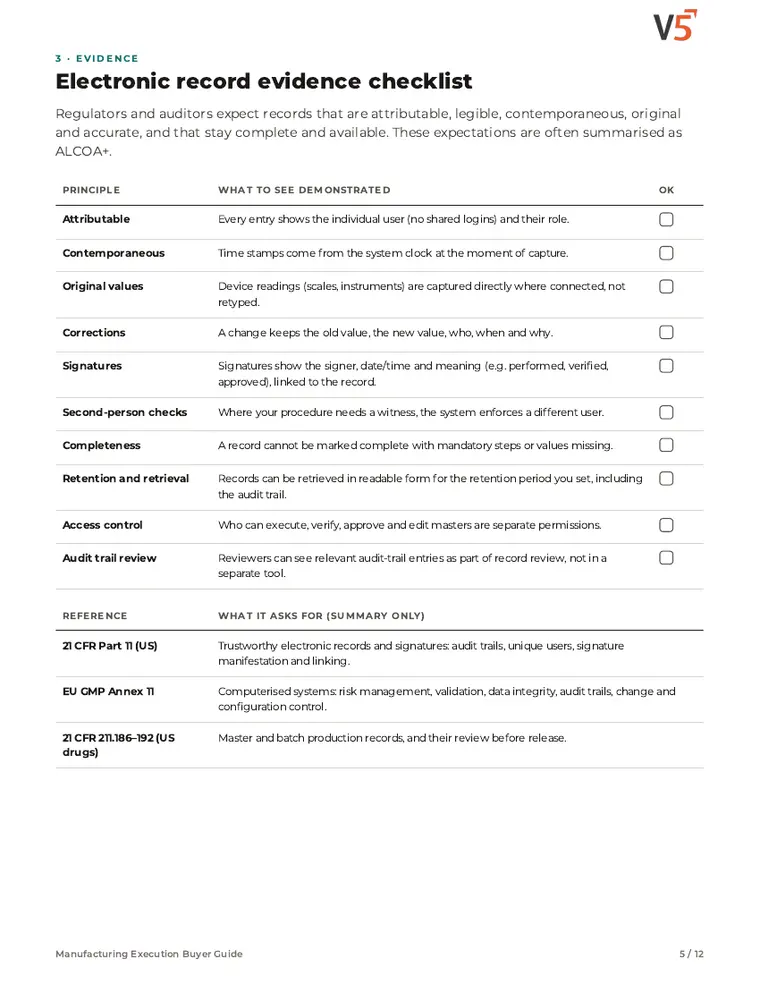
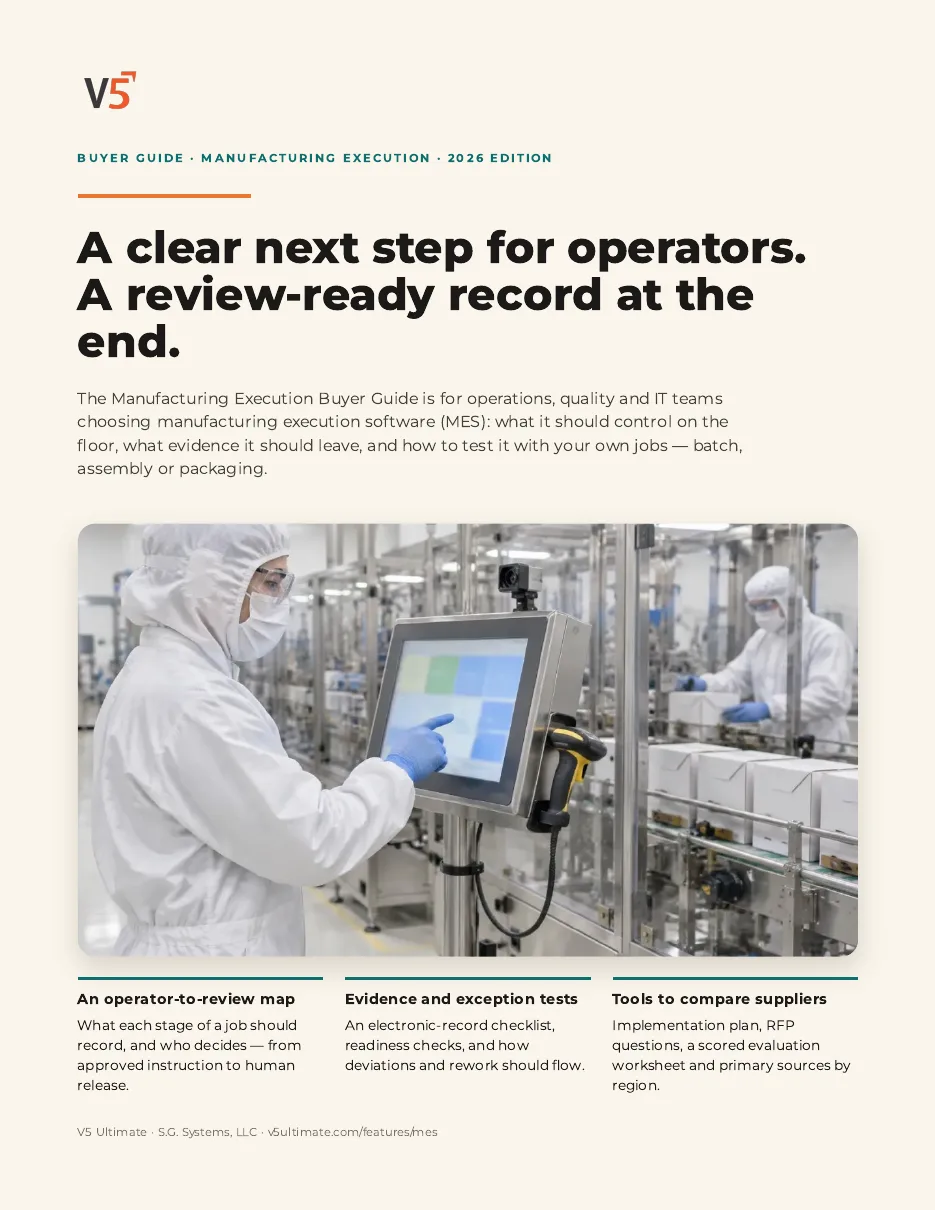
Cover of the V5 Manufacturing Execution Buyer GuidePage 5 of the Manufacturing Execution Buyer Guide

Free buyer guide · 12 pages · PDF

Manufacturing Execution Buyer Guide

For operations and quality teams comparing MES options, with checklists and RFP questions. Use it with or without V5.

Get the guide on the MES page

Go deeper

  • MES Module
  • Electronic Batch Records
  • Shop-Floor Kiosk
  • Maintenance & OEE
  • Glossary: MES
  • Guide: MES vs ERP
Full product detailCommon problems, what's included, why teams choose it, and where commercial meets regulated.+
If any of these sound familiar

Signs your ERP stops at the shop-floor door

Operators work from paper travellers beside the ERP

Batch review starts by hunting for missing entries

Deviations surface at end of batch rather than at the step

OEE is rebuilt by hand from shift notes

What's in the box

What V5's MES covers today

Formulas and Work Orders

Maintain formulas, work orders and production instructions, and release the order with its recipe version.

Dispensing and Stage Sign-Off

Record dispensed quantities and sign off each stage at the kiosk.

Electronic Batch Record

Entries, readings and signatures are kept with the batch, with audit history.

Deviations at the Step

Raise a deviation from the step with its context, then route it under your procedure.

Equipment and OEE

Equipment, maintenance and sanitation records sit beside the batch; OEE is read from recorded stops.

Roles and Kiosk Actions

Control which screens and kiosk actions each role can use.

What changes the day this goes live

Before you choose: fit and implementation

  • Start with one line or product family and one batch record you already run on paper.
  • Available workflows depend on your production configuration and user permissions.
  • Scale readings and device measurements need supported, configured connections; confirm your hardware during scoping.
  • Which ERP records connect, and in which direction, is agreed in scoping and your Order.
  • IQ/OQ validation support is offered on Enterprise plans; PQ and UAT stay with your team.
Questions buyers actually ask

MES software: buyer questions

What is MES software?+

A manufacturing execution system sits between planning and the shop floor. It takes work orders to the line, guides the steps, records what happened and gives reviewers a complete production record. In V5 that includes formulas, work orders, dispensing, stage review and batch reporting.

How is this different from our ERP?+

ERP plans, buys and accounts. MES records how each order was actually made: the materials used, the readings taken, who signed each step and what went wrong. V5 can sit alongside your ERP; which records connect is confirmed in scoping.

Who releases a batch?+

Your people do. V5 shows reviewers the record and its exceptions. A named person in your quality team reviews, signs and decides disposition under your procedures.

Does V5 make us Part 11 compliant?+

V5 provides audit history, controlled documents and electronic signatures. Compliance depends on your procedures and your own validation, not on software features alone.

How long does implementation take?+

It depends on your lines, integrations and validation approach. Dates are agreed with you in writing; we do not quote a standard timeline.

Is AI part of the MES?+

AI can draft deviation text and extract steps from an uploaded SOP for people to review and sign. AI yield forecasting and process anomaly detection are coming soon. See how AI is governed on the AI governance page.

Capabilities vary by plan and setup. Confirm specifics with our team before relying on them.

Try one of your own work orders in V5.

7-day free trial, no card required.

Start free trial Read: MES vs ERP

Next Step

Try V5 with your own records, or ask a question first. Ask V5 opens with an editable question; nothing is sent until you choose to.

Start your free trial Browse All Features

Showing the site for the United States. Local spelling, dates and prices are applied automatically; change the language at the top of the page.

V5 Ultimate
Ultimate

Warehouse, quality and manufacturing software for regulated operations.

ProductIndustriesPricingResourcesSecurity & TrustCompanyLegal Centre

© S.G. Systems, LLC

Page version 1.2· Last revised 28 Sep 2026