
The production record fills in as the work is done.
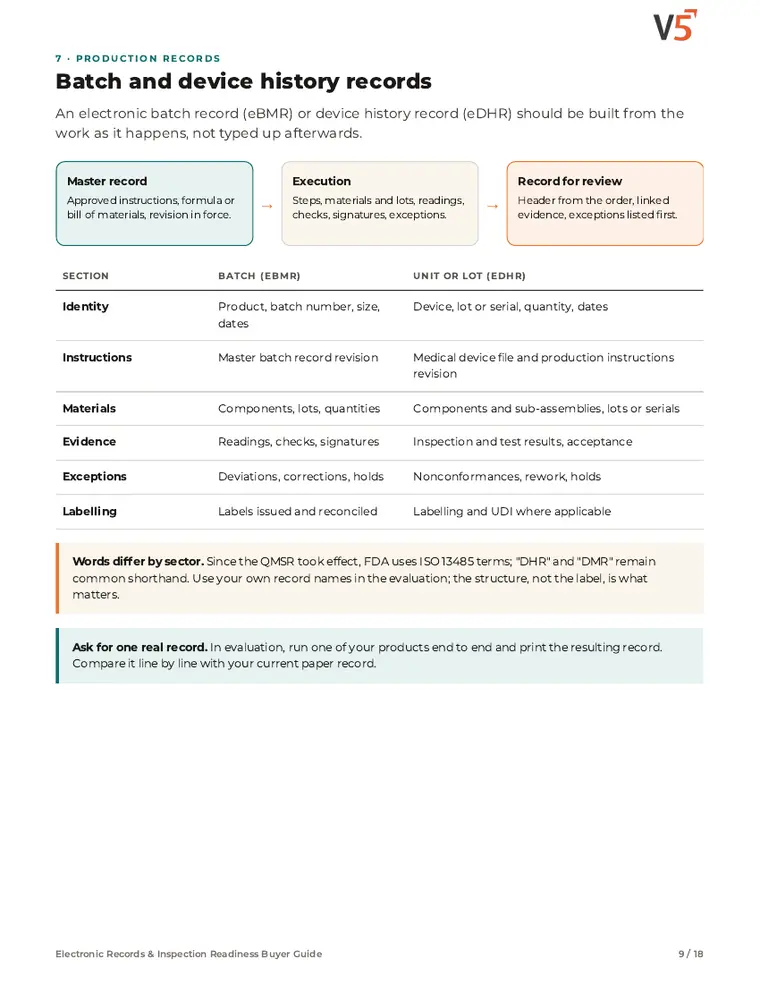
Batch and device history records build from what operators record at each step.
7-day free trial, no card required. Regulated reports (BMR, eDHR, MMR, CoA) and electronic signatures are in Professional and Enterprise. Standard PDF reports are in every plan.
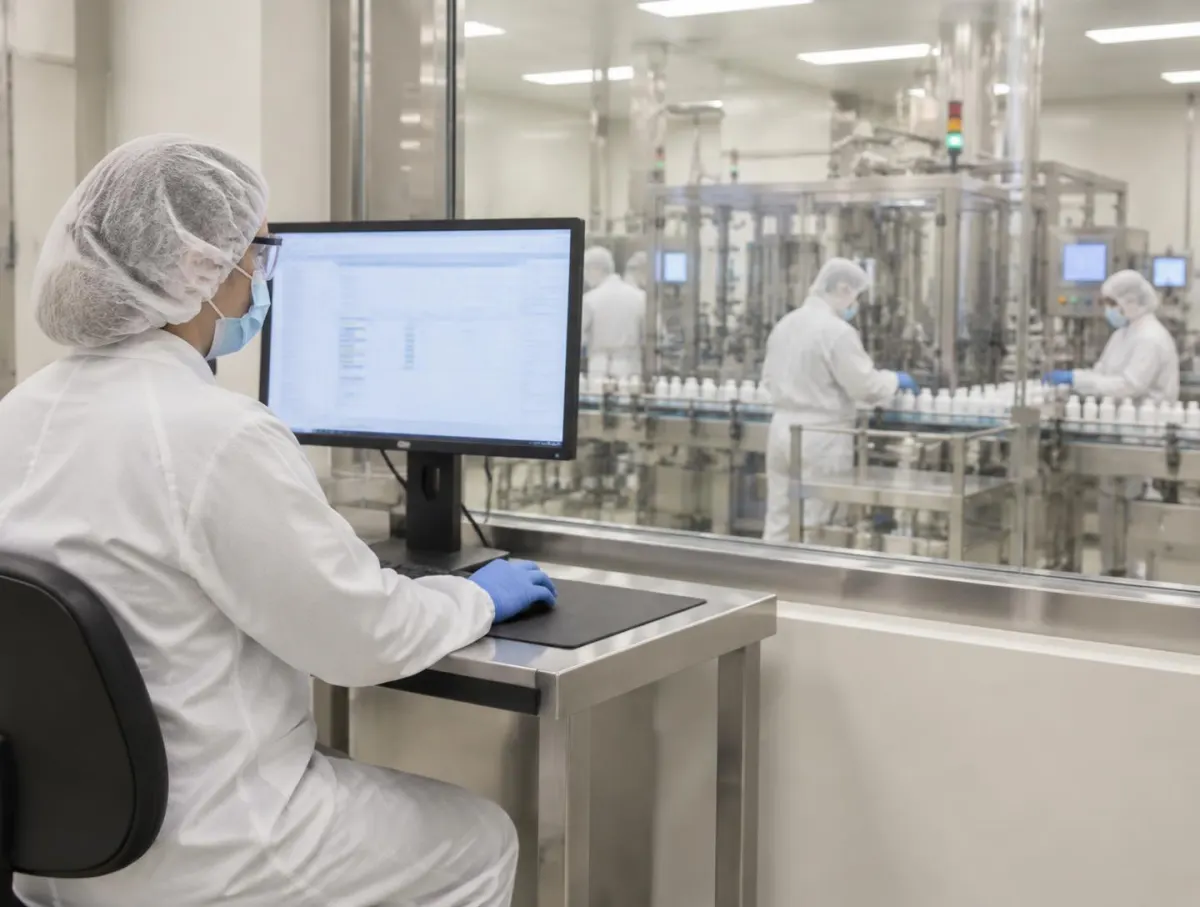
Built as work happens.
Materials, steps, checks and signatures fill the record from the work order and instructions in force.
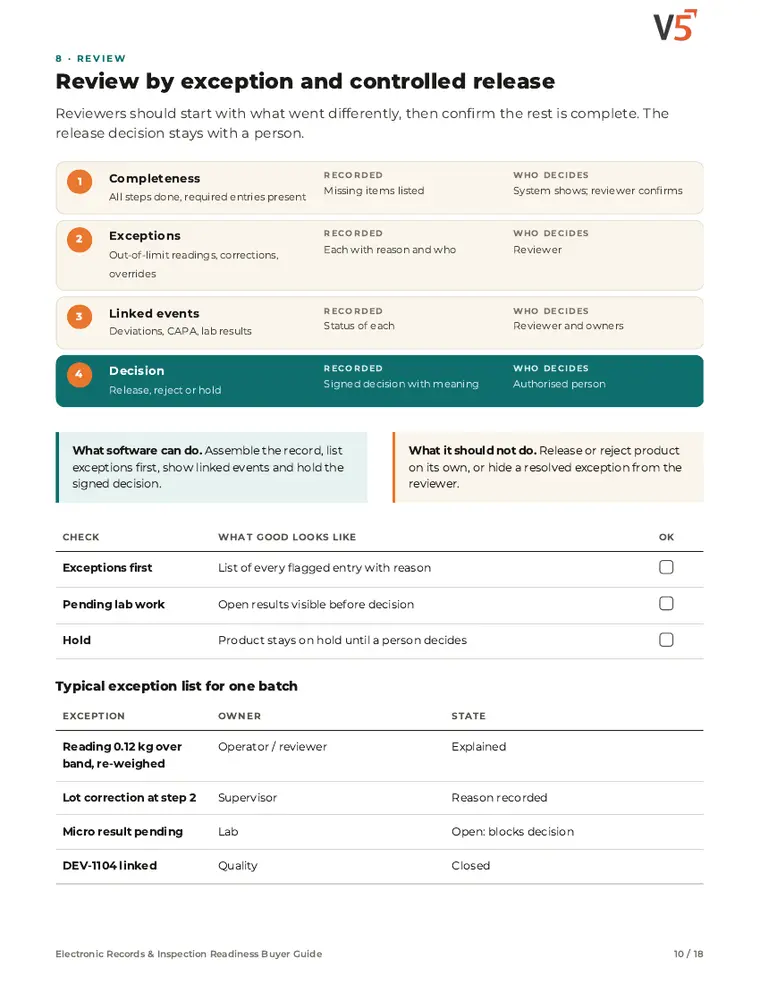
Review by exception.
Reviewers start from the exceptions instead of reading every line.
People decide release.
A named reviewer signs the decision; V5 never releases a batch on its own.
Follow one batch record
Bulk lot B-6140 of a hand cream, from work order release to the reviewer's signature. Four stages; a device history record follows the same pattern.
The batch record writes itself from the work—review starts with what stood out.
Text summary of this animation (7 steps)
- Record starts from the job. Releasing WO-6140 opens batch record B-6140 with product, quantity and instruction revision.
- Dispense adds itself. Nine dispensed materials and their lots arrive from the weighing station—nothing is retyped.
- Mixing recorded. The mixing step adds its time, speed and operator sign-off.
- Exception captured. The pH check records 6.9, above the 5.5–6.5 limit. It is kept as entered and highlighted; DEV-1301 is linked.
- Fill completes. Filling adds 3,190 units of 250 ml. The record is complete and goes to review, exceptions first.
- Reviewer opens evidence. The reviewer opens DEV-1301: pH adjusted and retested at 6.2, closed by quality.
- Review signed. The reviewer recorded the review with an electronic signature. Release stays a separate human decision.
Worked example. Batch and device history records build from what operators record at each step, and the printable batch report comes from the same data; every change carries an audit history. Electronic signatures are Professional and Enterprise. Software features do not by themselves validate your process or make a site compliant: your procedures, validation for intended use and every release decision stay with your people.
Electronic Records & Inspection Readiness Buyer Guide
For quality, regulatory, validation and IT teams evaluating electronic records, signatures and inspection readiness. Use it with or without V5.
- 1Know what a full record holds.
- 2Review exceptions, not every line.
- 3People release the batch.
See what's inside
- Which rules apply to which records
- Record lifecycle, attribution and authority checks
- Signatures, corrections and audit trail
- Batch and device history records
- Review by exception and controlled release
- Risk-based validation and Enterprise IQ/OQ
- Audit readiness, inspection requests and floor audits
- Sharing records outside the company
- Evidence matrix, RACI, migration, demo scenarios and RFP
Chapters: why record questions go badly · which rules apply · record lifecycle · attribution and authority · electronic signatures · corrections and audit trail · batch and device history records · review and controlled release · validation and Enterprise IQ/OQ · audit readiness evidence map · inspection requests · floor audits · external sharing · evidence matrix, RACI and migration · demo scenarios and RFP · where V5 fits and sources.
We ask for your name and email so we can handle this request. The PDF downloads in your browser. Privacy policy

The record at the centre of execution and quality
Execution writes it, quality reviews it, release decides on it, and traceability reads from it.
What's included
What the electronic record uses, and which plan each item needs. Compare plans
Record and review
Built as the work is done.
Work orders and shop-floor screens · Standard PDF reports · QA release queue
Explore batch records
Record and review
Built as the work is done.
Work orders and shop-floor screens · Standard PDF reports · QA release queue
- Work orders and shop-floor screensWhere entries are made.
- Standard PDF reportsBasic batch reporting.
- QA release queueRecords waiting for review.
- Regulated reportsProfessional and EnterpriseBMR, eDHR, MMR and certificate of analysis.
- Electronic signaturesProfessional and EnterpriseName, date and time, and meaning.
- Deviation managementProfessional and EnterpriseExceptions linked to steps.
People review the record and decide release. AI never edits records or signs.
Try it with one of your own batch records.
Start your free trialOr (you can edit the question before sending) or .