The right job.The next clear step.The record kept live.
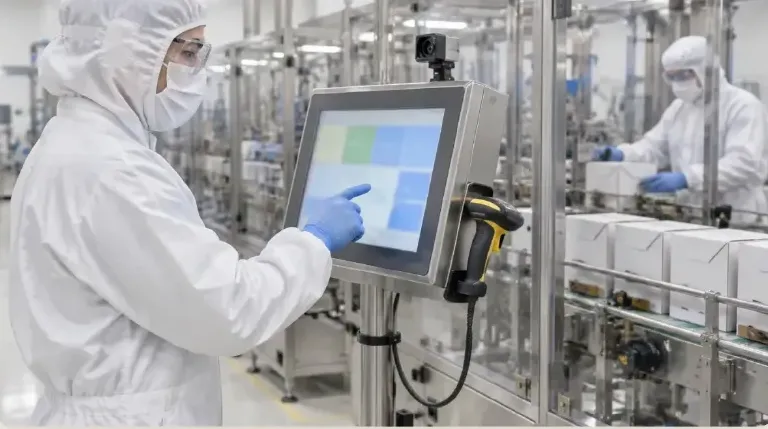
Operators see only their work, one clear step at a time, and every action is recorded as they go.
A clear step in front of the operator.

Try a shift start on line P3
Each person signs in
Each person signs in under their own login.
How the kiosk works: sign-in, roles, devices and records
1. Each person signs in
Each person signs in under their own login.
Screens and terminology follow your workspace profile.
The station's devices are already paired.
- Hardware
- Runs in a browser on touch-screen PCs and tablets; confirm your devices with us.
Each device connection needs its own configuration.
Kiosk · Line P3
Shift start
- Operator
- Own login
- Role
- Packing operator
- Station
- P3 · scanner, printer
- Shared logins
- Not used
- Terms
- Your workspace profile
Everything recorded is tied to who signed in.
2. Only the work their role allows
Administrators decide which tiles and actions each role can use.
Operators see their work orders, not every menu.
Approvals and release stay with the right roles.
- Roles
- Role permissions are set by your administrators.
Training-based restriction is not claimed; access follows roles you configure.
Home · packing operator
Tiles set by admins
- My work orders
- WO-7004 · ready
- Line clearance
- Available
- Checks
- Available
- Formula edits
- Not shown
- Release
- Not shown
Administrators decide tiles and actions per role.
3. Camera Tools on Every Screen
Barcode scanning is available from the header on every operator screen.
Photos can be attached as evidence for review.
Each step is recorded with who and when.
- Scanners
- Handheld scanners can be paired where configured.
Photos are evidence for people to review, not automatic checks.
WO-7004 · step 2
Seal check
- Barcode
- Carton lot C-221 · scanned
- Seal check
- Pass
- Photo evidence
- Attached · for review
- Recorded
- Who and when
- Paper
- None
Barcode and photo from the kiosk header.
4. The batch record builds as they work
Entries go into the batch record as they're made.
QA reviews from exceptions later.
What goes to your ERP depends on the integration.
- Record
- See eBMR / eDHR for review.
V5 runs alongside your ERP; it doesn't replace it.
WO-7004 · record
Live
- Steps
- 3 of 5 recorded
- Scans
- 4
- Photos
- 1
- Review
- Later · by QA
- ERP
- Per integration
Replaces the clipboard, not the ERP.
The kiosk is where floor pages meet
Dispensing, step order, checks and labels all happen on the kiosk.
- MESRun each step at a kiosk with checks and sign-off.See MES
- This pageKioskA simple floor screen for the job in front of the operator.
- Step OrderKeep steps in order where your sign-off rules require it.See Step Order
- Hardware & DevicesScales, printers and scanners connected at set-up.See Hardware & Devices
AI and Kiosk
Help around the step, not permission to skip it
Help around the step, not permission to skip it
Use assistant help to explore the kiosk workflow. Operator identity, sequence, training and tolerance controls remain configured execution checks.
Everything in this feature
What the kiosk uses, and which plan each item needs. Compare plans
Operator kiosk
All plansRole-based tiles, configured terminology.
Guided device pairing
All plansScales, scanners, printers.
Work orders
All plansJobs on the screen.
Vision AI / OCR
All plansRead supplier labels from a photo; people check.
Training readiness
Professional and EnterpriseTraining and competence checks on kiosk roles, as configured.
Electronic signatures
Professional and EnterpriseSigned steps.
Administrators set what each role sees. People review records.
Explore the sample records.
Open a sample report to review its contents, supporting references and how the record is built.
 Ultimate
Sample report
Work Order Traveler

Plan & make
- Ultimate
Sample report
Dispense Ticket
Plan & make
Manufacturing Execution Buyer Guide
A 12-page guide to choosing shop-floor execution software: what operators should see, what each step should record, and how to test it.
- Why execution control matters
- Operator-to-reviewer record map
- Electronic record evidence checklist
- Readiness, procedures and human review
Plus Exceptions, deviations and rework; Batch, assembly or packaging vocabulary; Change control, connected records, implementation, RFP and scoring.
Get the manufacturing execution guideWe ask for your name and email so we can handle this request. The full guide then opens on this site, ready to translate, print or save. Privacy policy.
UltimateFree buyer guide
Manufacturing Execution Buyer Guide
Straight answers.
What buyers ask us first about Production & Planning.
Does V5 replace our planning spreadsheet?
Scheduling and MRP give planners a board and suggested orders to review. Planners still decide what to run and when.
Can operators work from a tablet at the line?
Yes. The operator kiosk runs on tablets and shows one step at a time, recording what was done as the work happens.
Which plan includes electronic batch records?
Electronic batch and device records with e-signatures start on Professional. See Compare details on the pricing page for the full list.
More of the product
Start with one area. Add the rest when you are ready.
 Warehouse & TraceabilityExplore
  This feature's areaProduction & PlanningExplore
  Quality & LaboratoryExplore
  Documents & TrainingExplore
  Equipment & PerformanceExplore
  Orders & IntegrationsExplore
Try the kiosk on one of your own lines.
Start a free trial or talk it through with us. No card needed.