
The right person is told, and you can see they saw it.
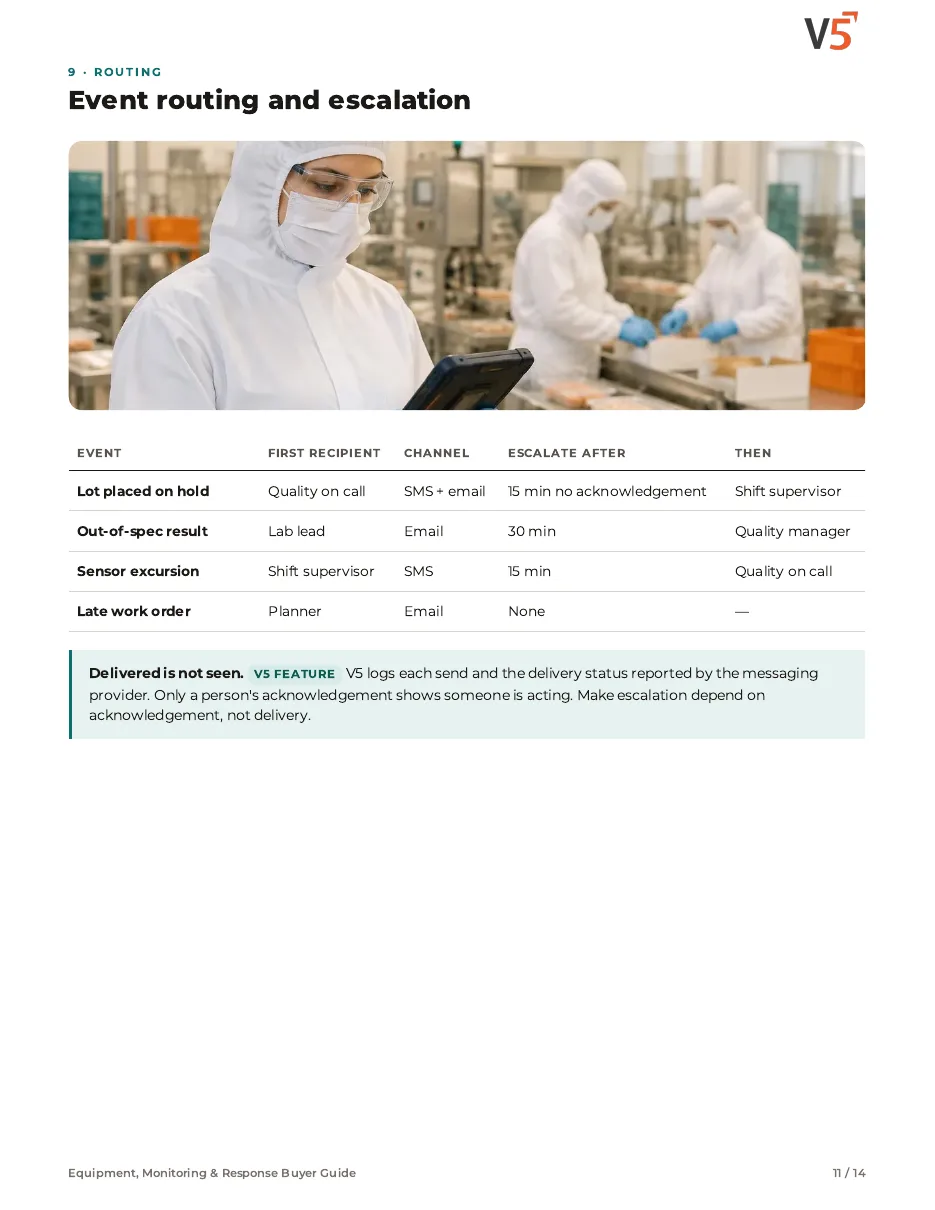
Holds, failed results and late work can send SMS or email to the people you choose. Each send, failure and acknowledgement is logged, and unanswered alerts escalate.
7-day free trial, no card required. SMS notifications are in every plan. Event triggers, email and escalation are in Professional and Enterprise.

Your rules.
Events, recipients and channels you set.
Failures visible.
Undelivered messages show in the log.
Acknowledged, not just sent.
Escalation stops only when a person responds.
Follow one hold alert
Lot L-5530 is placed on hold at 22:40. Four stages.
Delivered is not the same as seen
Try it: place the hold, watch one message fail, let time pass, then acknowledge.
- 22:40 · Quality on call · SMS—
- 22:40 · Quality on call · Email—
- 22:55 · Shift supervisor · SMS—
Nothing is sent for events without a rule.
Delivery status is what the messaging provider reports; it isn't a guarantee of delivery or timing. Only a person's acknowledgement stops escalation. Rules, recipients and channels are yours.
Explore the details: every stage, with limits and set-up notes
Tap a step below to see what happens.Choose a step below to see what happens.
Step 1 of 4
- LotL-5530 · placed on hold
- ReasonSeal check failure
- RuleHolds → quality on call
- TemplateHold alert
Each event has its own rule.
An event you chose to notify on
- You choose which events notify anyone.
- Each event has a recipient list and a message template.
Nothing is sent for events without a rule.
More on event: full record and set-up
Also on this record
- Other events
- OOS, deviation, late, ship
Rules are set per process.
- Events
- For example holds, out-of-specification results, deviations, late work orders and shipments ready.
Equipment, Monitoring & Response Buyer Guide
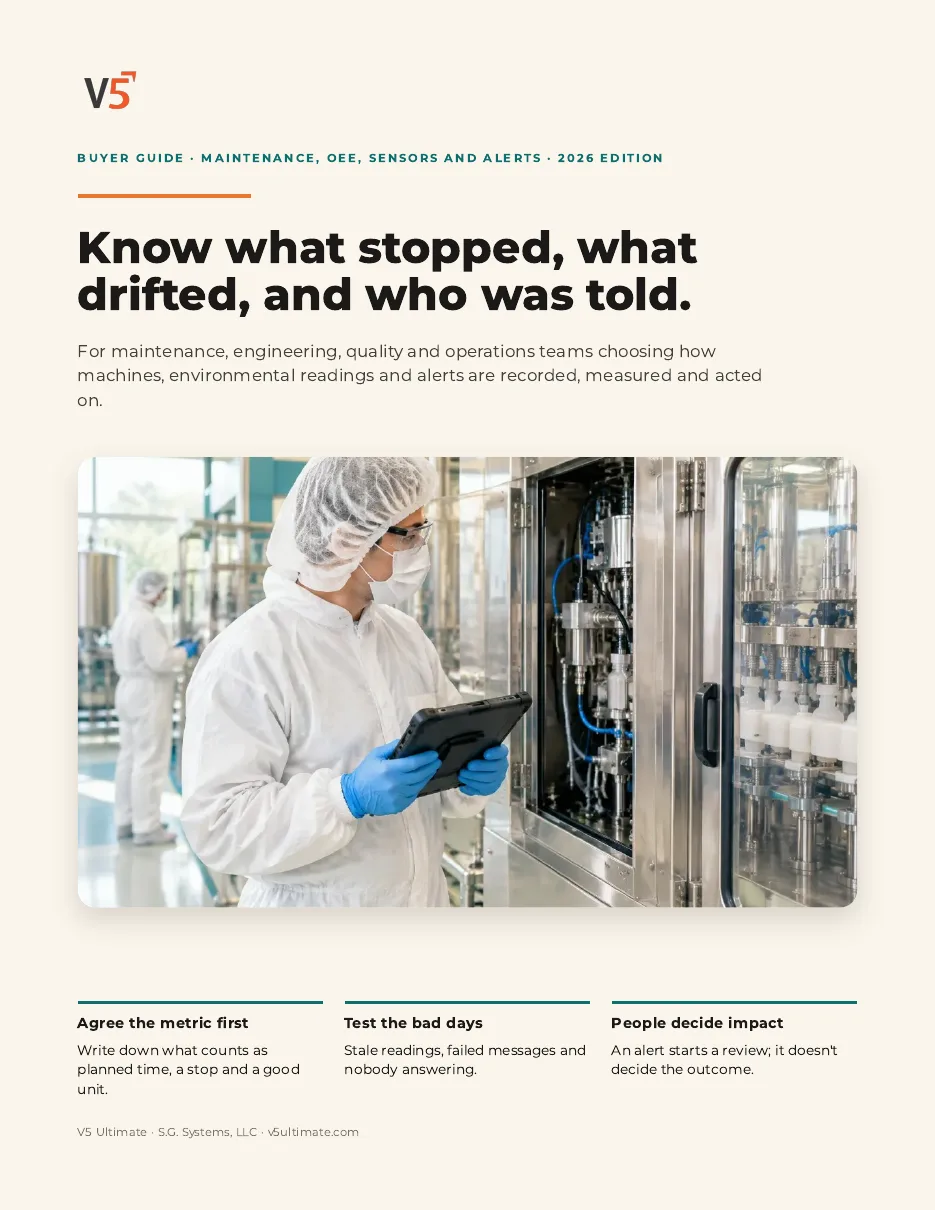
For maintenance, engineering, quality and operations teams choosing how machines, readings and alerts are recorded and acted on. Use it with or without V5.
- 1Agree the metric first.
- 2Test stale readings and failed sends.
- 3People decide the impact.
See what's inside
- What's native vs your procedure
- Asset, PM and calibration roles
- Downtime reasons people use
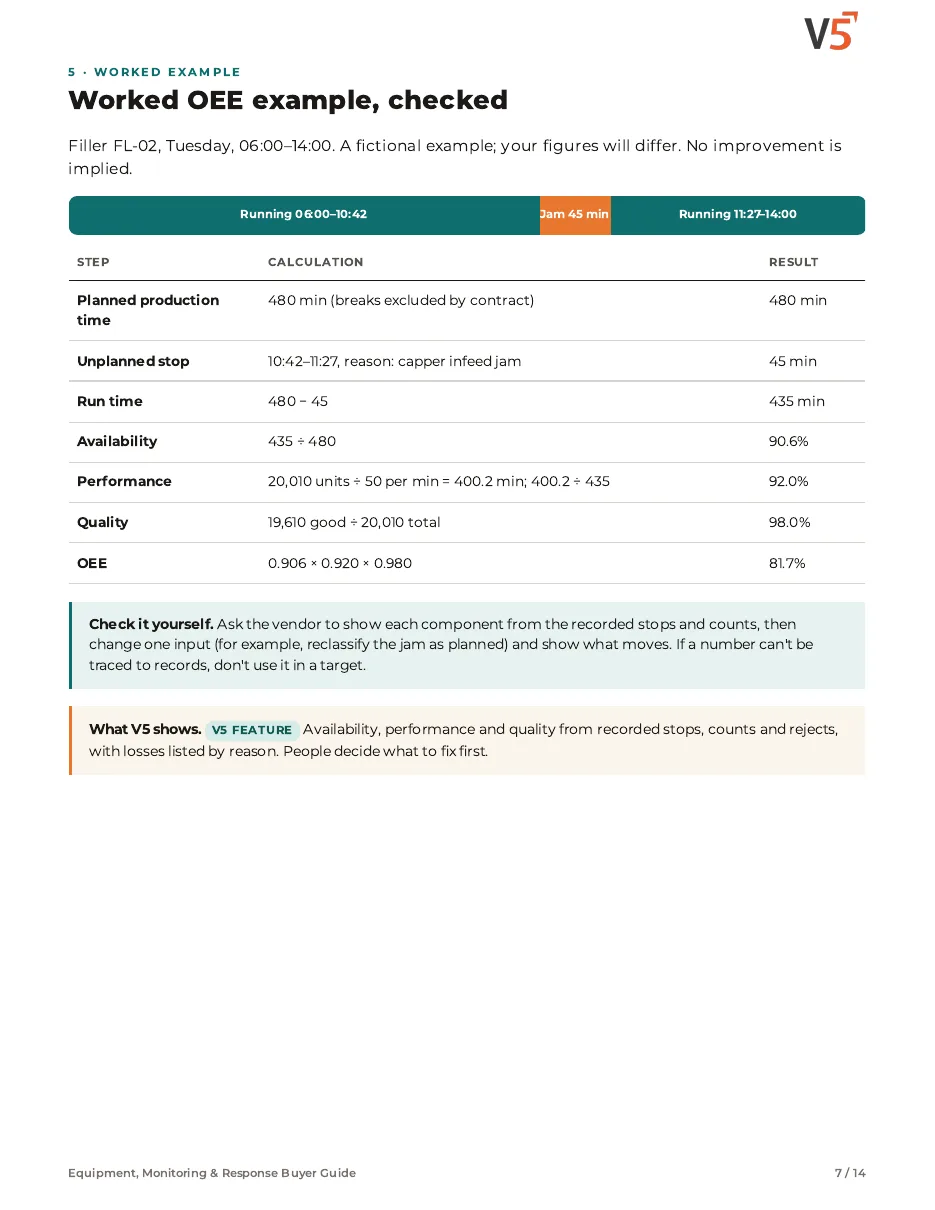
- OEE metric contract and worked maths
- Stale, missing, time and unit tests
- Thresholds vs anomaly detection
- Excursion to human disposition
- Routing, escalation, failed messages
- Commissioning RFP matrix
We ask for your name and email so we can handle this request. The PDF downloads in your browser. Privacy policy
Notifications sit on your quality events
Holds, deviations and sensor excursions can each trigger one.
What's included
What notifications use, and which plan each item needs. Compare plans
Messages
Trigger, route, escalate, log.
SMS notifications · Notifications & comms · Deviation management
Explore notifications
Messages
Trigger, route, escalate, log.
SMS notifications · Notifications & comms · Deviation management
- SMS notificationsFor example deviations and releases.
- Notifications & commsProfessional and EnterpriseEvent triggers, email, escalation, delivery log.
- Deviation managementProfessional and EnterpriseDeviation events.
- Customer portalProfessional and EnterpriseCustomer-facing notices.
Messages inform people. People decide and record actions.
Set up alerts for one of your processes.
Start your free trialOr (you can edit the question before sending) or .