
Every container scanned, weighed and recorded against its lot.
Scan each container, record the weight against its lot, with checks that run as you configure.
7-day free trial, no card required. Dispensing and lots are in every plan. Electronic signatures are in Professional and Enterprise.

Every container scanned.
Each container is scanned on the work order's material line before it is weighed.
Lot checked at the scan.
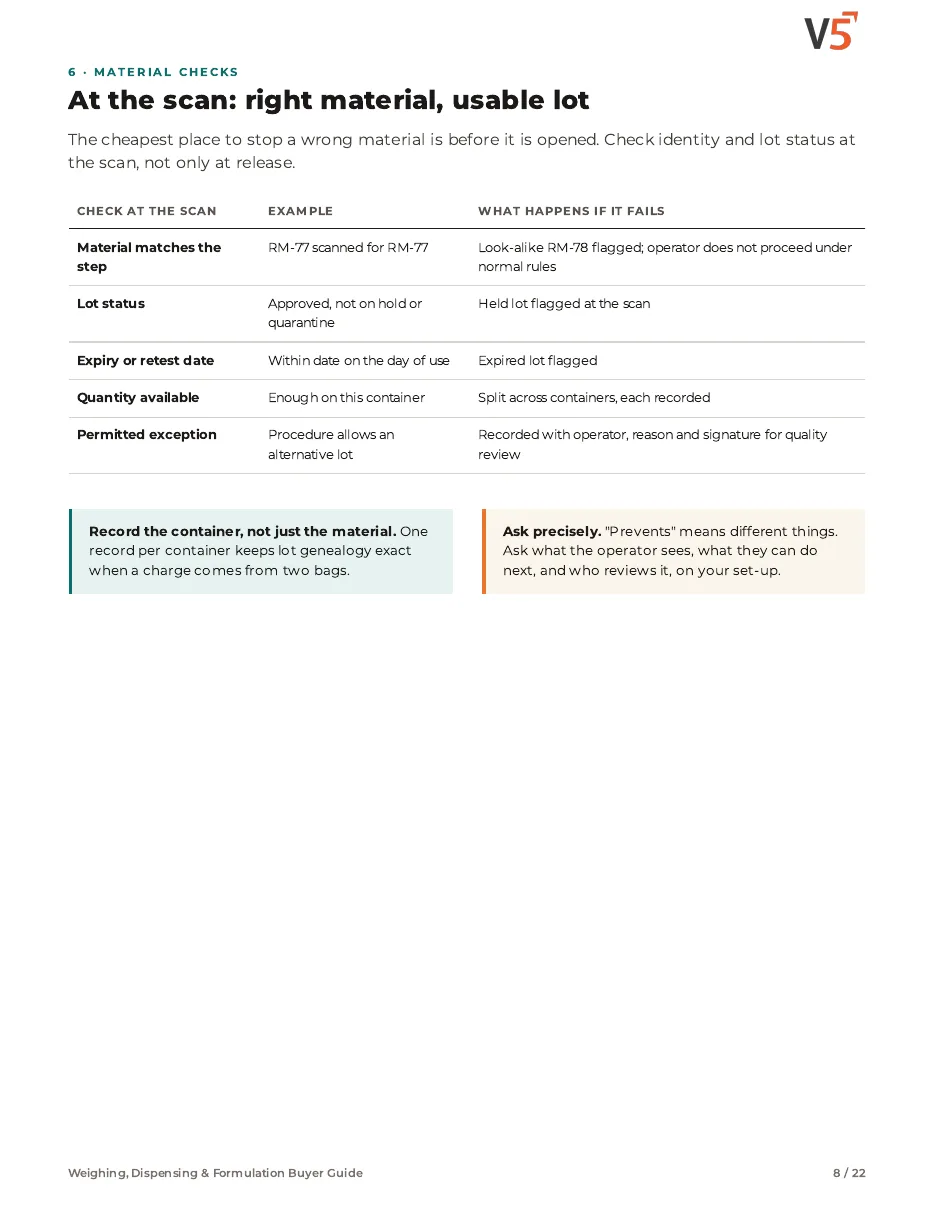
Lot status and expiry are checked at the scan, as configured.
Exceptions signed.
Where your procedure allows an exception, who and why are recorded for quality.
Follow four containers
Scan a drum, weigh it, see the total build
Try it: tap drums to scan and weigh them. One has expired.
Worked example. V5 doesn't decide whether expired material may be used; your procedures do.
How dispensing works: scans, checks, exceptions and records
Tap a step below to see what happens.Choose a step below to see what happens.
Step 1 of 4
- Drum 1Lot S-881 · released
- Drum 2Lot S-881 · released
- Drum 3Lot S-790 · expired
- Drum 4Waiting
Checked against the lot record at the scan.
Scan each container
- Lot status and expiry are checked when the container is scanned.
- Which checks run follows your workspace configuration.
Checks run only as configured for your workspace.
More on scan: full record and set-up
Also on this record
- Checks
- Status, expiry
Every scan is recorded.
- Wrong material
- See wrong-material prevention for material checks.
Weighing, Dispensing & Formulation Buyer Guide
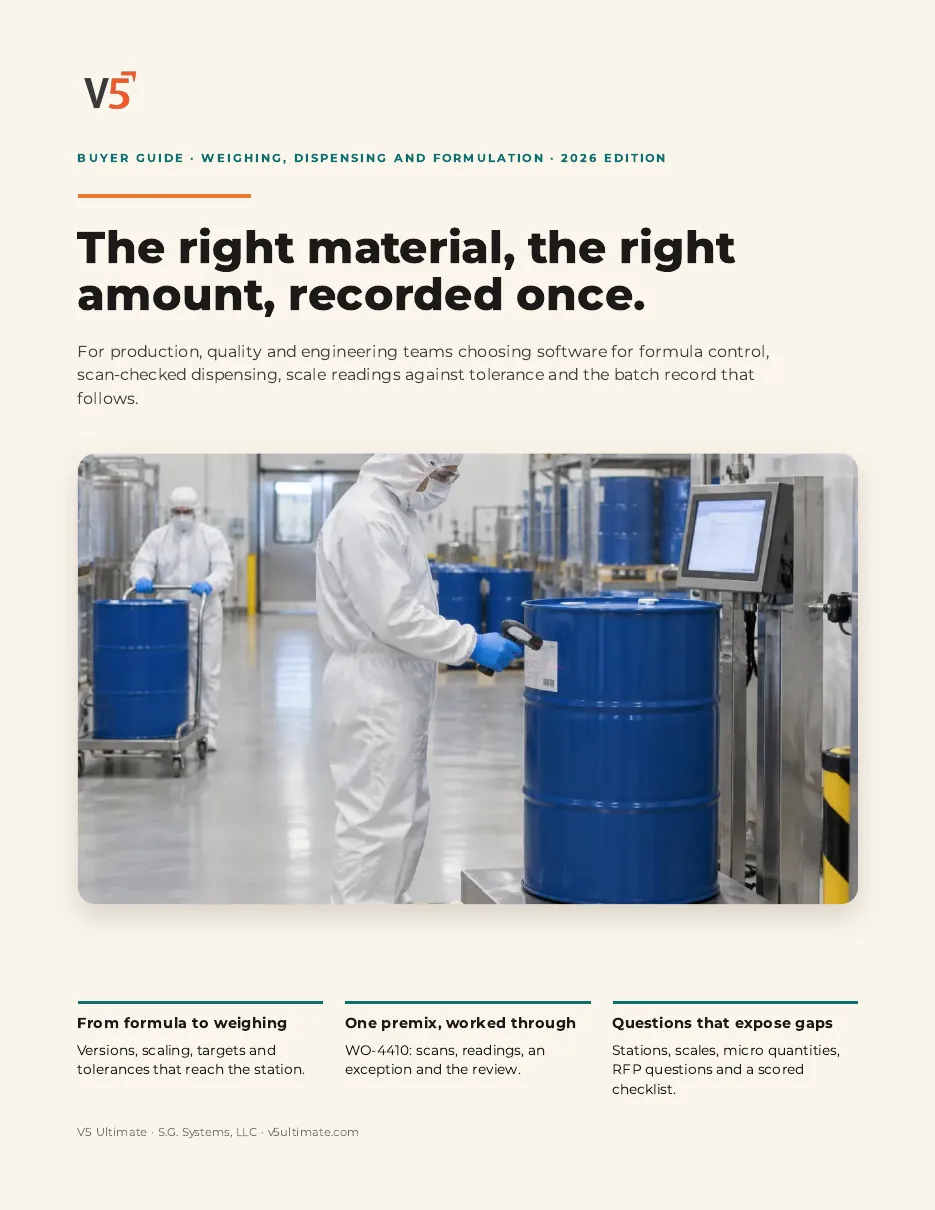
For production, quality and engineering teams choosing software for formulas, scan-checked dispensing and scale readings. Use it with or without V5.
- 1Check the lot before it is opened.
- 2Know who sets each selection rule.
- 3Test it with a held lot.
See what's inside
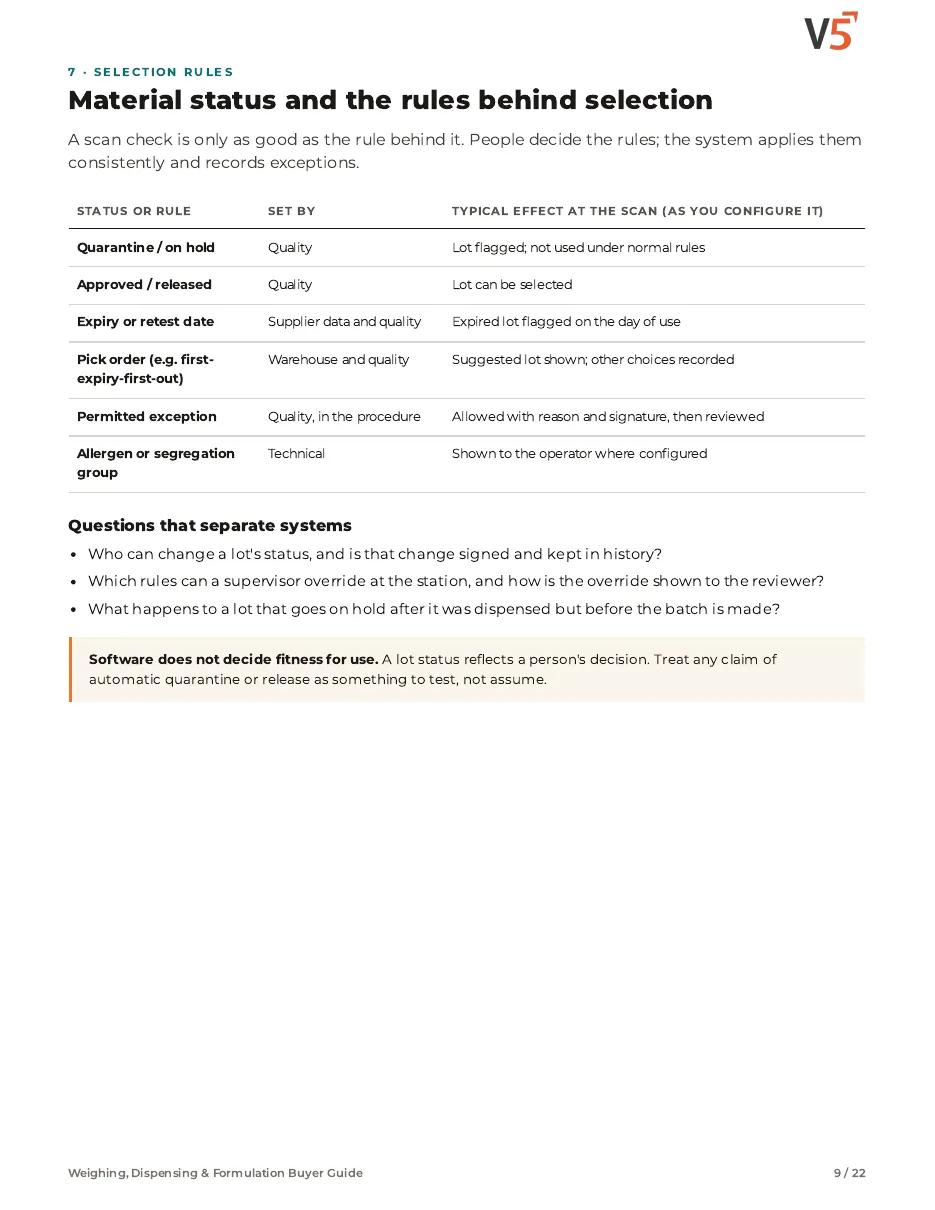
- How to check identity, lot status and expiry at the scan, not only at release.
- Who sets each status and selection rule, and how permitted exceptions are recorded and reviewed.
- Questions and a scored checklist to test held, expired and look-alike lots on your own set-up.
Chapters: why weighing records fail · formulas: the version in force · formula structure and controlled change · scaling, targets and tolerances · tare, gross, net, units and staged weighing · at the scan: right material, usable lot · material status and selection rules · readings against tolerance · micro ingredients · stations, scales and readiness · one person, two people and signatures · corrections, re-weighs and exceptions · the electronic dispensing record · issue, consume, return and yield · a premix worked through · the same workflow in different words · master data, migration and validation · implementation and roles · RFP questions and scored checklist · where V5 fits, plans and sources.
We ask for your name and email so we can handle this request. The PDF downloads in your browser. Privacy policy
Dispensing in production
Scan checks protect the line, weighings feed the dispensing record, and lots stay traceable.
What's included
What dispensing uses, and which plan each item needs. Compare plans
Scan-checked dispensing
Scan, check, weigh, sign.
Inventory, receiving and dispense · Lots and traceability · Operator kiosk
Explore dispensing
Scan-checked dispensing
Scan, check, weigh, sign.
Inventory, receiving and dispense · Lots and traceability · Operator kiosk
- Inventory, receiving and dispenseQuantities against lots.
- Lots and traceabilityStatus and expiry on the lot.
- Operator kioskScanning at the station.
- Electronic signaturesProfessional and EnterpriseSigned weighings and exceptions.
- Deviation managementProfessional and EnterpriseWhen an exception needs investigating.
Your configuration decides stop or warn. Quality reviews exceptions.
Try it with one of your own material lines.
Start your free trialOr (you can edit the question before sending) or .