
Run the work order, and record it as it happens.
Work orders take the approved formula and instructions to the floor, and record each step and check as it's done.
7-day free trial, no card required. Work orders are in every plan. Two-signature formula approvals and cost/COGS are in Professional and Enterprise. Yield forecasting is coming soon.

Follow one work order
Bottling job WO-9031, 12,000 bottles. Four stages, from allocation to consumption.
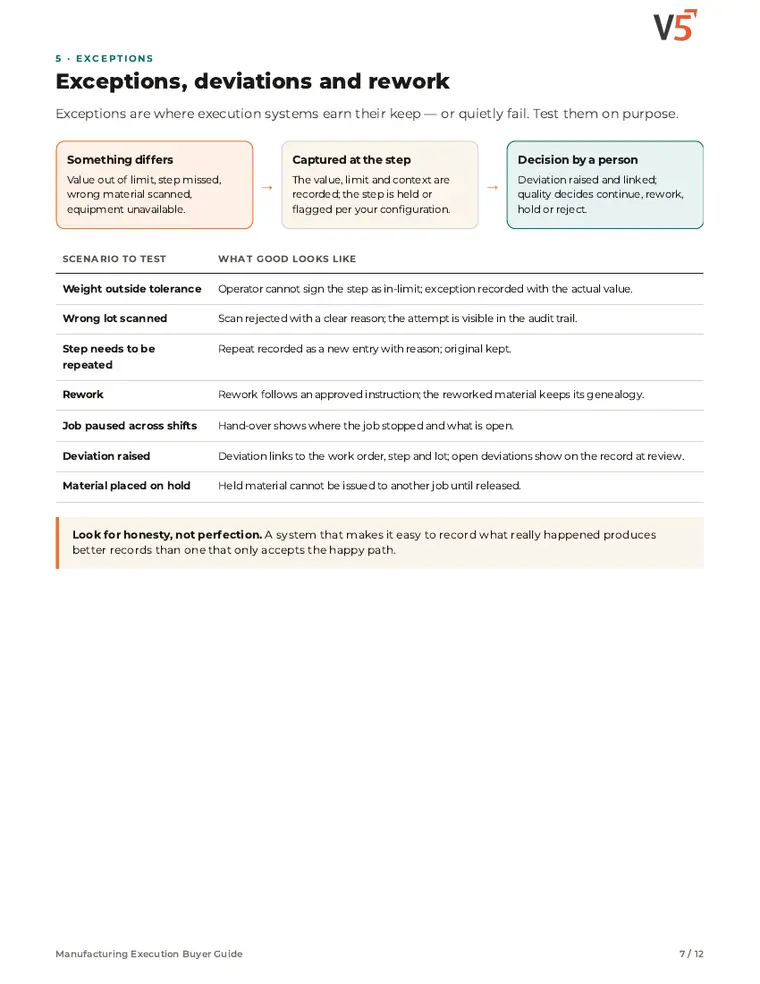
Checks are recorded at the step, as the line runs
Try it: record the hourly checks and watch what a failure does.
| Time | Count / bottle | Torque |
|---|---|---|
| 10:00 | — | — |
| 11:00 | — | — |
Worked example. Deviations are Professional and Enterprise. People decide what happens to affected product.
Explore the details: every stage, with limits and set-up notes
Tap a step below to see what happens.Choose a step below to see what happens.
Step 1 of 4
- Bulk tabletsLot T-7710 · allocated
- BottlesLot BO-118 · allocated
- CapsLots CP-40, CP-41
- LabelsRev D
Allocated now, consumed at completion.
Lots allocated up front
- Lots can be allocated to the job before it starts.
- The work order carries the approved formula version.
Two-signature formula approvals are Professional and Enterprise.
More on allocate: full record and set-up
Also on this record
- Target
- 12,000 bottles
Approved formulas change only by a new version.
- Readiness
- See MES for checking materials, equipment and people before release.
Production at the centre
Planning sends work, formulas set it, the floor records it, and quality and stock read from it.
What's included
What production uses, and which plan each item needs. Compare plans
Run the job
Allocate, run, check, complete.
Work orders, blending, packaging · Operator kiosk · QA release queue
Explore production
Run the job
Allocate, run, check, complete.
Work orders, blending, packaging · Operator kiosk · QA release queue
- Work orders, blending, packagingJobs with allocated lots.
- Operator kioskSteps and checks.
- QA release queueRecords for review.
- Two-signature formula approvalsProfessional and EnterpriseApproved versions.
- Cost/COGS & varianceProfessional and EnterpriseStandard vs actual.
AI yield forecasting: coming soon, not available today. People approve formulas, review records and decide release.
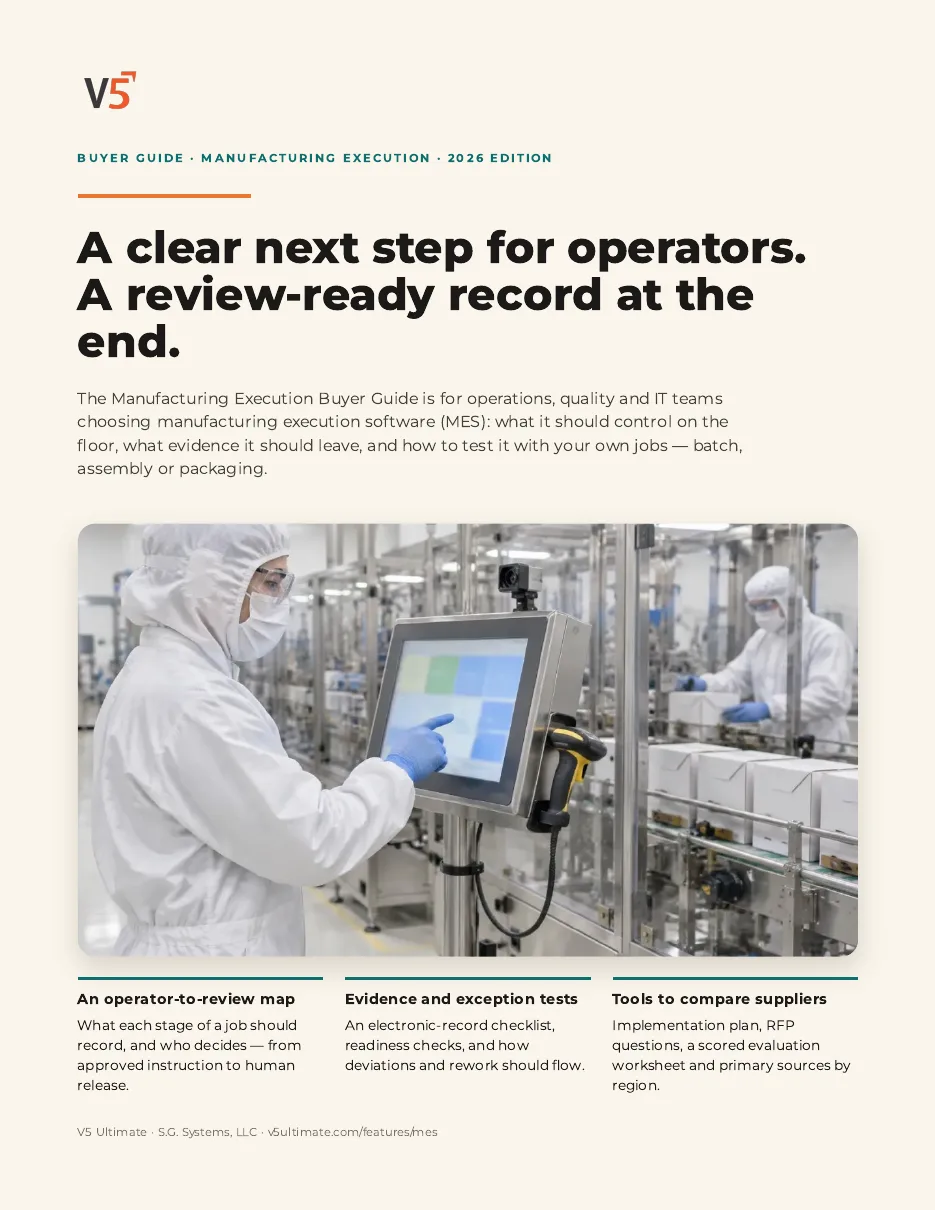
Manufacturing Execution Buyer Guide
For operations, quality and IT teams choosing manufacturing execution software. Use it with or without V5.
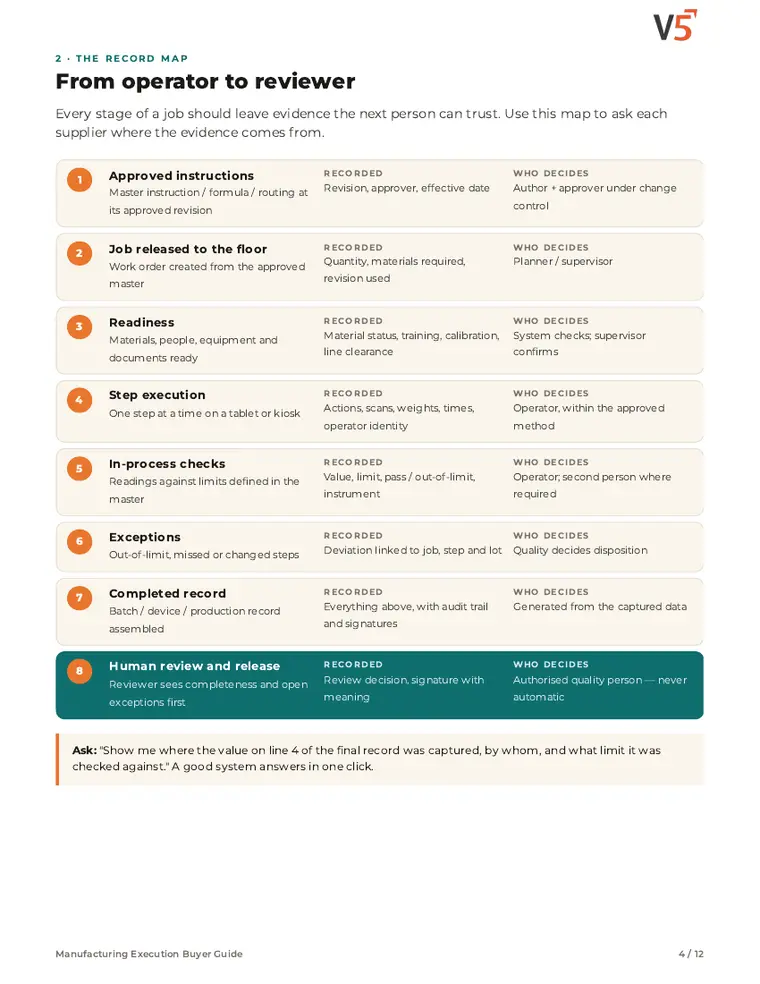
- 1Follow the job from operator to reviewer.
- 2See exceptions recorded at the step.
- 3Score systems with your own job.
See what's inside
- Operator-to-reviewer record map
- Electronic record evidence checklist
- Readiness, procedures and human review
- Exceptions, deviations and rework
- Batch, assembly or packaging vocabulary
- Implementation, RFP and scored evaluation
Chapters: why execution control matters · operator-to-reviewer record map · evidence checklist · readiness, procedures and human review · exceptions, deviations and rework · batch, assembly or packaging · change control · implementation and pitfalls · RFP and scoring · where V5 fits and sources.
We ask for your name and email so we can handle this request. The PDF downloads in your browser. Privacy policy
Try it with one of your own work orders.
Start your free trialOr (you can edit the question before sending) or .